Telegram · Change number · Reviewed 3 October 2026
How to Change Your Phone Number on Telegram
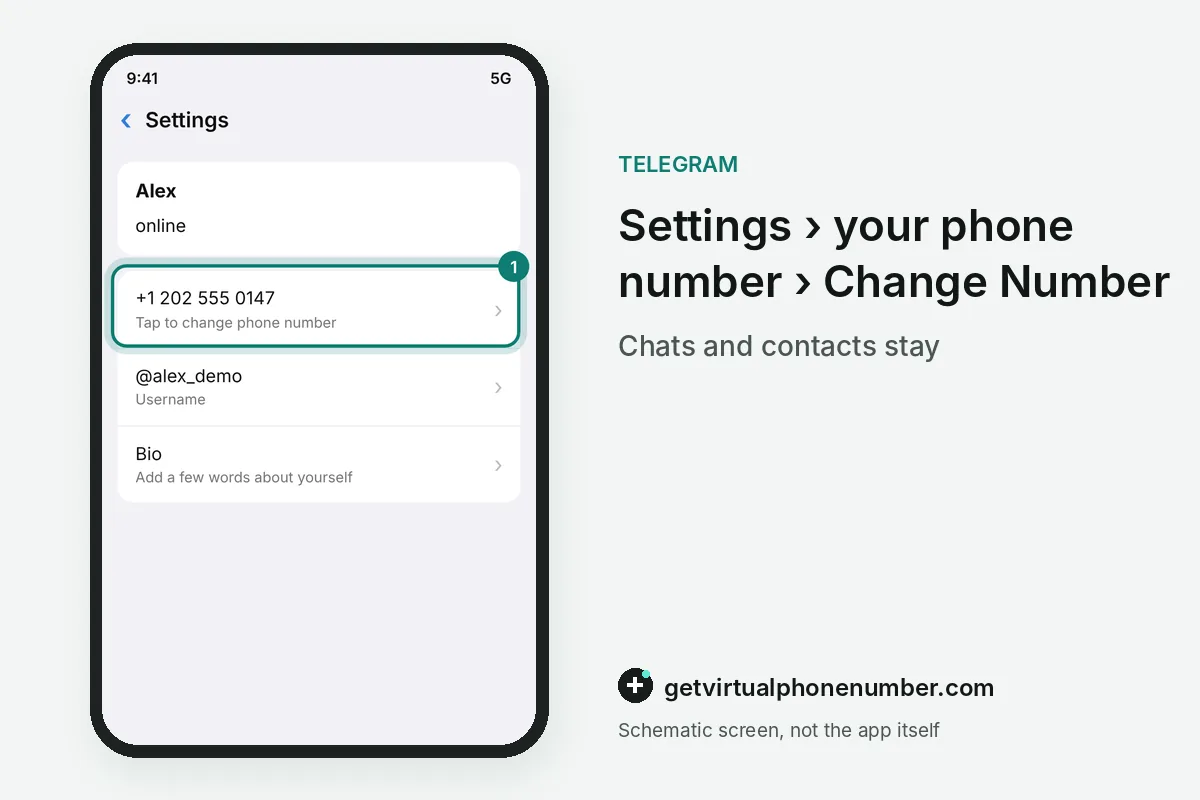
To change your phone number on Telegram, open Settings, tap your current number, choose Change Number and confirm the new number with a code. The code has 5 digits. Telegram keeps your chats, media, contacts and Secret Chats during the change, so the whole account moves to the new line in one piece.
What happens if you change your number on Telegram?
When you change your number on Telegram, the whole account moves to the new number and the old number is freed. Nothing gets deleted. Your username, profile, contacts, media, groups and Secret Chats stay exactly where they were, and every signed-in device keeps working without a new login.
Contacts who stored your old phone number see it until they update their own phone book. Privacy and Security, Phone Number decides who sees the new number on Telegram: Everybody, My Contacts or Nobody.
How do you change the phone number on Telegram step by step?
To change the phone number on Telegram, open the app and tap your current number in Settings. Then choose Change Number. Enter the new number with its country code, type the code that Telegram sends to it, and the switch happens on every device at the same time.
On Android, tap the three-line menu icon in the top left corner first and then open Settings, where the phone number sits above the username. The Change Number prompts are identical on iPhone.
Do you need Change Number in Telegram when you switch carriers?
Switching carriers needs no Change Number in Telegram when your phone number stays the same through porting. Telegram follows the number. Login codes reach the new SIM card from the first day, and moving a number from a physical SIM to an eSIM works exactly the same way.
Change Number is only for a different phone number on Telegram, such as a new contract, a work line or a number in another country after a move. A ported number keeps every login code flowing without any action in the app.
Why can't I change my phone number on Telegram?
Telegram refuses to change your phone number when the new number already holds its own Telegram account. One number registers one account. That other account has to be deleted first on the deactivation page, which works only for someone who can read the code on the new number.
For example, a number typed as 0202 instead of +1 202 also fails, because the country code is missing. When a stranger's account sits on the new number, follow someone using my number on Telegram.
Can you change the Telegram number without the old SIM?
You can change the Telegram number without the old SIM from any device that is still signed in. Only the new number gets a code. Run Change Number on that phone or computer before the session ends, because a later login would send the code back to the old number.
With no signed-in device left, the carrier must restore the old SIM before you can change the phone number on Telegram. Telegram support cannot move an account without a code.
How do you unlink your number from Telegram for good?
To unlink a phone number from Telegram for good, change the number to another line or delete the account. Every account needs a number. Changing the number frees the old line at once, while deleting the account also removes your chats, contacts and group memberships for good.
Changing the phone number is the gentler option on Telegram, because the account and its history stay intact. Deletion steps are in how to delete a Telegram account, and our free Telegram numbers are test lines only.
Telegram change number steps
- Open SettingsTap your phone number above the username.
- Choose Change NumberRead the notice and continue.
- Enter the new numberSelect the country code and type the number.
- Confirm with the codeType the code sent to the new number.
- Review privacySet who can see the new number in Privacy and Security.
 Algeria
 Netherlands
 Moldova
 Sweden
 Canada
 United States
 United Kingdom