Telegram · Number already registered · Updated 3 October 2026
Someone Is Using My Number on Telegram: What to Do
When someone is using your number on Telegram, the account belongs either to a previous owner of the number or to a person who saw your login code. The SIM holder can always sign in. Signing in with the SMS code and ending other sessions takes the number back, and a protected stranger's account resets after 1 week.
Why is someone using my number on Telegram?
Someone is using your number on Telegram when a carrier recycled the number or when your login code reached another person. Both cases look alike at first. Carriers hand out numbers that earlier owners gave up, and the old Telegram account stays on that number until somebody deletes it.
A login code can also leak through a shared phone, a forwarded SMS or a fake support chat. Someone else is then using your Telegram account from their own device, often without any visible sign at first.
How do you know if someone is using your Telegram account?
To know if someone is using your Telegram account, open Settings, Devices and look for sessions you never started. Each entry names a device. The list also shows the app and an approximate location, so a computer in another city is easy to spot among your own phones.
Login codes you never requested point the same way, and so do new login alerts from the Telegram service account. Someone using your number on Telegram usually triggers both.
How do you terminate sessions when someone else is logged in?
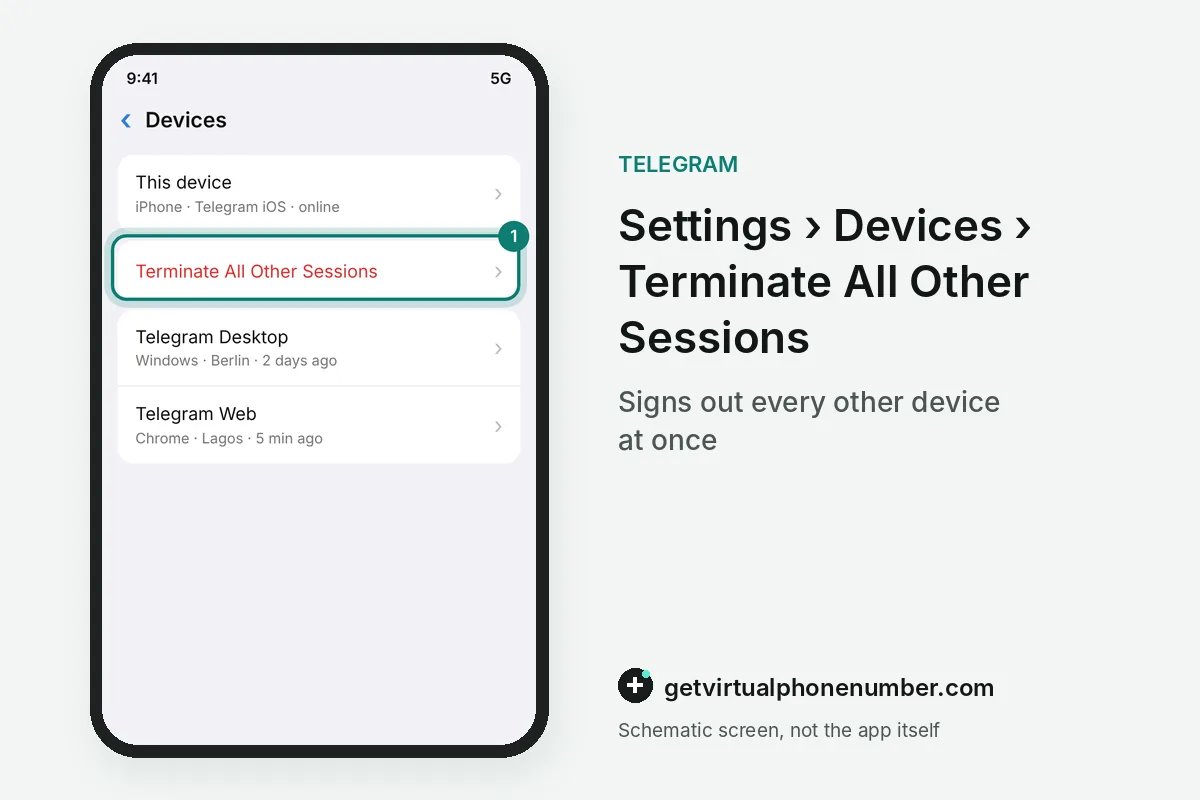
To terminate sessions when someone else is logged in to your Telegram account, tap Terminate All Other Sessions in Settings, Devices. Then set a cloud password. A cloud password stops the intruder from coming back with a fresh login code, even when that person still reads your SMS.
Check that the recovery email is yours and open Devices again the next day. Telegram two-step verification explains the cloud password setup.
How do you delete a Telegram account a previous owner left on your number?
To delete a Telegram account a previous owner left on your number, sign in with the SMS code and delete it on the deactivation page. Leave their chats unread. Your own account can then be registered on the same number, and the previous owner's contacts stop seeing their name.
A password screen means the previous owner of the number set a cloud password on Telegram, so reset that account from the password screen. For example, a reset started on 3 October 2026 frees the number on 10 October 2026.
Can two people use the same number on Telegram?
Two people cannot hold separate Telegram accounts on the same number, because Telegram registers one account per number. The code decides who gets it. Sharing a SIM card therefore means sharing one Telegram account, with the same chats visible to everyone who can read that SMS.
A recycled number can show the previous owner's profile to your contacts for a while. Signing in and setting your own name and photo replaces that profile everywhere on Telegram.
How do you spot fake Telegram support asking for your code?
Fake Telegram support asks you to forward a login code, while the real Telegram never asks for one. Codes come only from the service account. Every genuine code message warns you to keep it private, so anyone who wants your code is trying to start using your number on Telegram.
Report and block such chats at once. Shared public numbers often carry accounts of earlier visitors, so pick a fresh line on our free Telegram numbers for tests.
Steps to take your number back on Telegram
- Sign in with your SIMRequest the code on your number and read it on your phone.
- Identify the accountYour chats mean your account; foreign chats mean a previous owner.
- Terminate other sessionsOn your own account, end all other sessions in Devices.
- Reset a stranger's accountDelete it, or reset it from the password screen and wait 1 week.
- Secure your accountSet a cloud password and a recovery email.
 Algeria
 Netherlands
 Moldova
 Sweden
 Canada
 United States
 United Kingdom