Telegram · Account security · Facts verified 3 October 2026
How to secure your Telegram account, from sessions to privacy
To secure a Telegram account, protect three weak points: the login code, sessions that stay signed in and the profile details strangers can read. Each fix is a built-in setting. One sitting covers all of them, and the session check is worth repeating whenever a login looks unfamiliar.
How do you secure a Telegram account?
Securing a Telegram account means protecting what the app accepts as proof of identity: a fresh login code, an open session and any login password you set. Without that password, an intruder needs only a code or a forgotten session.
Two jobs follow from that. Protect the code from phishing, then audit devices and the profile details that make a scam believable. Account security on Telegram is mostly that routine, repeated whenever something looks off.
The login password is called Two-Step Verification in Telegram settings, and it can carry a recovery email for resets. Set that email to an inbox only you read.
How do attackers take over Telegram accounts?
Most attacks on Telegram accounts begin with a stolen login code. A message from a hijacked friend asks for help, a vote or a free Premium gift, and the link leads to a page that looks official. Kaspersky describes links styled like t.me/premium that redirect to fraudulent sites.
Other routes go through the SIM card or a forgotten session. A SIM swap hands your texts to a card someone else holds, so carrier security matters as much as app security. Bots and Mini Apps that ask for a login code are fakes, and Telegram keeps no support accounts on social media besides @smstelegram on X.
Shared lines carry that risk by design. Anyone can read the inbox of a public Telegram line, so keep those for tests and put accounts you value on a private number (coming soon).
How do scammers impersonate Telegram users?
Scammers copy a real name and profile photo, then message that person's contacts or group members asking for money or codes. Telegram handles these cases through @NoToScam, the account it names for reporting someone who pretends to be you. Security Alliance adds a counterintuitive tip: show your real profile photo to everybody, so a copy is easier to spot.
Group admins get impersonated most. Members expect messages from them, so a fake admin account rarely raises suspicion at first. A suffix such as will never DM you in the display name sets that expectation in advance. A public username has a cost too, since Telegram notes that anyone who finds it can message you without knowing your number.
What if your Telegram account is hacked?
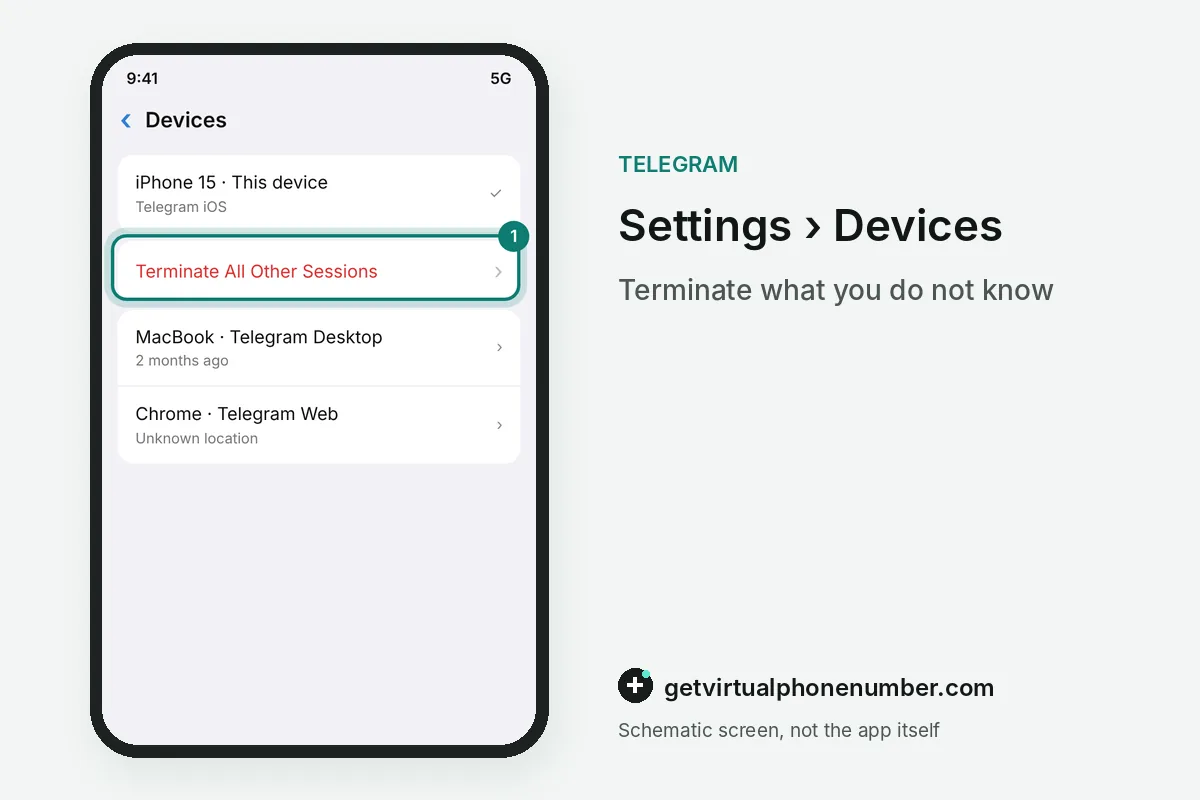
Work from any device that is still signed in: open Devices, tap Terminate all other sessions, then add a login password the intruder cannot know. Kaspersky lists the warning signs on Telegram, such as a changed username or photo and messages that friends saw but you did not. Tell your contacts by phone or in person, since a taken account is used to message the people who trust it next.
Then report the incident through Settings, Ask a question, where volunteers answer. If every device has been signed out, follow our account recovery guide. Rebuild security from scratch afterwards: a new login password, a fresh passcode and a clean device list.
Which privacy settings protect a Telegram account?
4 privacy settings protect a Telegram account from strangers who collect details for scams. Each one sits in Privacy and Security. Change all 4, since the less a scammer knows about you, the weaker the story they can build around your name.
| Setting | Safer choice | What it prevents |
|---|---|---|
| Phone Number | Nobody can see it | Strangers in shared groups reading your number |
| Last Seen and Online | My Contacts or Nobody | Strangers timing messages to when you are active |
| Calls, peer-to-peer | Nobody or My Contacts | Callers learning your IP address |
| Groups and channels, who can add me | My Contacts | Strangers dropping you into scam groups |
Which devices are signed in to your Telegram account?
Review active sessions to keep a Telegram account secure: Settings, then Devices, lists every mobile, desktop and web login. Desktop apps may call the same list Active Sessions. End anything you do not recognize, or use the option that terminates all other sessions and keeps only the device in your hand.
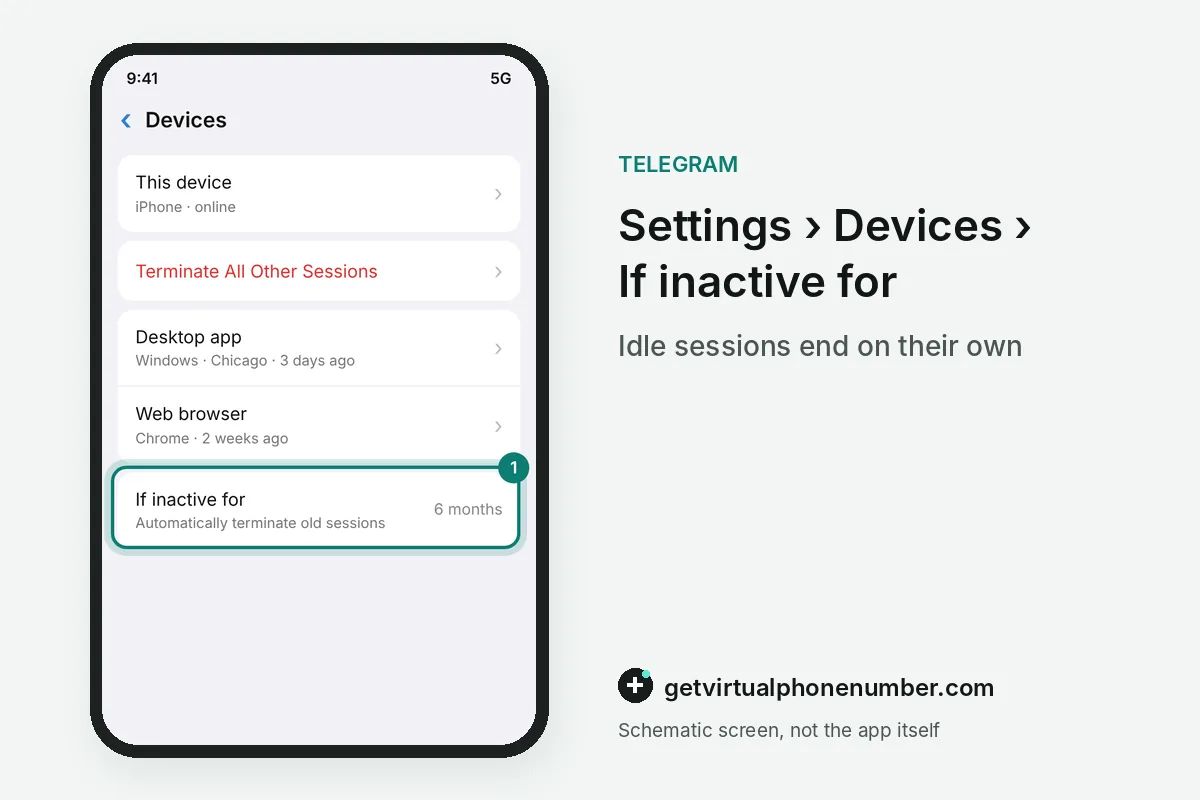
Telegram can also close idle sessions on its own after a period you choose. Make it a habit. A session forgotten on an old laptop is a door that never asks for a code, and it keeps your chats open long after you stopped using that machine.
For example, a Telegram account with sessions on 2 old laptops and 1 phone needs 2 terminations from the phone. The phone session stays.
Should you lock the Telegram app with a passcode?
Yes, because no login protection helps once someone picks up your phone while the app is open. A passcode closes that gap on one device at a time. Security Alliance suggests a code different from the one that opens your phone and notes the default auto-lock after 1 hour away.
Shared tablets and family laptops are where the passcode earns its keep. Telegram itself recommends it for anyone who uses the app on a shared device, so only you can open your chats there. Store it offline, since a forgotten passcode on your only device is a problem of its own.
Secure your Telegram account in one sitting
- Set a login passwordFollow our two-step verification guide to add the password and a recovery email.
- Lock the appIn the same menu, turn on a passcode that differs from the code that opens your phone.
- Review devicesOpen Settings, then Devices, and terminate every session you cannot name. Repeat it often.
- Close idle sessionsPick a period after which Telegram ends sessions that have been inactive, so forgotten devices drop off.
- Trim your profileSet phone number and last seen visibility so strangers learn as little as possible.
- Limit calls and groupsRestrict peer-to-peer calls and group invites to your contacts so strangers cannot reach you directly.
Sources
- Beware of Telegram Scams: Protect Your Crypto | Vault12 Blog - Vault12
- Sign in with Telegram – WordPress plugina | WordPress.org Euskara
- Telegram account hacked: what to do? | Kaspersky official blog
- How to Lock a Telegram Account and Stop Hackers
- 5 Settings to Enhance the Security of Your Telegram Account
- Telegram FAQ
 Canada
 United States
 Netherlands
 Sweden
 Algeria
 Philippines
 Sri Lanka
 Slovenia
 United Kingdom