Gmail · Account security · Updated 3 October 2026
Google account security: Security Checkup, passwords and app access
Google account security is the set of settings that keeps strangers out of your Google login. The set covers Security Checkup, recovery details, passkeys, 2-Step Verification and the apps you let in. All of it lives on the Security & sign-in page.
Which apps can reach your Google account data?
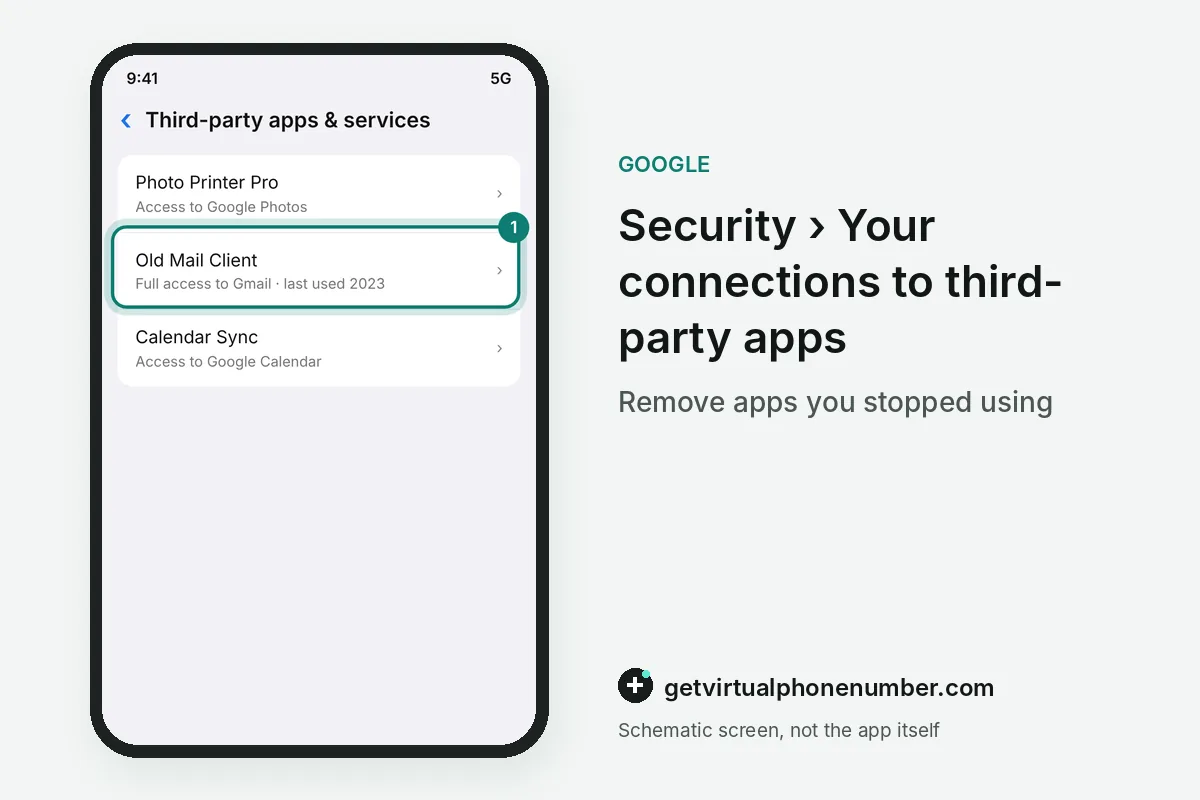
Apps can reach your Google account data only through access you granted, and that list grows quietly over the years. In the Security section, open third-party apps with account access and choose the app to see what it can use and when you allowed it. Prune the list yearly.
An app with access to your contacts can keep using them long after you stop opening it, and a breach at that app puts your data at risk. Select Remove Access for anything you do not use anymore. This leaves your account on that service intact, and the app may ask again next time you open it.
Also turn off linked apps that rely on less secure sign-in. On devices that hold sensitive information, install only the apps and browser extensions you need, and skip apps from unknown sources.
What happens after you change your Google password?
After you change your Google password, Google signs you out everywhere with 3 exceptions. Devices you use to verify it is you, some apps you gave access and home devices keep working until you remove their access.
The change lives under Security & sign-in, then Password under How you sign in to Google. Choose a password you have not used on this account before, and review which apps and home devices still hold access afterwards.
How do you check your Google password security?
You check Google password security with Password Checkup, which scans the passwords saved in your Google Account for weak, exposed or reused entries. A reused password is risky, because one hacked site can then open your other accounts. Fix those first.
A password manager, from Chrome or another trusted provider, can create and store a strong, unique password for each site. Password Alert for Chrome warns whenever your Google password is typed into a non-Google page. You then know a site is impersonating Google and can change the password at once.
A Gmail security breach usually starts at another site, so change any password Password Checkup lists as exposed on every account that shares it. Gmail security emails, the alerts Google sends when a new device signs in, keep Gmail secure when you read each one.
How do devices and updates affect Google account security?
Devices and updates affect Google account security because outdated browsers, systems and apps can be open to hackers. Keep Chrome, Android and your apps current, turn on automatic app updates and keep Google Play Protect on to catch harmful apps.
Set a screen lock on every phone and computer signed in to the account. To cut off a lost device, open Security & sign-in, go to Your devices, choose Manage all devices and sign out each session on it. One device can hold several sessions, and each needs its own sign-out.
For example, a laptop with 3 browser profiles signed in holds 3 sessions, and each one needs its own sign-out. A lost phone adds at least 1 more.
What goes wrong with Google account security?
A common Google account security mistake is leaving an old recovery phone or email on the account. Recovery details block strangers and alert you to suspicious activity only while they still reach you, and account recovery depends on them.
A public line never belongs in those settings. Our shared Gmail numbers take SMS only and suit a throwaway test account, while a private number (coming soon) or your own SIM serves a Google account you keep. Turn on 2-Step Verification with a backup method too.
Run a Google Security Checkup
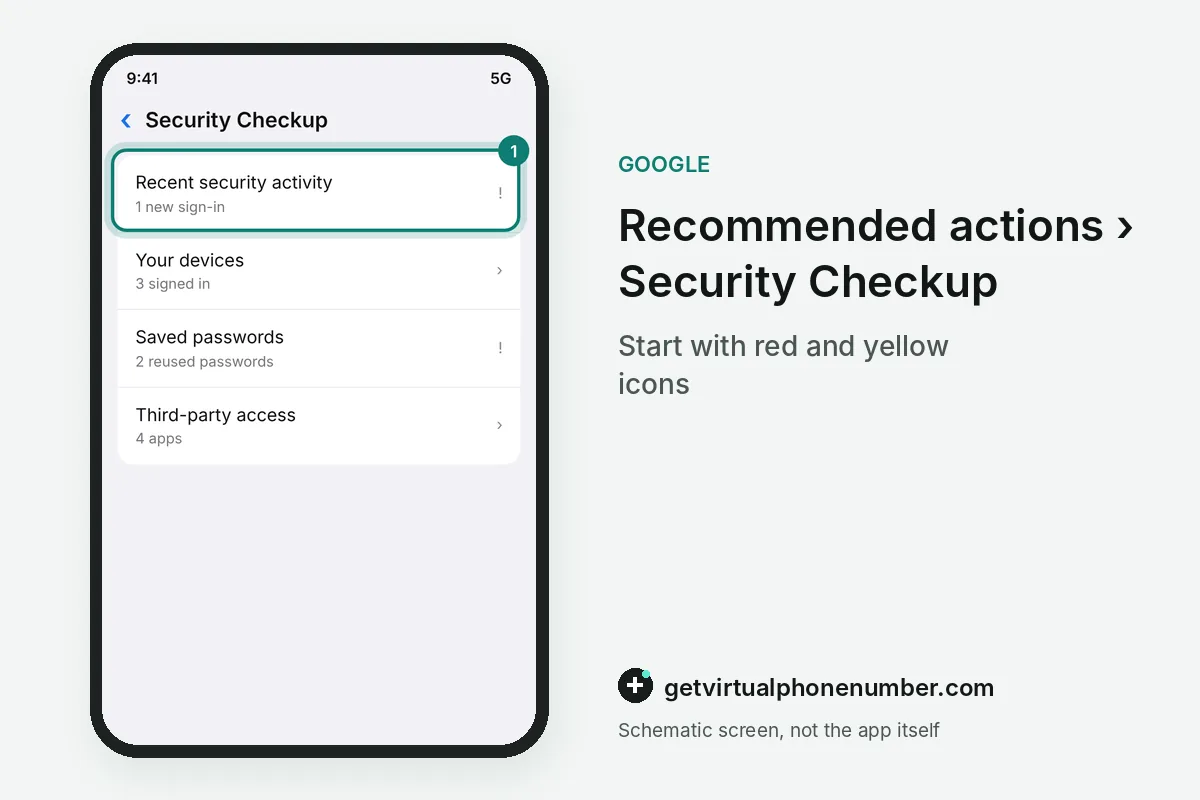
- Open Recommended actionsSign in, click your profile picture and choose Recommended actions to open Security Checkup.
- Work through each itemFollow every suggestion, starting with red and yellow icons.
- Review app accessRemove third-party apps you do not use anymore from the Security section.
- Check saved passwordsRun Password Checkup and change weak, exposed or reused passwords.
Sources
- Make your account more secure - Google Account Help
- Security Settings and Tools for Your Protection - Safety Center
- Learn More About Google's Secure and Protected Accounts - Google
- Do this quick Google account security check now | Fox News
- Investigate suspicious activity on your account - Google Account Help
 Canada
 United States
 Netherlands
 Sweden
 Algeria
 Philippines
 Sri Lanka
 Slovenia
 United Kingdom