Gmail · Hacked account · Updated 3 October 2026
Gmail hacked: what to check and fix first
Gmail hacked means someone else signed in to your account and may be reading mail, sending messages or changing settings without you. Act from a trusted device: review recent security events, sign out strangers and change the password. The sections below cover the signs, the settings hackers change and how to lock the account down.
How do you spot the phishing email behind a Gmail hack?
You spot the phishing email behind a Gmail hack by checking the sender before anything else. Gmail shows a question mark next to the sender's name when a message is not authenticated, which means Gmail cannot confirm it came from the domain it claims.
Point at a link without clicking to read its real address at the bottom left, and make sure the sender name and email address match. Google never asks for your password by email, message or phone call. Report the message as phishing so Gmail learns from it.
What can a hacker do with your Gmail?
A hacker with your Gmail reaches everything saved on the same Google login. That includes cards in Google Pay or Chrome, purchases on Google Play and scans of tax or passport papers in Drive or Photos. Mail from your address also helps them ask friends for money.
Report Google Pay or Google Play purchases you do not recognize and remove unknown payment methods. If documents with tax, passport or bank details sat in the hacked Gmail, contact your bank or local authorities.
How do Gmail accounts get hacked?
Gmail accounts get hacked through three entry points Google warns about. One is a password reused on a leaked site, another a password typed into a fake Google page, and the third harmful software on the computer. Access for less secure apps widens the gap. Close those doors first.
Search results for how to hack Gmail lead nowhere useful, because the same doors a hacker uses are the ones you close. Google account security settings help here: Password Alert in Chrome warns when your Google password goes into a non-Google site, and fresh antivirus scans catch the software side.
Should you warn your contacts after a Gmail hack?
Yes, warn your contacts after a Gmail hack with a short email, text or post. Ask them not to click links that came from your address during the takeover and to ignore any message asking for money. Keep it short.
Check the social accounts tied to that Gmail as well, since a hacker can reset them through your inbox. Look for posts you did not write and new friends you do not know.
How can you tell if your Gmail was hacked?
You can tell your Gmail was hacked when mail stops arriving, friends get spam or odd messages from you, or Sent holds emails you never wrote. Other signs are a changed username and messages deleted from the inbox that never reached Trash.
Google also flags a hacked Gmail itself. Watch for alerts about an unusual sign-in or a new device, or a notice that your password or security settings changed without you. A red bar reading We've detected suspicious activity in your account means the same.
What else does a hacked Gmail account touch?
A hacked Gmail account opens every Google service on the same login, so check beyond the inbox. On YouTube, look for videos you did not upload, comments you did not write and a changed channel name, profile photo or description.
The hacked Gmail login also reaches Drive, so review recent activity and file versions there, since deleted files can often be recovered. In Google Photos, stop album sharing you do not recognize and remove a partner account you never added. Turn off Location Sharing that looks unusual.
Which Gmail settings does a hacker change?
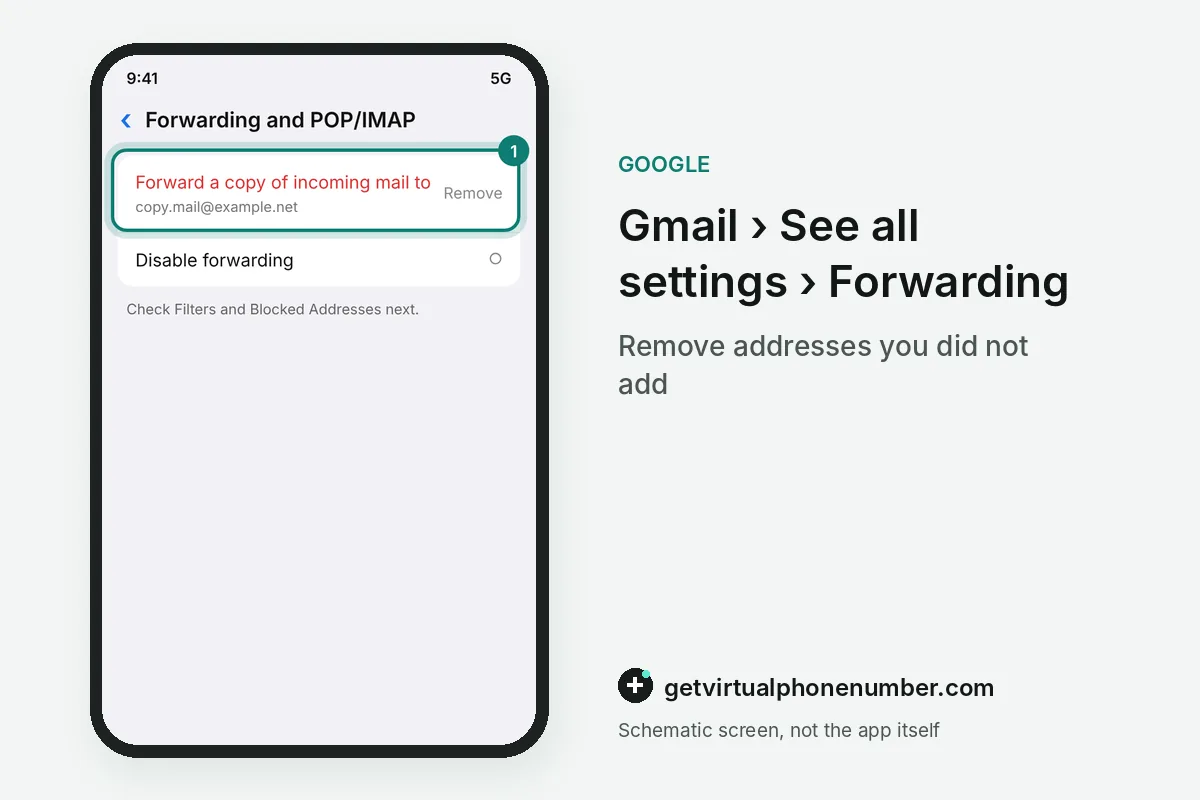
A hacker who gets into Gmail often changes 3 settings that keep working after you take the account back. Forwarding sends copies of new mail to another address, filters hide or delete chosen messages, and delegation lets a second account read the inbox.
Check all 3 in the hacked Gmail on a computer under Settings, then See all settings. Forwarding sits in Forwarding and POP/IMAP, filters in Filters and Blocked Addresses, and delegation in Accounts and Import as Grant access to your account. Delete anything you did not set up.
For example, a filter that sends every message with the word bank to Trash can hide 1 password reset email for days. Remove such a filter before you change any other password.
What goes wrong after Gmail is hacked?
The worst mistake after Gmail is hacked is changing the password before a malware scan, because harmful software can capture the new one too. Another is reusing the old password anywhere. The hacker already holds it.
A hacked Gmail is also no place for shared numbers. Our Gmail numbers suit a throwaway test account. A private number (coming soon) or your own SIM belongs on a Gmail you keep, next to 2-Step Verification.
Secure a hacked Gmail account
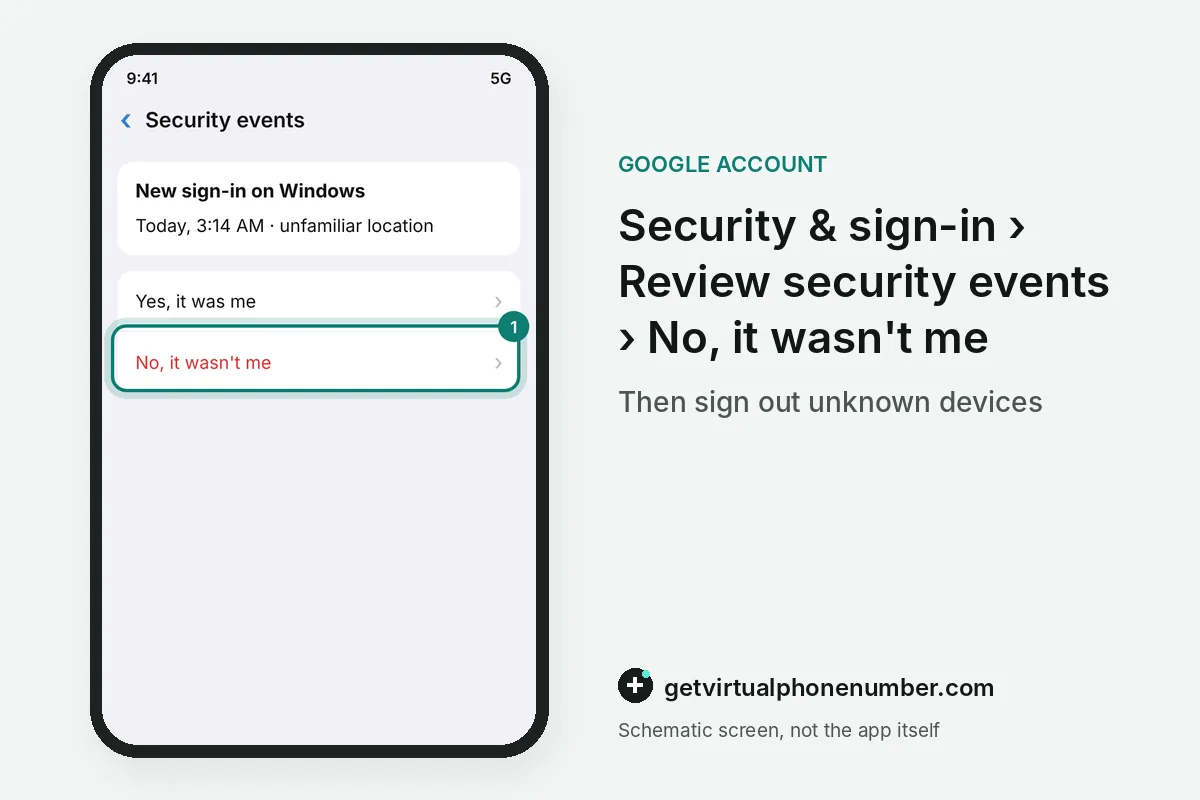
- Review security eventsOn Security & sign-in, open Review security events and choose No, it wasn't me on anything you did not do.
- Check your devicesOpen Manage devices and use Don't recognize a device? on any phone or computer you do not know.
- Change the passwordPick a new password, then change it on every site where you used the old one.
- Undo Gmail settingsRemove forwarding, filters, delegation and POP or IMAP access that you did not set up.
- Add a second stepTurn on 2-Step Verification so a stolen password alone cannot open the inbox.
Sources
- Secure a hacked or compromised Google Account - Google Account Help
- How to recover your Google Account or Gmail - Gmail Help
- How To Recover Your Hacked Email or Social Media Account | Consumer Advice
- Investigate suspicious activity on your account - Google Account Help
- Make your account more secure - Google Account Help
- Check if your Gmail message is authenticated - Computer - Gmail Help
 Canada
 United States
 Netherlands
 Sweden
 Algeria
 Philippines
 Sri Lanka
 Slovenia
 United Kingdom