Instagram · Hacked account · Updated 3 October 2026
Instagram hacked: how attackers get in and how to shut them out
Instagram gets hacked through a short list of attacks: phishing pages, reused passwords, stolen sessions, SIM swaps and third-party apps that hold your login. Each one leaves traces you can spot, and each has a setting that blocks it. If your profile is already taken, start at instagram.com/hacked.
How do attackers hack Instagram accounts?
Attackers hack Instagram accounts by stealing one of three things: your password, a login code or an open session. Phishing is the most common route, because a convincing fake page collects the password in one step and the owner rarely notices until the profile starts to change.
Searches for how to hack Instagram surface these same methods, and this page explains them only from the defending side. All of them target the owner, the inbox or the phone, so your own settings are the real defense. The table pairs each attack with the habit that shuts it down.
| Attack | How it works | What blocks it |
|---|---|---|
| Phishing page | A fake notice links to a copied login form | Typing instagram.com yourself |
| Password reuse | Leaked elsewhere | A unique password |
| Rogue app | Holds your login | Revoking its access |
| Session theft | Malware or a shady extension grabs an open session | Logging out unknown sessions |
| Code phishing | A stranger asks you to forward a login code | Never sharing codes |
| SIM swap | Number moved to their SIM | An authentication app |
What is the risk once an attacker holds your Instagram?
Attackers use a hacked Instagram to reach the people who already trust it, from close friends to the customers of a small business profile. Followers get DMs from a friend in an emergency who suddenly needs money, links to fake giveaways, or requests to move the chat off the app. That borrowed trust is what makes the scam work.
Spam and scam posts are the other payoff. Attackers push giveaways and fake offers from the hacked Instagram because followers already trust the name on the profile. Warn close contacts through another channel as soon as you notice, and report the posts once you are back in.
Can a SIM swap or a forwarded code hack Instagram?
A SIM swap can hack Instagram when text messages are your only two-factor method. The attacker gets your number moved to their own SIM card, so every SMS login code lands with them. An authentication app avoids that, because it generates the codes on your own device.
Code phishing on Instagram is simpler. Someone claims they sent you an Instagram code by mistake and asks for it back, and that code completes their login. Our free Instagram numbers take the risk to the extreme, since every code there is visible to all visitors. Keep two-factor codes on your own SIM card or a private number (coming soon) instead.
Ask your carrier for SIM swap protection, so a hacked Instagram never starts with your number. T-Mobile calls it SIM Protection, while Verizon and AT&T offer Number Lock, and each blocks a transfer you did not approve.
For example, a friend who writes from a hijacked profile and asks for a 6-digit code is trying to finish a login on your account. Never send it.
How do stolen sessions keep an intruder inside Instagram?
A stolen session keeps an intruder inside a hacked Instagram without the password ever changing hands. Malware, a shady browser add-on or a login left open on a shared computer can all hand someone a live session, and the owner sees no warning at all.
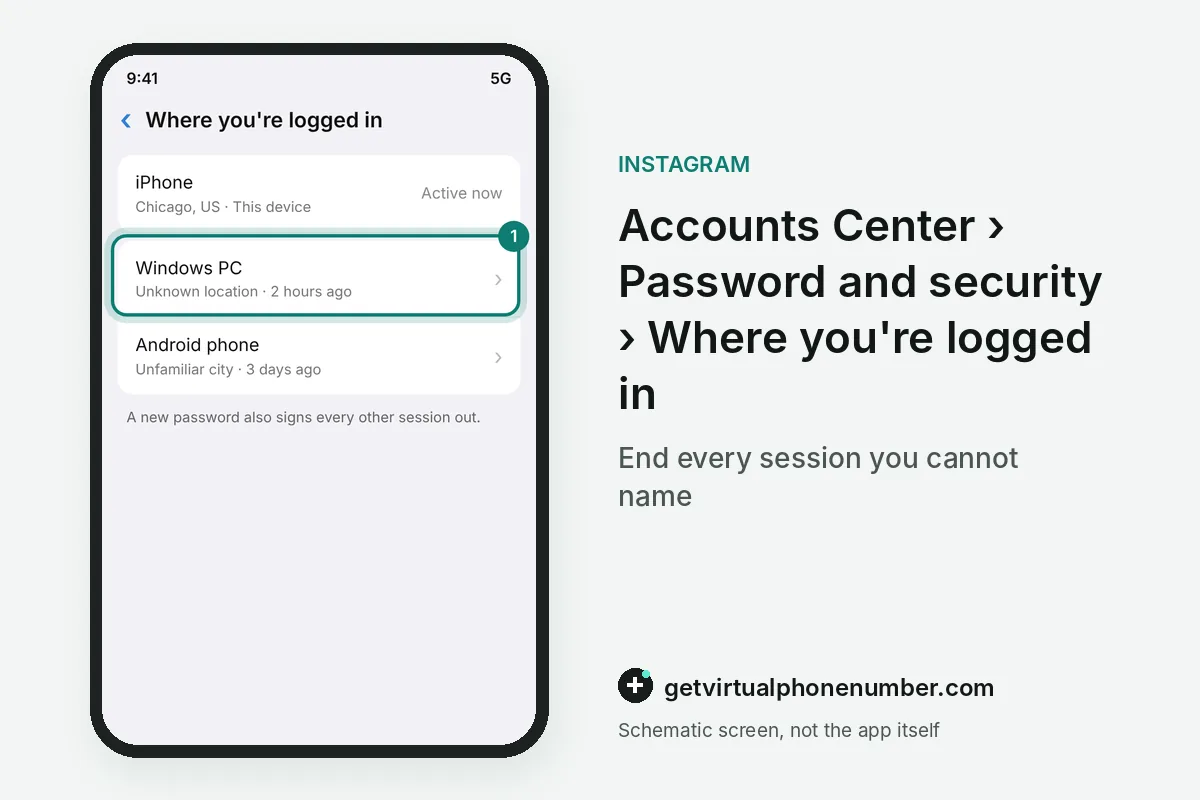
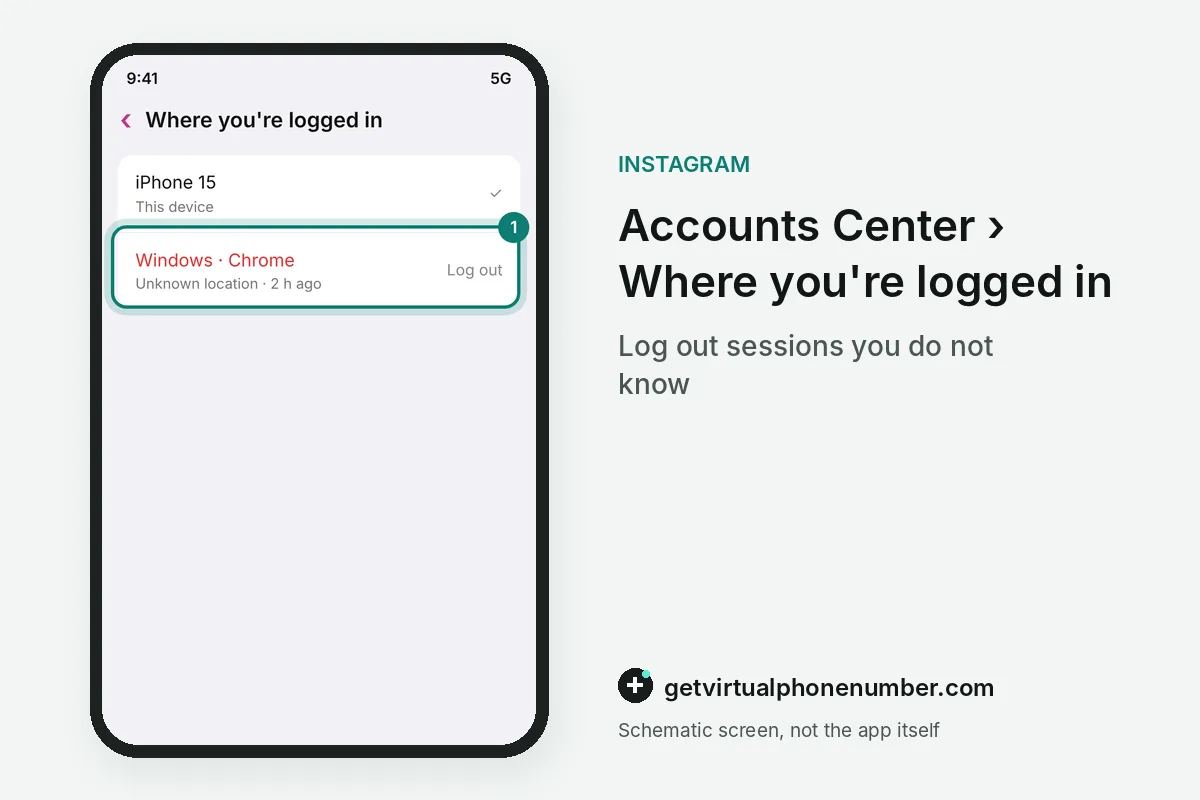
Two habits close that door on a hacked session. Log out of Instagram after using a shared or public computer, and never tick Remember me there, because the box keeps the session alive after the browser closes. Remove browser add-ons you do not trust and end unknown entries under Where you're logged in.
After an Instagram hack, Security Checkup in Accounts Center reviews login alerts, recovery contacts and two-factor settings in one pass. Apps that hold your Instagram login show under Website permissions, then Apps and websites, where 1 tap on Remove cuts their access. Apps that sell likes or followers ask for your password, which breaks the Instagram Terms of Use.
How do you know your Instagram was hacked?
You know your Instagram was hacked when changes appear that you never made. The 4 typical signs are a new email, a new password, posts or DMs you never sent and friends reporting spam from your profile.
Instagram login alerts catch intruders earlier. With two-factor on, every attempt from an unrecognized device or browser triggers an alert naming the device and its location.
You can approve or deny that Instagram login alert from a phone that is already signed in. The Where you're logged in screen lists every active session on the hacked account. Owners who want stronger login checks can move codes into an authentication app with the two-step verification guide.
Contain a hacked Instagram session
- Act while logged inContainment only works from inside a live session.
- Change the passwordPick one you never used on any other site, since a new password also signs every other session out.
- Log out strangersOpen Where you're logged in and end every session you do not recognize, including old phones and browsers you do not use anymore.
- Turn on two-factorPrefer an authentication app over SMS for login codes.
- Check Accounts CenterRemove any linked account you do not recognize.
- Revoke app accessCut off every suspicious third-party app or extension.
- Locked out insteadGo to instagram.com/hacked and follow the account recovery guide.
Sources
- Hacked Instagram Account | Instagram Help Center
- Why you might be asked to upload a video selfie to confirm your identity on Instagram | Instagram Help Center
- If you think your Instagram profile has been hacked | Instagram Help Center
- I Can't Log In | Instagram Help Center
- How does video selfie age verification work on Instagram? | Instagram Help Center
- If you think that your Instagram profile has been hacked | Instagram Help Centre
 Canada
 United States
 Netherlands
 Sweden
 Algeria
 Philippines
 Sri Lanka
 Slovenia
 United Kingdom