Instagram · Second account · Facts verified 3 October 2026
How do you make another account on Instagram and switch between them?
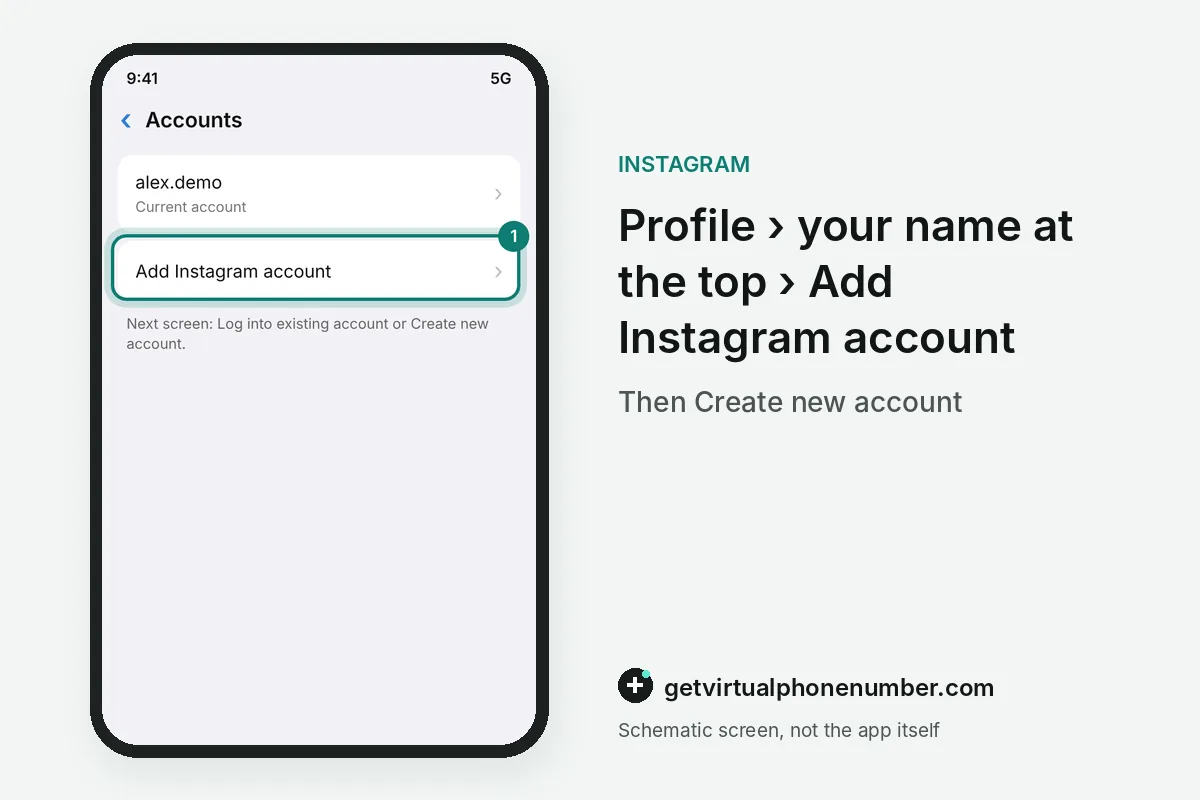
To make another account on Instagram, tap your profile name at the top of your Instagram profile, then Add Instagram account, then Create new account. The new Instagram account gets its own name, and you choose whether it joins your Accounts Center or keeps a password of its own.
How do you make another account on Instagram?
You make another account on Instagram inside the Instagram app you already use. Open your profile, tap your profile name, choose Add Instagram account and then Create new account, and pick a name for the newcomer.
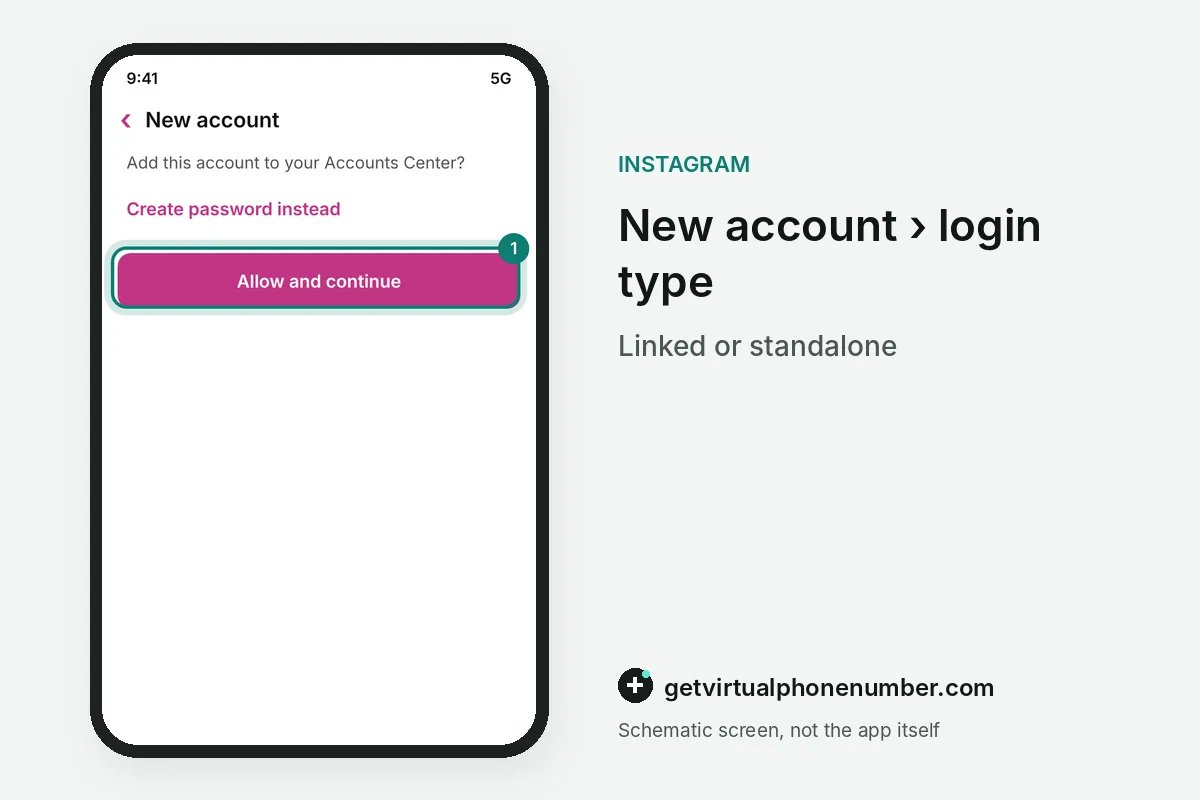
The next screen decides how the second account logs in. Allow and continue adds it to your Accounts Center, while Create password instead (own login) keeps it outside with its own password. Then add a phone or email and tap Complete sign up.
Accounts Center or a separate password?
Accounts Center or a separate password is the one real choice when you make another account. Joining Accounts Center links the profiles for easier switching, while a separate password keeps the second account fully apart from the first.
The choice shows up later in the profile switcher. A linked profile appears there in every app tied to that Accounts Center, while a standalone one appears only after you log in to it on the device.
| Option | How it logs in | Fits |
|---|---|---|
| Allow and continue | Through your Accounts Center | A brand or side project you run openly |
| Create password instead (own login) | Its own password | A profile kept apart from your main one |
| Log in to an existing account | Username and password | A second account you made earlier |
How to use 2 Instagram accounts on one phone?
Two Instagram accounts on one phone stay logged in side by side, and you switch from the profile screen. Tap your username at the top of your profile and pick the other account, or tap and hold the profile icon at the bottom right.
Chats have their own switcher: tap the messaging icon, then your username at the top. On a computer, open More in the bottom left, then Switch accounts, and pick the profile or log in to a new one.
What can give away a second secret Instagram account?
A second secret Instagram account starts with a private setting, which limits posts to followers you approve. Turn it on before the first post.
Discovery signals do the rest of the work on a second Instagram account. The app can use your Facebook friends and phone contacts to suggest people you know, so skip those prompts and keep the new profile out of Accounts Center.
What limit applies to several Instagram accounts?
Instagram lets you keep up to 10 accounts logged in at one time on the same device, according to the Help Center. A new account still has to pass sign-up checks, and the app may ask for a phone number or email that no other profile uses.
For example, a creator with 1 personal profile, 1 brand profile and 1 test profile uses 3 of the 10 slots. Each profile keeps its own followers, posts and Direct messages.
Accounts Center only links profiles for switching and shared login. Meta still treats every Instagram account as a separate profile under the Community Guidelines, so a ban on one does not move the others. Each of the 10 accounts can switch to a creator or business profile on its own, from Settings, then Account type and tools.
Which number should a second Instagram account use?
A second Instagram account needs its own phone or email at sign-up, and the choice decides how you recover it later. A shared inbox from one of our free Instagram numbers suits a throwaway test profile only, because anyone can read the code that lands there.
For a second account you plan to keep, use an email you control or a private number (coming soon) that receives codes for you alone. That also keeps your main number off the new profile. If a code never shows up, see the Instagram code checks, and the email-only route skips the phone entirely.
Make another account on Instagram
- Open your profileTap Profile or your profile picture in the bottom right.
- Open the account menuTap your profile name at the top.
- Start a new accountTap Add Instagram account, then Create new account.
- Name itEnter the new profile name and tap Next.
- Pick the login typeTap Allow and continue for Accounts Center, or Create password instead (own login).
- FinishAdd a phone or email, tap Next and then Complete sign up, and set the privacy you want before the first post.
Sources
- Create a second Instagram account: simple 2026 guide
- Adding and Sharing Across Multiple Accounts | Instagram Help Centre
- Add and switch between multiple Instagram profiles | Instagram Help Center
- Adding and Sharing Across Multiple Accounts | Instagram Help Center
- Add and switch between multiple Threads profiles | Instagram Help Centre
- Switch between your profiles on Facebook and Instagram | Meta Help Center
 Canada
 United States
 Netherlands
 Sweden
 Algeria
 Philippines
 Sri Lanka
 Slovenia
 United Kingdom