Facebook · Second account · Checked on 3 October 2026
How do you add another account on Facebook and switch between them?
You add another account on Facebook through See all profiles: choose Switch accounts, then Log into another account. After that both Facebook logins sit in the Facebook switcher. New extra profiles inside one account cannot be created anymore, so a second Facebook login is a separate account with its own details.
How do you add another account on Facebook?
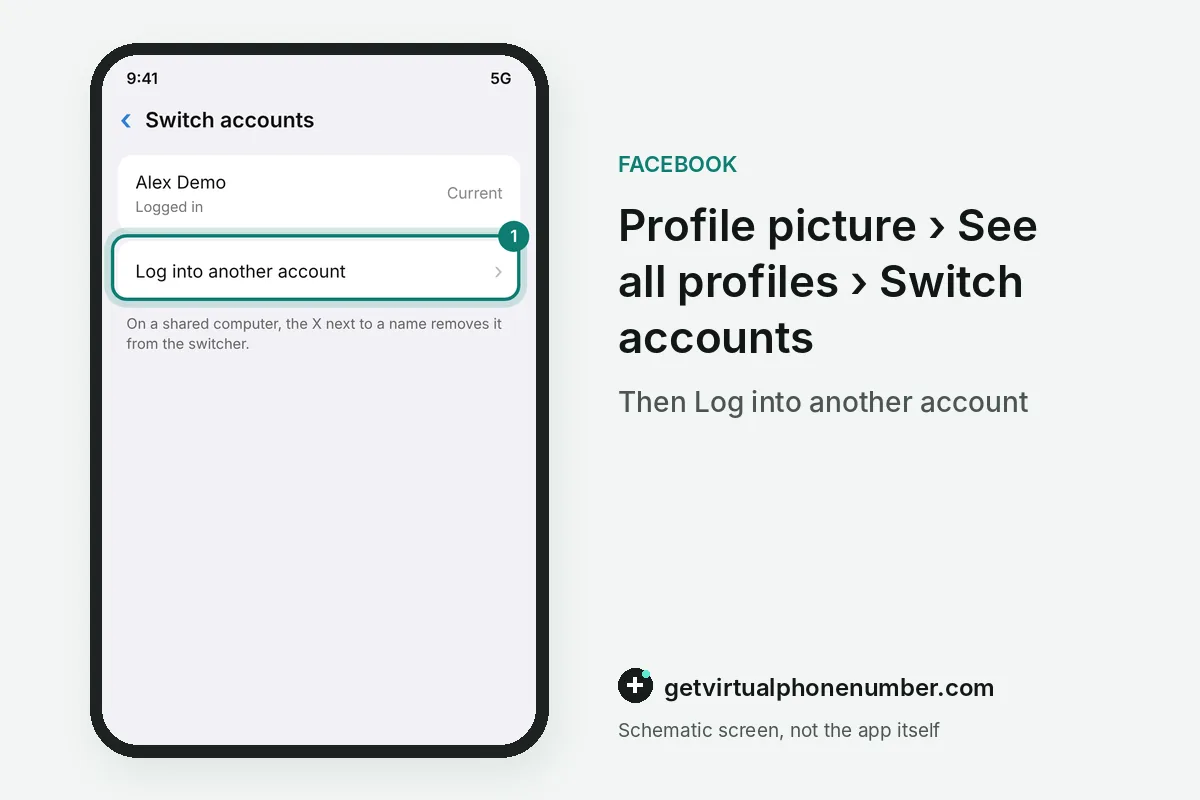
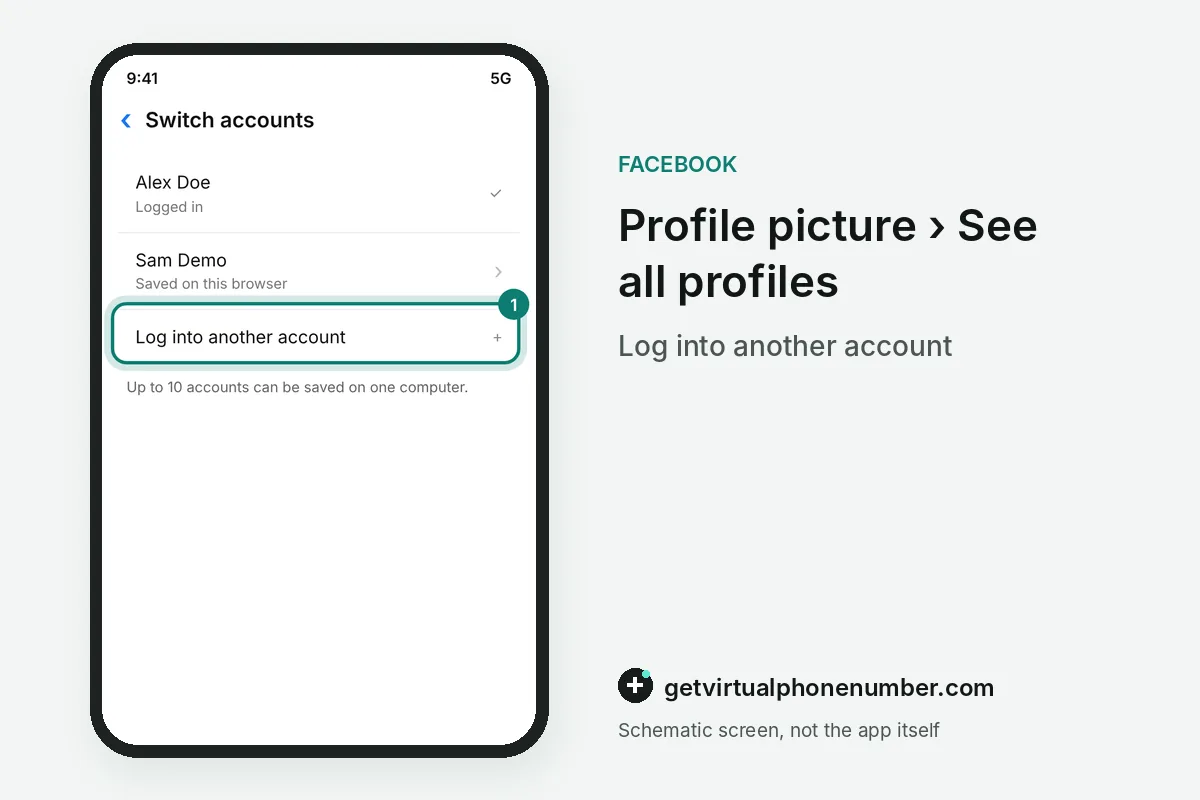
You add another account on Facebook from the account switcher. On a computer, click your profile picture in the top right, then See all profiles, then Switch accounts, and choose Log into another account.
Once both Facebook logins sit in the same browser, switching needs no log out. A computer can store information for up to 10 accounts, though Meta suggests keeping only the accounts of people who use that machine regularly.
For example, a family laptop shared by 3 people can hold all 3 Facebook logins in the switcher, well under the limit of 10. Each person keeps a separate password. That matters.
Can you still create a second Facebook profile?
No, new additional Facebook profiles cannot be created anymore, although existing ones were not affected. Each of those profiles had its own friends list and Feed, and it used the same login as the main profile.
Owners who still have one reach it through their profile photo, then See all profiles, then the profile name. The main profile is required, and it can only be deleted together with the whole account.
How do you switch accounts in the Facebook app?
In the Facebook app, you switch accounts by tapping and holding Menu at the bottom right, then tapping the profile you want. The longer route is Menu, then the arrow next to your name at the top of the page.
Profiles show up in that switcher because they share an Accounts Center or were logged in recently on the device. The feature is mobile only and not yet available to every user.
Why won't Facebook let me log into another account?
Facebook usually refuses another account because of the Facebook switcher's own limits. Switching without logging out works on a computer only when several people have logged in from that same browser, and the table lists the other common blocks.
| Symptom | Cause | Fix |
|---|---|---|
| Account missing from the switcher | Never logged in on this device | Log into it once |
| Accounts Center refuses a second Facebook login | One Facebook account per Accounts Center | Remove the first one there |
| Removed profile still listed | Removal can take up to 24 hours | Wait a day |
| No Switch accounts option on a computer | Only one login stored in that browser | Log in with the second account first |
Is a second Facebook account allowed?
Facebook's Terms of Service ask each person to create only 1 account, their own, and to use it for personal purposes. A second personal account therefore risks being disabled in a review, even when every detail on it is real.
A business or project that needs its own presence runs as a Facebook Page instead. The Page is managed from the personal account, needs no second login and can have several people with their own access.
For example, a café owner with 1 personal account can run the café Page and give 2 staff members access to it. Nobody needs an extra Facebook login for that setup.
Which details should a second Facebook account use?
A second Facebook account needs its own email or mobile number, and the Facebook app may prefill details from the account you are already using. Check those fields before you submit, or both Facebook logins end up tied to one contact.
A private number (coming soon) keeps the second Facebook account apart from your personal phone and receives its codes only for you. Our free Facebook numbers suit a throwaway test account at most, because every visitor reads the same inbox. The email-only route avoids the phone question entirely.
Add another account on Facebook on a computer
- Open the menuClick your profile picture in the top right of Facebook.
- See profilesClick See all profiles.
- Switch accountsClick Switch accounts.
- Add the loginClick Log into another account and enter its details.
- Clean up laterAfter logging out on a shared computer, click the X next to a name to remove it from the switcher.
Sources
- Switch into additional Facebook profiles | Facebook Help Center
- About additional Facebook profiles | Facebook Help Center
- How To Add Another Account On Facebook? Need to manage more than one Facebook account? 🔄 Whether it's for work, a business page, or just keeping things separate, adding another account is quick and easy. Stay connected on all fronts without the hassle! 📱💼 #electronicshub #add #another #account #facebook #facebookapp #facebookfeature #facebookupdate #ios18features #iosfeatures #ios18 #tech #howto #latestupdate #latestfeatures #latesttechupdates #appleiphone #iphonetipsandtricks #iphone | Electronics Hub
- Switch between your profiles on Facebook and Instagram | Meta Help Center
- Switch between different Facebook accounts | Facebook Help Center
- Add or remove your accounts and profiles from an Accounts Center or Meta Account | Facebook Help Center
 Canada
 United States
 Netherlands
 Sweden
 Algeria
 Philippines
 Sri Lanka
 Slovenia
 United Kingdom