Instagram · Account recovery · Checked on 3 October 2026
How to recover a hacked Instagram account, route by route
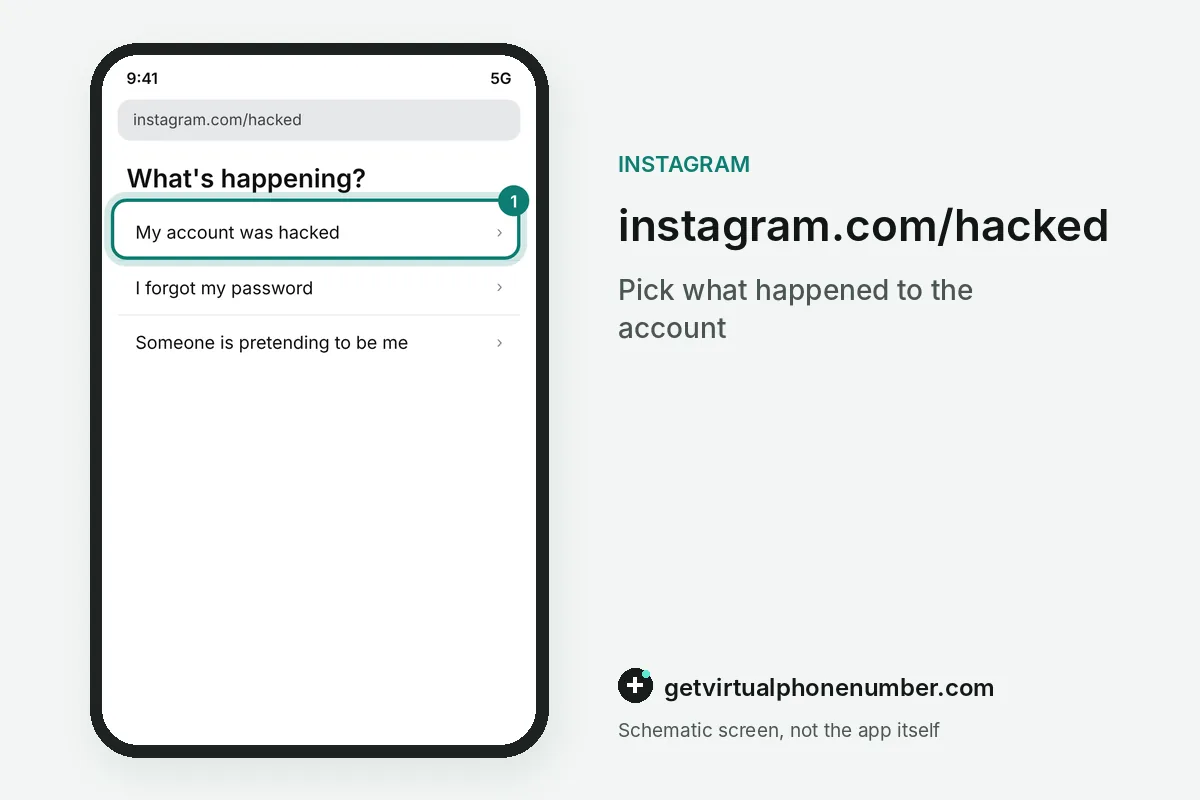
To recover a hacked Instagram account, start at instagram.com/hacked and let Instagram choose a verification path based on what the hacker left untouched. Owners who lost every contact detail can still prove ownership through a support request and, for hijacked profiles with their photos, a video selfie. The official takeover recovery process is free.
How do you recover a hacked Instagram account?
You recover a hacked Instagram account by proving that you own it, starting at instagram.com/hacked in a desktop or mobile browser. The page sends a reset link or security code to whichever contact details the hacker did not replace. If those survived the takeover, recovery usually takes minutes. A manual ownership review can stretch the wait to several days.
A hacker rarely leaves a hijacked profile untouched, so your route depends on the damage. A changed password alone is the easy case. A swapped email, a new username or a disabled profile each pushes the request onto a longer ownership review, which the sections below map out one by one.
What happens when Instagram asks you to verify your identity?
Instagram verifies the owner of a hacked account in one of two ways. The choice depends on whether the hijacked profile shows photos of you, and the matching check arrives only after you file a support request.
Hijacked accounts without photos of you
For a hijacked profile without photos of you, the Support Team at Meta sends an auto-response with ownership questions. It asks what you used to create the profile and which device type you had at sign-up, such as an iPhone, an Android phone or an iPad. Answer from memory and keep the details consistent across replies.
Hijacked accounts with photos of you
For a hacked Instagram account with photos of you, the support flow asks for a video selfie, turning your head in different directions while the camera records. Selfies are used because photos and IDs can be digitally modified, and head movement shows a real person is present. The clip never appears publicly. Instagram deletes the clip within 30 days.
While the selfie is under review, the hijacked account stays locked to you as well. A pass brings an email to your secure address with a link to reset the password. After a failed review you can resubmit a new selfie in the app, while skipping the selfie entirely may leave you unable to log back in.
Which Instagram recovery route matches your situation?
Instagram recovery routes after a hack depend on what the attacker changed and which details you still control. Pick your row first, then file a single request and wait for the reply instead of sending more.
| What the hacker changed | Recovery route | What you need |
|---|---|---|
| Login, with Facebook linked | Log in with Facebook | A Facebook account free of the attacker |
| Everything, no photos of you | Auto-response from the Support Team at Meta | Ownership answers |
| Everything, profile shows your face | Video selfie | Your face on camera |
| Every contact detail | instagram.com/hacked support request | A secure inbox |
| Your email | Secure my account link from security@mail.instagram.com | The old inbox |
| Only the password | Forgot password? link | A contact detail the hacker missed |
How do you secure Instagram in Accounts Center after recovery?
Secure a recovered Instagram account in Accounts Center before you post again. Change the password, which logs every other device out, then open Password and security and check Where you're logged in for sessions you do not know.
For example, a recovered profile that still lists 2 unknown sessions needs 2 log outs before the attacker is truly gone. Remove linked accounts you never added in Accounts Center as well, since an attacker can link a profile to keep a way back.
Turn on two-factor authentication with an authentication app, and read Recent emails, which keeps 14 days of genuine security mail. Keep free Instagram numbers for throwaway test profiles only, never for a recovered account.
What goes wrong in Instagram account recovery?
A few common moves slow down recovery after an Instagram hack or hand the attacker a second way back in. Avoid them. Each one either delays the ownership review or exposes the profile to the attacker again.
- Sending repeat requests from several devices.
- Paying a recovery expert who contacts you first.
- Using an inbox the attacker may also read as the secure email.
- Ignoring the old inbox, where a link to undo the change may already wait.
Recover a hacked Instagram account through instagram.com/hacked
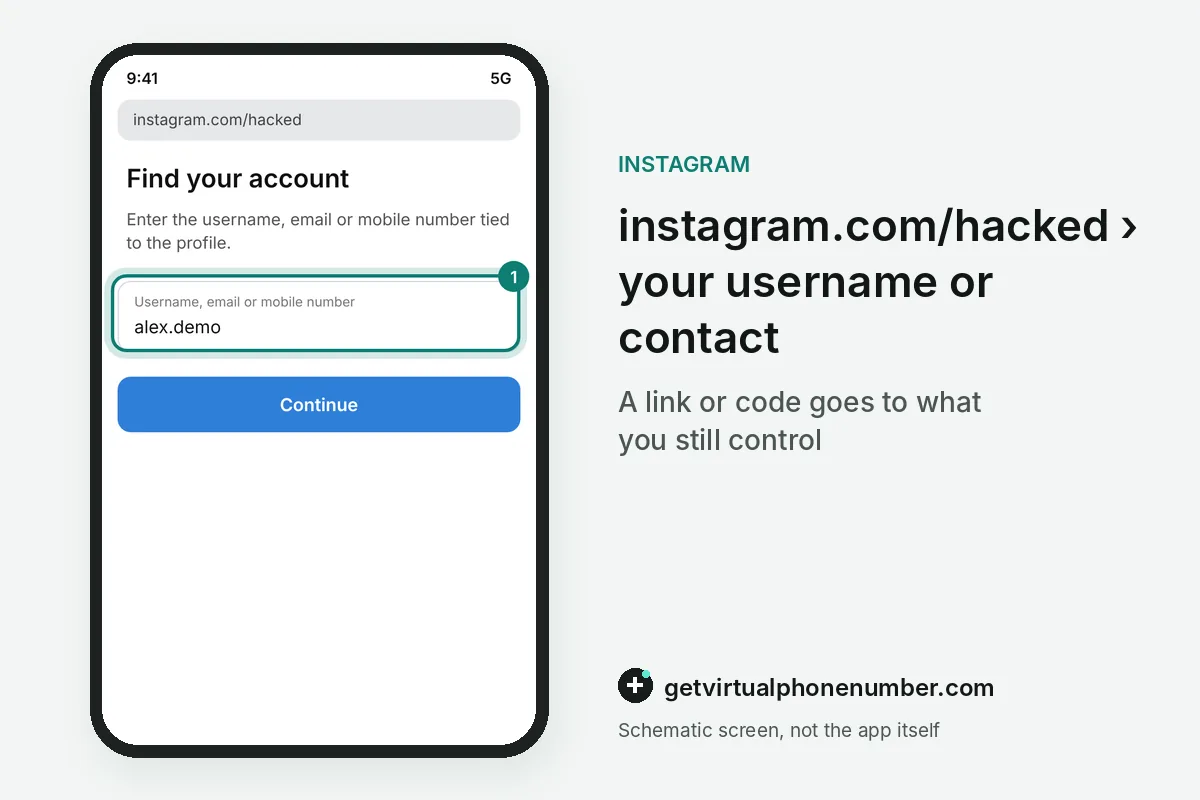
- Open the hacked pageLoad instagram.com/hacked in any desktop or mobile browser.
- Name the accountEnter the username or any contact detail tied to the profile so the recovery flow can find it.
- Request a linkAsk for a login link or security code on a detail you still control.
- Ask for supportIf nothing reaches you, request support from a mobile device with a secure email only you can open.
- Prove ownershipAnswer the ownership questions from the Meta auto-response, or record the video selfie if the profile shows your photos, then wait for the result email.
- Lock it downChange the password, add two-step verification and remove linked accounts you do not know.
Sources
- Instagram Hacked? How to Recover Your Account in 2026
- If you think your Instagram profile has been hacked | Facebook Help Center
- Recover your Instagram password | Instagram Help Centre
- Why you might be asked to upload a video selfie to confirm your identity on Instagram | Instagram Help Center
- I Can't Log In | Instagram Help Center
- How does video selfie age verification work on Instagram? | Instagram Help Center
 Canada
 United States
 Netherlands
 Sweden
 Algeria
 Philippines
 Sri Lanka
 Slovenia
 United Kingdom