Microsoft · Account recovery · Checked on 3 October 2026
Microsoft account recovery for Outlook, Hotmail and Xbox logins
Microsoft account recovery is the set of official steps that returns a personal Outlook, Hotmail, Skype or Xbox login to its owner after a lost password or lost security info. Three tools do the work: the password reset page, the Sign-in Helper and the account recovery form. Which one you need depends on what you can still reach.
Which account recovery route fits your situation?
The right account recovery route depends on one thing: which of your sign-in details still work today. If any listed contact method still works, the reset page at account.live.com/password/reset finishes the job in a few screens. If nothing on the account is familiar, Microsoft points you to the Sign-in Helper first and the recovery form second.
Work or school accounts follow a separate path. Those passwords belong to your organization, so your IT admin handles the reset, and the consumer recovery form will not help. Everything below covers personal accounts only. If a stranger took over your login, the hacked account guide adds the cleanup steps.
| What you still have | Recovery tool to use |
|---|---|
| A listed contact method | Password reset page |
| Password that stopped working | Sign-in Helper |
| A saved recovery code | Other ways to sign in |
| No working details at all | Account recovery form |
What does the Microsoft recovery form ask?
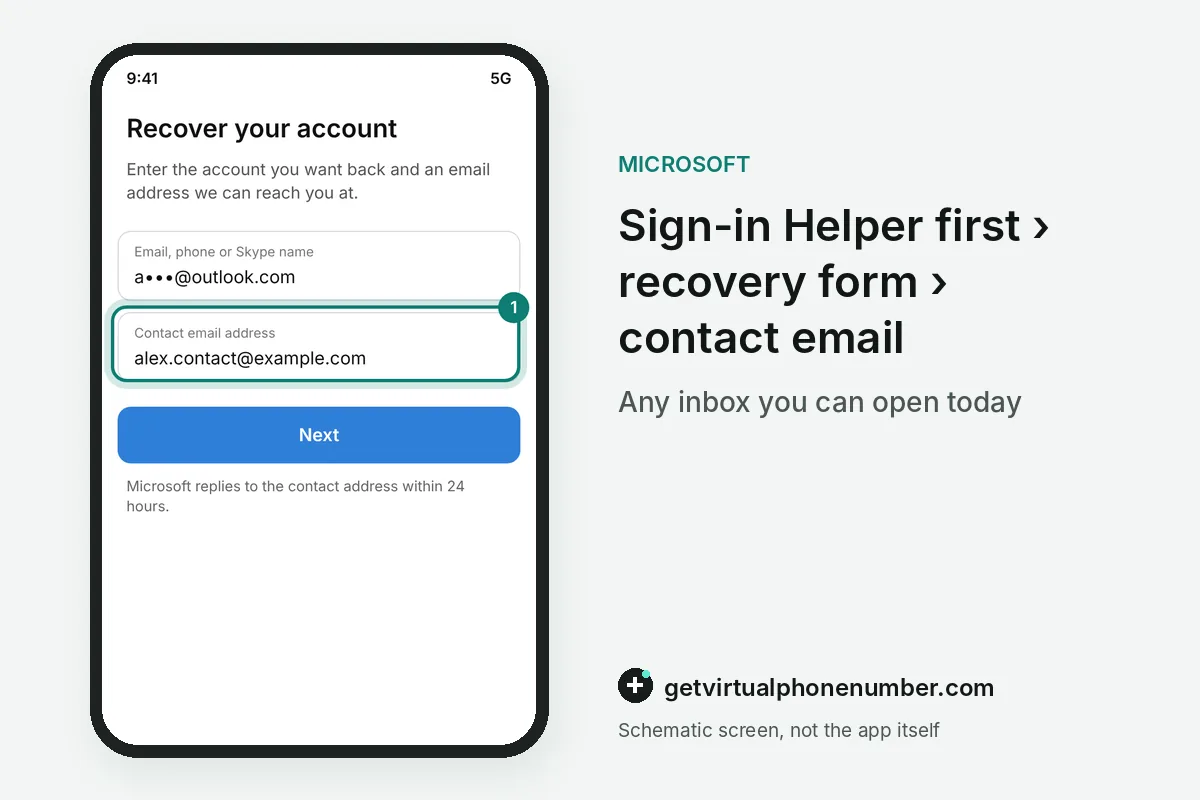
The account recovery form asks about your own account history, details that only the real owner should be able to supply. Microsoft reviews the answers and replies within 24 hours to a contact email you choose. That inbox can be any working one, including a friend's or a fresh outlook.com account.
On the account recovery form, an Outlook.com or Hotmail owner gets questions about contacts and the subject lines of recent emails. Subject lines need to match exactly, so write down three subject lines from memory before you start. Guessing is allowed, and a wrong answer does not count against you.
The recovery form also treats Skype and Xbox history as proof that the account is yours. It can ask for a SkypeID, names of Skype contacts or details of a recent Skype purchase. Xbox owners may be asked for the hardware ID of a console they used with the account.
For example, an Xbox owner who used the Microsoft account on 2 consoles can give both hardware IDs on the recovery form. Each matching detail adds weight to the same request. Microsoft Support recommends filling in the form from a device and network you used with the account before.
What is a Microsoft recovery code?
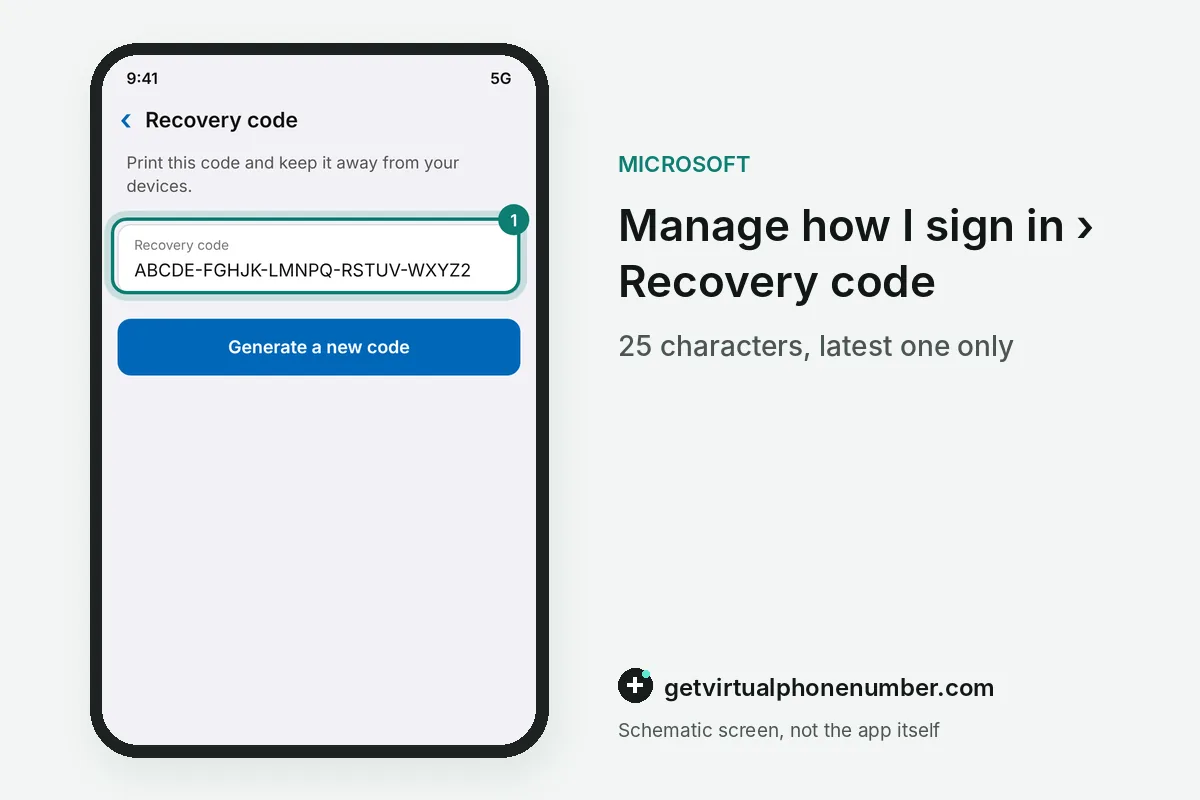
An account recovery code is a 25-character code that restores access when you forget the password or the account is compromised. You create it while signed in, on the Manage how I sign in page at account.live.com/proofs/manage/additional. Generating a new code cancels every earlier one, so only the latest printout counts.
Microsoft cannot show or resend an existing code. Keep it offline. Print it and store the paper away from the phone or laptop you sign in with, because a thief who steals that device would get both.
Using the code at sign-in
To recover an account with this code, enter your username, choose Other ways to sign in, then Use your password and Forgot password. Pick Use a different verification option, then I don't have any of these, and type the code at the prompt. The code ignores letter case and needs no spaces or dashes.
Why does two-step verification make recovery harder?
Two-step verification makes account recovery stricter because every password reset then needs two proofs of identity. A forgotten password can only be reset when Microsoft reaches two of your contact methods. If you lose every alternate method, Microsoft states that it cannot help.
The 25-character recovery code is the safety net for that case, with one catch. On an account with two-step verification, a reset made through the recovery code takes 30 days to take effect. Microsoft recommends three pieces of security info for this reason, and the two-step verification guide shows where to add them.
How do you recover an account without email or phone access?
Recovering an account without email or phone access starts with the Sign-in Helper, which asks for the address or mobile number you sign in with. It checks the account. Then it explains the problem and shows the self-help steps that apply. When the helper finds nothing it can fix, it hands you to the account recovery form.
A friend's inbox counts as a working contact address for the account recovery form. If you lack one, create a free outlook.com address from the Create one link on the sign-in page and use it only for this request.
Mistakes that slow account recovery down
Small input errors can stall account recovery. Microsoft runs country domains for Hotmail, Outlook and Live, so name@outlook.co.uk and name@outlook.com are different accounts. Spelling matters too. Typing rachel where the account says rachael gives the same dead end.
Stale details cause trouble too. Answer with what you entered at sign-up, which may be an old address or a former name. Accounts left unused for more than two years may be deleted, and a deleted account cannot be reopened. Act early.
Will a phone number still recover an Outlook or Hotmail account?
Account recovery on personal accounts is moving to a verified email address plus a passkey. Microsoft has begun phasing out SMS for authentication and account recovery, and it says the new pair still restores access after a lost device.
Never put a public line on an account you want to recover later, because a public page shows one shared inbox to every visitor. A free Microsoft number fits a throwaway test login. A private number (coming soon) belongs on an account you plan to keep.
Fill in the Microsoft account recovery form
- Try the Sign-in Helper firstMicrosoft asks you to run the helper before the form, since the form can take time.
- Pick a contact inboxEnter any email you can open today, such as a friend's or a new outlook.com address.
- Collect your historyList old contacts, exact email subject lines, your SkypeID and any Xbox console hardware ID.
- Answer every questionFill in as much as you can and use the add more fields, since guesses carry no penalty.
- Watch the contact inboxMicrosoft reviews the answers and replies to that address within 24 hours.
Sources
- Help with the Microsoft account recovery form | Microsoft Support
- My username and password have stopped working | Microsoft Support
- I can not get into my microsoft account. The account recovery form is useless. I - Microsoft Q&A
- Cách nhận mã khôi phục tài khoản Microsoft | Microsoft Support
- Microsoft to stop sending SMS codes for personal accounts | Microsoft Support
- Microsoft account sign-in helper | Microsoft Support
 Canada
 United States
 Netherlands
 Sweden
 Algeria
 Philippines
 Sri Lanka
 Slovenia
 United Kingdom