Microsoft · Change phone number · Checked on 3 October 2026
How to change the phone number on a Microsoft account through its aliases
Changing the phone number on a Microsoft account means replacing the number in its alias list on Your info, and in security info if a copy sits there. You add the new entry, select Make primary and then Remove next to the old number. Microsoft is phasing out SMS, so many personal accounts can drop an old number but cannot add a new one.
What is a phone number alias on a Microsoft account?
A phone number alias on a Microsoft account is a number attached to your login next to its email addresses. Every alias shares the account's contacts, storage, subscriptions and settings, and each one can sign in to Microsoft services and to Windows or Xbox devices. All of them share a single password.
The alias list lives at account.live.com/names/manage, also reachable from account.microsoft.com/profile under Account info. Emailed verification codes go only to the primary alias or to an email added as security info, which makes the primary slot the one to plan around.
How do you change the primary alias to a new number?
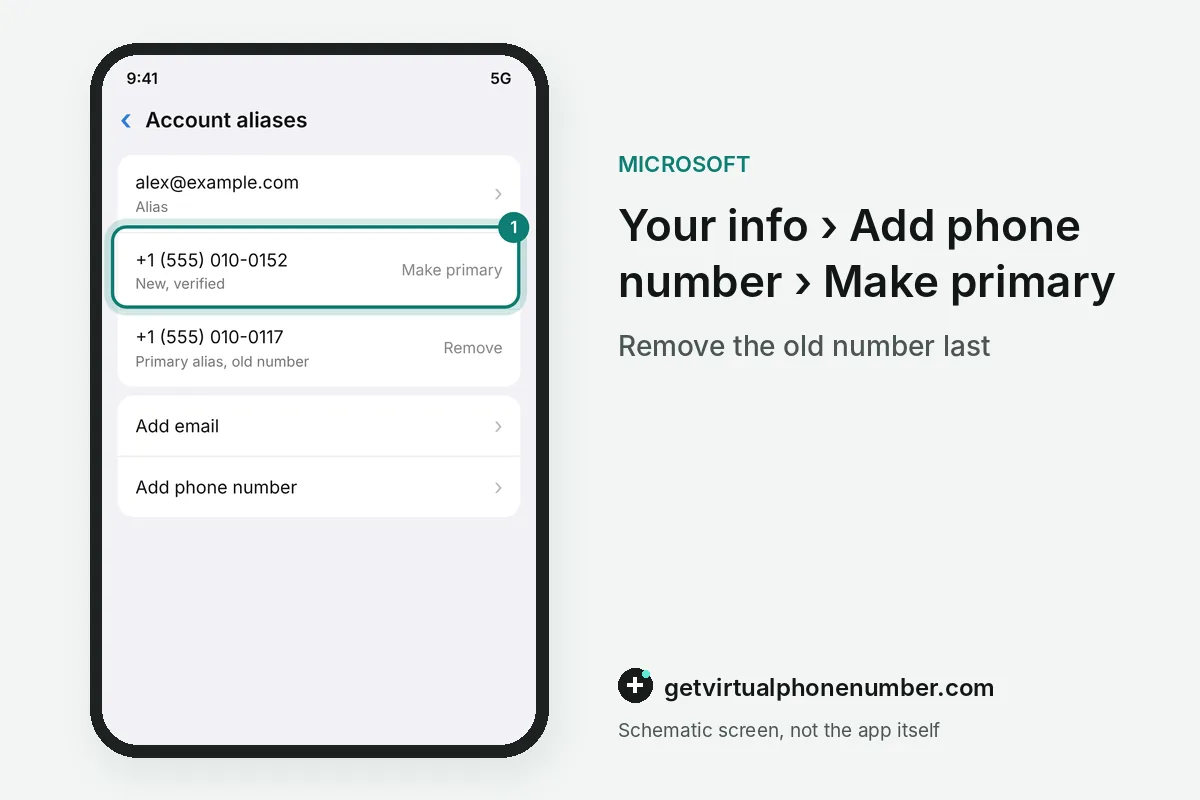
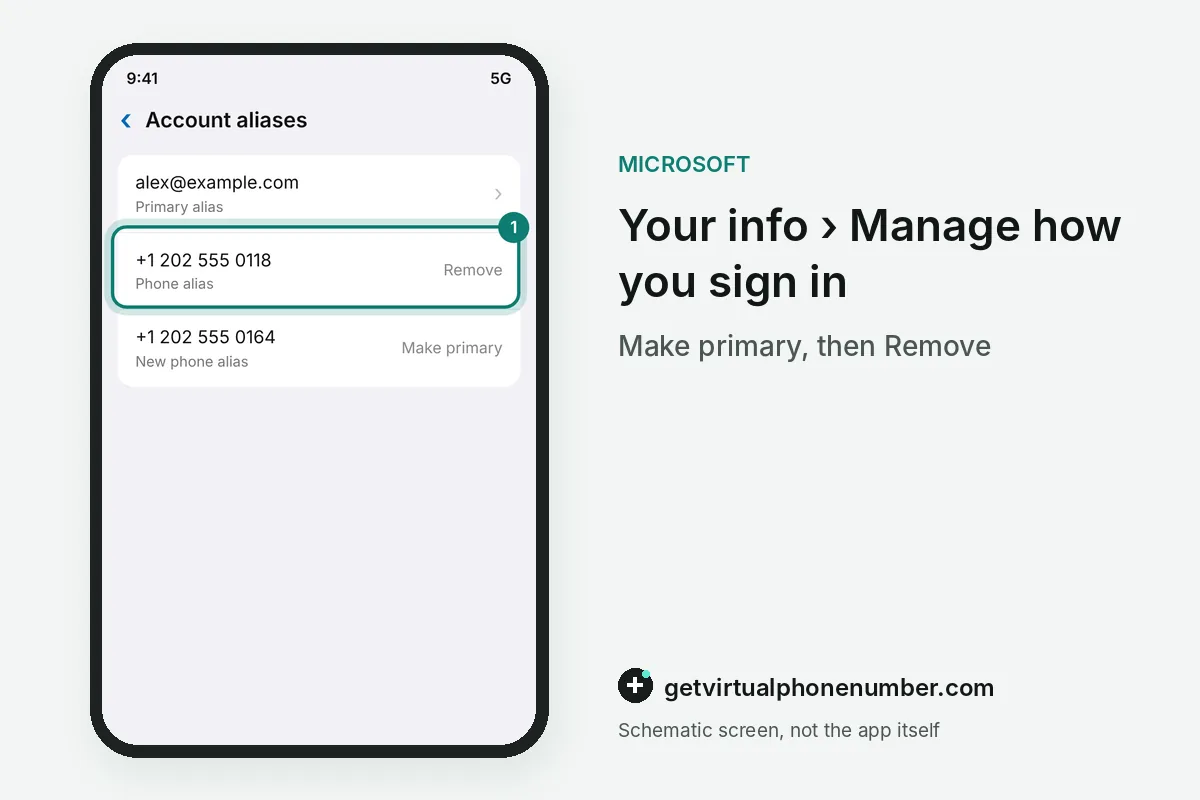
Changing a primary-alias phone number on a Microsoft account takes three moves: add the new entry, make it primary, remove the old one. Answers on Microsoft Q&A note that the primary alias cannot be removed until another alias exists and is set as primary. The Make primary and Remove buttons sit beside each entry.
Many personal accounts stopped offering Add phone number. An email alias can then take the primary slot, and the old number comes off with Remove. The add phone number guide explains where the add option still appears.
For example, an account with 2 phone aliases and 1 email alias can make the email primary, then remove both numbers. Microsoft allows up to 10 aliases on one account, so a spare email alias costs nothing.
Which aliases should stay switched on for sign-in?
After a phone number change, keep only aliases you actively use switched on for sign-in, as Microsoft's sign-in preferences page advises. It asks you to uncheck any email address or phone number you don't use so it can't be used to sign in. Unchecked aliases stay on the account but cannot sign you in anymore.
The same page warns against linking a work or school email to a personal account and asks you to use only addresses and numbers you own. A number you have given up does not count as yours anymore.
Teams Free can also show a phone alias to people who already have your number. Review its discovery settings after the change.
How do you move a number to another Microsoft account?
Moving a number to another Microsoft account starts with freeing it, because one number can be a sign-in alias on only one account. Sign in to the old account, open the alias list and select Remove next to the number. Then add it on the new account.
Q&A answers that cite Microsoft's phone number help describe a Transfer number option when a move is allowed, and a Change number option when it is not. The receiving account may also lack the add option because of the SMS phase-out.
How do Microsoft 365 admins change their contact number?
Microsoft 365 admins change their own contact number in the Microsoft 365 admin center, apart from any personal alias list. Go to Users, then Active users, select your admin account and choose Manage contact information under Contact information. Update the number and select Save changes.
The admin contact number is separate from your sign-in methods. Work or school sign-in methods sit at mysignins.microsoft.com/security-info under the organization's policy, and the IT admin handles resets.
What goes wrong when changing the number?
The classic mistake when changing the phone number is removing the old alias before the replacement works. Set up a backup method first. If you cannot sign in at all, the account recovery guide covers the Sign-in Helper and the recovery form.
Use only numbers you own: never a public line, whose page shows every message to every visitor. A private number (coming soon) keeps codes for you alone, and public lines from the Microsoft numbers page suit throwaway test sign-ups.
Swap the phone number on a Microsoft account
- Add a backup methodUnder Manage how I sign in, add a recovery email, Authenticator or a passkey.
- Open Your infoGo to account.live.com/names/manage and sign in.
- Add the new entrySelect Add phone number if it appears, or add an email alias, and verify it.
- Make it primarySelect Make primary next to the new alias.
- Remove the old numberSelect Remove next to the old phone number.
Sources
- Update phone number on account - Microsoft Q&A
- Change mobile number. - Microsoft Q&A
- Update your admin phone number and email address - Microsoft 365 admin | Microsoft Learn
- Change the email address for your Microsoft account | Microsoft Support
- Change my phone number on my account - Microsoft Q&A
- how to change my phone number - Microsoft Q&A
 Canada
 United States
 Netherlands
 Sweden
 Algeria
 Philippines
 Sri Lanka
 Slovenia
 United Kingdom