Netflix · Change phone number · Checked on 3 October 2026
How to Change Your Phone Number on Netflix
To change your phone number on Netflix, open the Mobile phone page at netflix.com/phonenumber, confirm your identity and type the code Netflix texts to the new number. The same page adds or deletes a number. A verified number can belong to one account at a time.
What are the steps to change your phone number on Netflix?
The steps to change your phone number on Netflix start on the Mobile phone page, which you reach from the security settings of the Account page. Sign in if prompted. Follow the on-screen steps to confirm your identity via text code, email or payment details before anything else.
Once verified, select Change phone number, or delete the old one first in the app menu. Choose your country code, enter your new phone number and click Next. Enter the verification code sent via text message to your new number to confirm and finish.
Profiles, viewing history and My List stay in place during the change on Netflix, since the phone serves sign-in and recovery only. Billing and the plan live on separate pages.
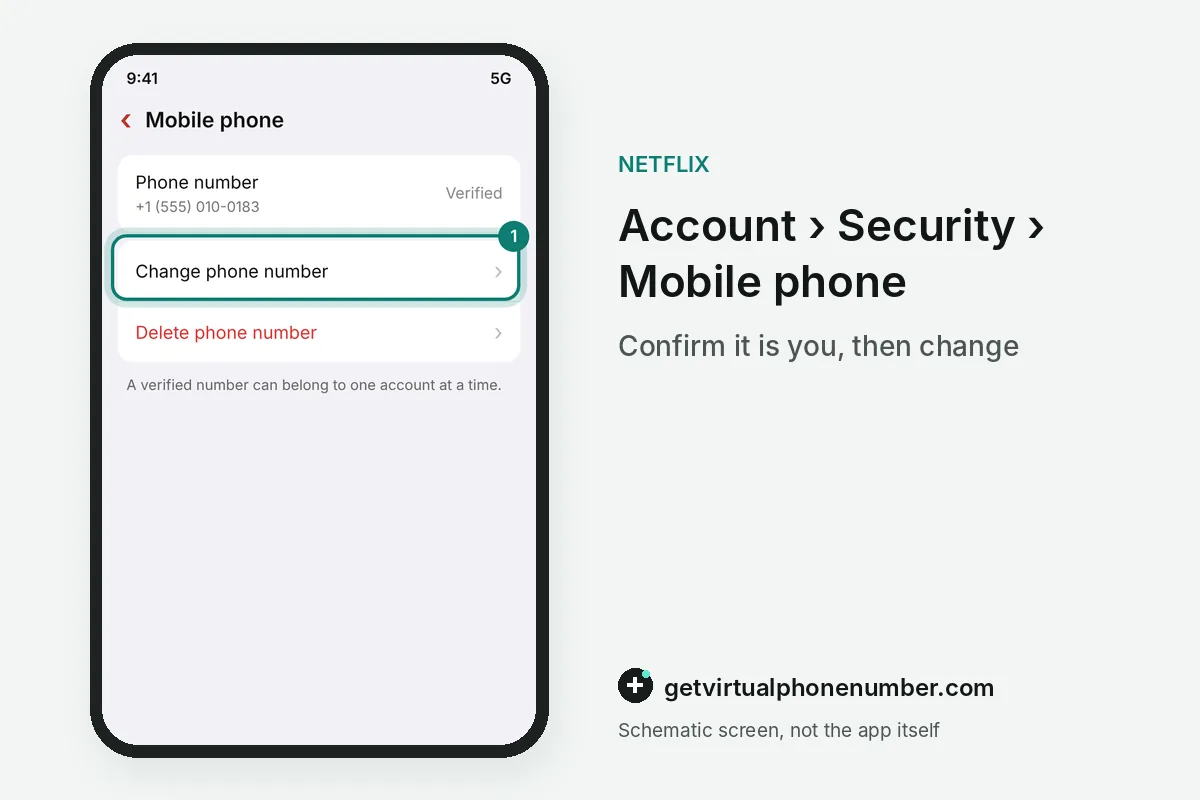
How do you add or remove a number on the Netflix Mobile phone page?
Adding or removing a number on the Netflix Mobile phone page works from the same screen, where the choices are add, change and delete. A phone number is optional. Netflix recommends one anyway, because a verified number makes sign-in easier and lets you reset a forgotten password by text message.
For example, an account with a verified number can reset the password with a text code that stays valid for 20 minutes. An account without a phone number on Netflix depends on its email alone.
Why can't Netflix send a verification code to my phone number?
Netflix can't send a verification code to a phone number when the text never arrives, and the help center names carrier delays as the usual cause. Ask the carrier first. Blocked short codes, a full message inbox or a number typed without its country code also stop the Netflix verification text from reaching the phone.
Internet-only lines often fail as well, a pattern many users report on forums about Netflix phone verification. The fixes for a silent number are listed in Netflix code not received.
Can a verified phone number sit on more than one account?
A verified phone number can sit on one account only, because Netflix keeps each verified number on a single Netflix account at a time. Verifying moves it. Once you verify the number on a new account, Netflix removes it from any other account that had it before.
A family that shares one phone for two Netflix accounts therefore needs a second number for one of them. The move happens silently, so check both accounts after you change the phone number on Netflix.
Parents who run a separate account for a teenager often put the teen's own mobile line as the phone number on Netflix. Password texts then reach the person who actually uses that account.
How do you change your Netflix number without the old phone?
You can change your Netflix number without the old phone while you still sign in with the email address. Payment details may be asked. The Mobile phone page accepts other ways to confirm your identity, and the new number then receives its own text code.
With no access to the email or the old phone, open netflix.com/LoginHelp, select I don't remember my email or phone and enter your name and card. Netflix then emails a password reset link to the address on the account.
Which phone number should you keep on Netflix?
Keep a phone number on Netflix that you will own for years, because the account uses it for password resets and sign-in codes. Prepaid lines can expire. A number recycled by the carrier would hand those codes to its next owner, so update Netflix before you cancel an old SIM card.
Travellers with a local SIM abroad can leave the home number on Netflix, since a password reset by email works from any country. Roaming texts often arrive late, so the email route is calmer on a trip.
Porting the same number to a new carrier needs no change on Netflix, because the account follows the number and ignores the SIM card behind it. Codes reach the new SIM from the first day.
Our free numbers for Netflix are public test lines that anyone can read, so they never belong on a paid account. Netflix sign-in code explains what those codes open.
Steps to change your phone number on Netflix
- Open the Mobile phone pageGo to netflix.com/phonenumber and sign in if asked.
- Confirm your identityUse the code, email or payment check that Netflix offers.
- Enter the new numberChoose the country code, type the number and select Next.
- Type the text codeEnter the verification code sent to the new number.
 Algeria
 Netherlands
 Moldova
 Sweden
 Canada
 United States
 United Kingdom