Netflix · Change email · Facts verified 3 October 2026
How to Change Your Email Address on Netflix
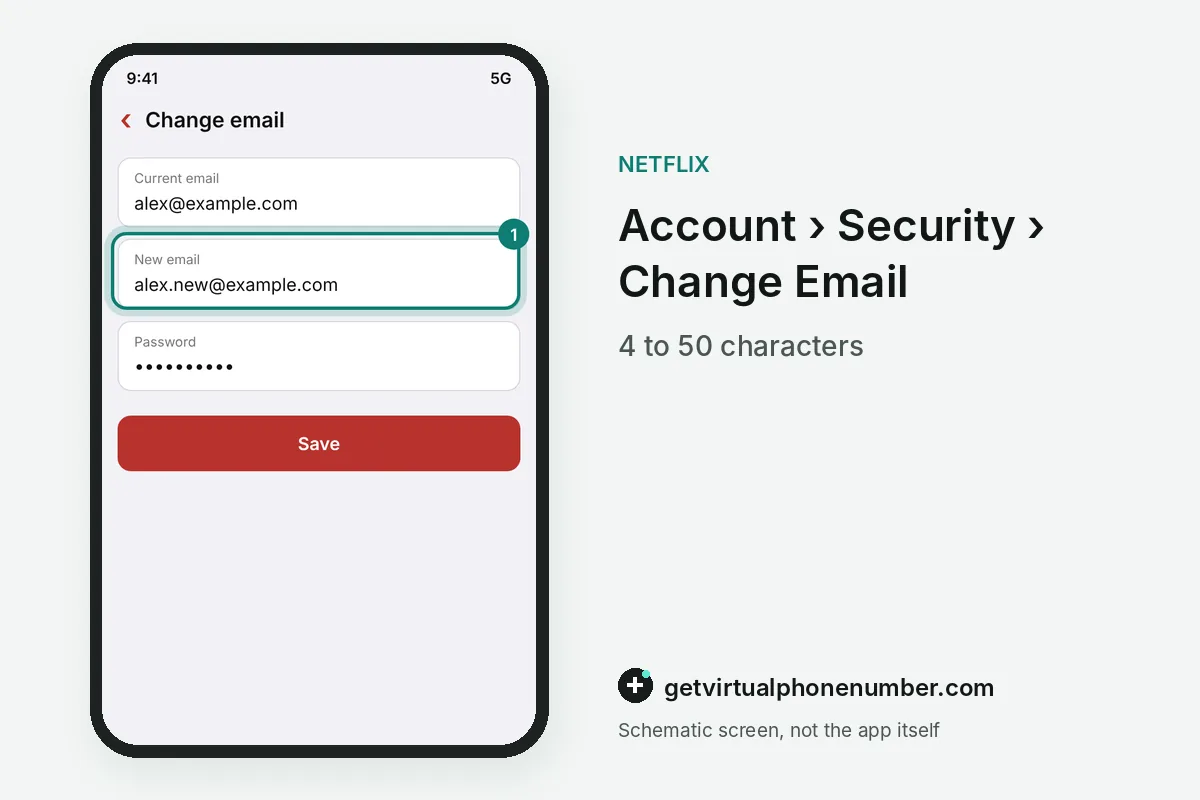
To change your email on Netflix, open the Change Email page at netflix.com/email, confirm your identity and type the new address. Netflix sends a confirmation email afterwards. The new address must have between 4 and 50 characters and cannot belong to another Netflix account.
What are the steps to change your email on Netflix?
The steps to change your email on Netflix take a few minutes on the Change Email page at netflix.com/email, and a Kids profile has to be switched off first. A regular profile is required. Netflix blocks the page for Kids profiles, so pick an adult profile before you open the account settings.
Go to your Account page and select Security, where Change Email sits. Enter your new email address and your current password, then save.
Complete the identity check that Netflix shows and open the confirmation link sent to your new address. The Netflix email change is done once you confirm.
Why should you verify the new Netflix email?
Verifying the new Netflix email keeps password resets and sign-in codes flowing to an inbox you control. Netflix sends a Verify Email button. Tap it, and if the link expired, select Send Link on the error screen to get a fresh verification email for the account.
You can also start verification yourself in the Security section, where Email leads to Send Link. A verified email address is the main recovery route after you change email on Netflix.
How do you change an email in Manage Profiles on Netflix?
An email added to a Netflix profile changes in Manage Profiles on the Account page, separately from the main account email. Profiles can carry their own addresses. Netflix checks a new profile email with a 6-digit code before that profile can sign in with it.
Removing an unknown profile email from Manage Profiles signs out whoever used it within 24 hours. Review every profile email after you change email on Netflix for the main account.
A profile email on Netflix suits older children and partners who want their own sign-in, while the owner keeps billing and the main address. Each person then gets codes in a personal inbox.
How do you change your Netflix email without access to the old one?
You can change your Netflix email without access to the old inbox while you still sign in with a phone number or password. The Change Email page works from inside the account. Confirm your identity with the phone or with payment details, and the new address replaces the lost one.
Locked out entirely, open netflix.com/LoginHelp and select I don't remember my email or phone. Netflix asks for your name and the card on the account, then emails a reset link to the address on file.
What if your Netflix email was changed without your permission?
A Netflix email changed without your permission means someone else controls the account, and Netflix asks you to contact support right away. The notice email is the warning. Write to support through the Help Center or the app, and reset the password from any device still signed in.
Steps for a takeover are in Netflix account hacked. Someone else's Netflix account that uses your email address can be reported to privacy@netflix.com for removal.
Which email address should a Netflix account use?
A Netflix account should use an email address you will keep for years, with its own strong password and two-step login. Work addresses end with jobs. That inbox receives every billing notice, sign-in code and password link, so an abandoned school or office mailbox becomes a quiet security gap.
An email address is required on every Netflix account, because Netflix uses it to communicate about the membership. The address can change as often as you like, and the account history stays in place.
For example, the address a@b.co meets the length rule of 4 to 50 characters. An address already used on another Netflix account is refused, and public lines on our free numbers for Netflix suit short tests only.
Steps to Change Email on Netflix
- Open the Change Email pageGo to netflix.com/email and sign in if needed.
- Leave Kids profilesSwitch to a regular profile before you start.
- Confirm your identityUse the check Netflix offers, by phone, email or payment details.
- Enter and verify the new emailSave it, then tap Verify Email in the message that arrives.
 Algeria
 Netherlands
 Moldova
 Sweden
 Canada
 United States
 United Kingdom