Gmail · Change phone number · Checked on 3 October 2026
Gmail phone number change: how to update the number on your Google account
A Gmail phone number change swaps the mobile number on your Google account in Personal info or under Recovery phone. The 2-Step Verification phone sits apart and needs its own edit. A new number may wait up to a week before Google fully trusts it, and the sections below cover the steps, that wait and the case without the old SIM.
How do you make a Gmail phone number change?
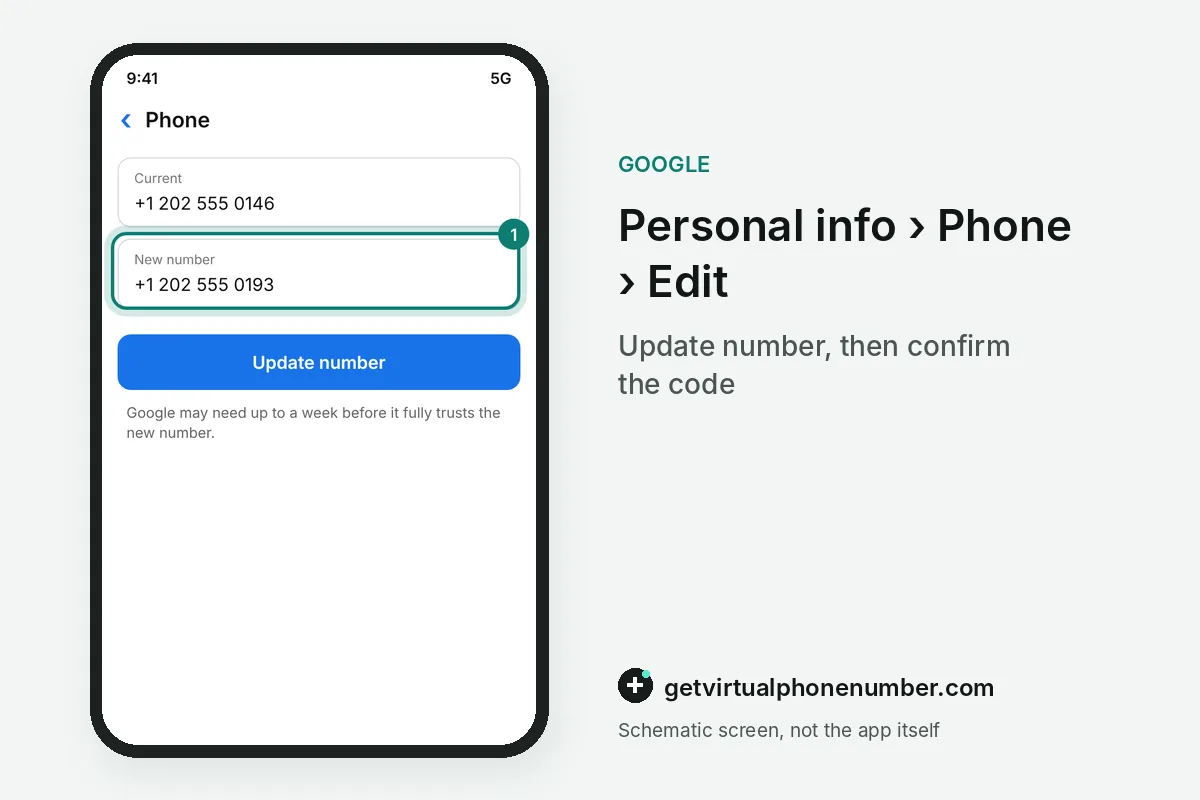
You make a Gmail phone number change in Personal info, under Phone. Next to the current number select Edit, then Update number, type the new one and confirm it. That is the whole Gmail phone number change.
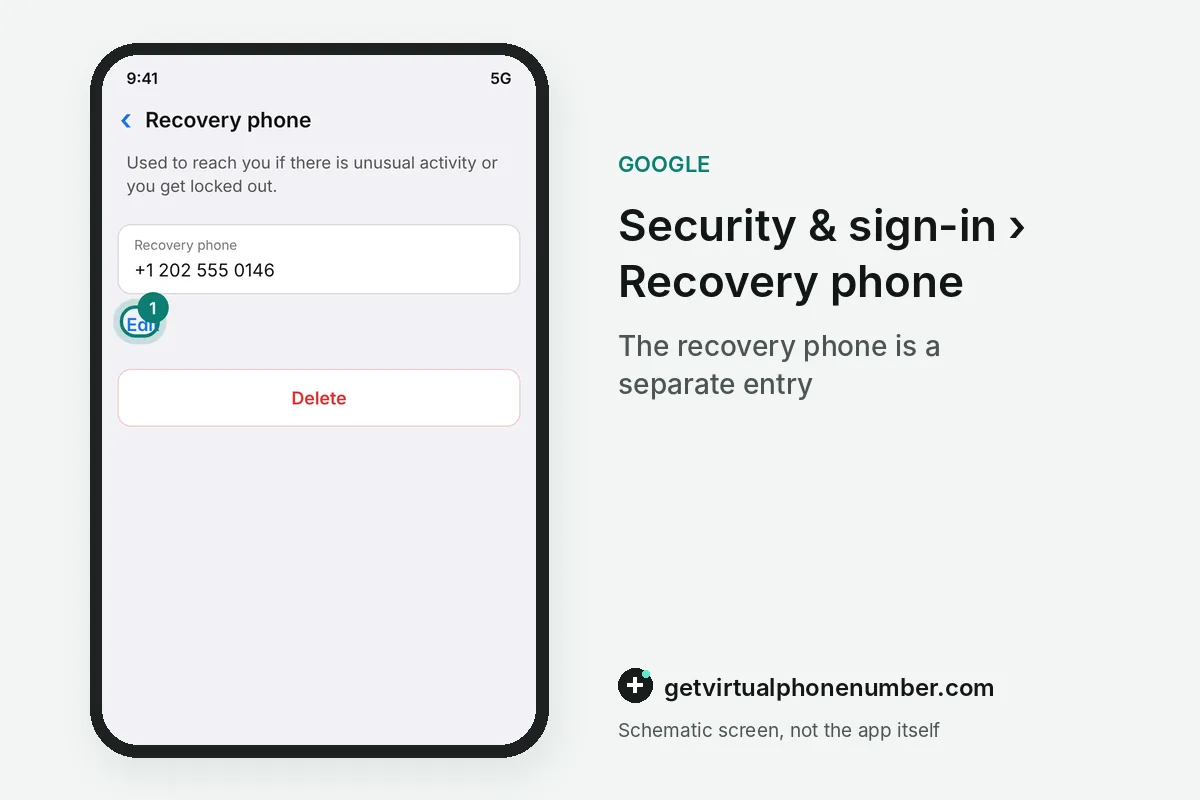
The recovery phone has its own Gmail phone number entry under Security & sign-in, then Recovery phone. There, Edit replaces the number and Delete removes it, and Gmail on Android or iPhone reaches both pages through Manage your Google Account.
Which Google services keep the old Gmail phone number?
A Gmail phone number change in Personal info only updates some Google services, so the old number can linger elsewhere. 2-Step Verification, Calendar, Chrome, Google Pay and Google Business Profile each keep a phone setting of their own. Check each service.
The Phone page lists services that use a number, and a tap on each opens its settings. Update the 2-Step Verification phone first, since that number blocks a sign-in when it points to a SIM you do not hold anymore.
| Where the number sits | Path | What it does |
|---|---|---|
| Contact number | Personal info, Contact info, Phone | Shown to people you allow, used across Google |
| Recovery phone | Security & sign-in, Recovery phone | Gets the reset code when the password is lost |
| 2-Step Verification | Security & sign-in, 2-Step Verification, Phone numbers | Gets the second-step text or call |
| Chrome autofill | Chrome Settings, Autofill and passwords, Addresses and more | Fills the number into web forms |
| Google Business Profile | Edit profile, Contact, Phone number | Shows the number to customers on Maps and Search |
What should you do when you switch carriers or lose the SIM?
When you switch carriers or lose the SIM, ask the carrier to move your number to the new SIM first. Keeping the same number spares you the Gmail phone number change and the week of reduced trust that follows it. Order matters here.
If the number cannot be kept, add the new Gmail phone number while the old one still works, then delete the old entry. Doing it in that order means the account never sits without a working recovery phone.
For example, a new Gmail phone number added on the 1st and accepted by the 8th should replace the old entry only then. Until that day both numbers stay on the account.
Why does a new Gmail phone number take a week to work?
A new Gmail phone number can take up to a week before Google accepts it for sensitive actions such as a password change. For 7 days after a Gmail phone number change, Google may keep sending codes to your previous details. Those codes let you react if a stranger made the edit.
A trusted passkey or security key can shorten that trust period for the new Gmail phone number. If Google flags the number as suspicious, it disables it, notifies you and gives you 30 days to confirm you added it.
How do you find an old Gmail account with your phone number?
You find an old Gmail account with your phone number through the username lookup on the recovery page. Enter the number or a recovery email together with the full name on the account, confirm the code and Google lists the matching usernames.
The lookup only works while the number still receives texts. Make the Gmail phone number change before you lose the old SIM, so the lookup keeps a number that answers. Update it early.
What if you can't change your Gmail phone number?
If you can't change your Gmail phone number, the option is usually hidden because something about the sign-in looks new. Try the Gmail phone number change again from a device and location where you normally sign in, or wait for the following week. Then try again.
Accounts run by a work, school or other group may block a Gmail phone number change entirely, and the administrator has to make it. Not every recovery option is offered in every region, account type or device.
Can you change your Gmail phone number without the old number?
You can change your Gmail phone number without the old number as long as you can still sign in. The edit screen asks for your password, and a working second step, like a backup code or a prompt on another phone, covers the old number's job. Recovery comes first.
A Gmail phone number change while locked out has to wait until you are back in. The account recovery page accepts older passwords and asks extra questions, and the new number goes in once you reach Personal info.
Which Google apps need the new number after the swap?
After a Gmail phone number change, Google Voice still forwards calls to the linked numbers in its own settings. Open Voice, go to Settings, then Account and Linked numbers. Add the new mobile there and delete the old one, or Voice keeps ringing the old SIM.
Google Messages ties RCS chats to the SIM inside the phone, apart from your account. A new SIM sends Messages into a fresh number check under Settings, then RCS chats, and chat features stay off until it passes. Texts still arrive as plain SMS meanwhile.
Google Pay and Google Business Profile show the old number until you edit each one, as the table above lists. Check both on the day of the swap.
What goes wrong with a Gmail phone number change?
The classic Gmail phone number change mistake is cancelling the old SIM before the new number is saved and trusted. Another is updating Personal info and forgetting the 2-Step Verification phone, which then points to a line you do not hold anymore.
Never put a public line in as the new Gmail phone number. Our shared Gmail numbers suit a throwaway test account, while a private number (coming soon) suits a Gmail you keep. To drop a number entirely, see how to remove a phone number from Google.
Change the phone number on your Gmail account
- Open Personal infoSign in at myaccount.google.com and open Personal info, then Phone.
- Select EditNext to the current number, choose Edit and then Update number.
- Enter the new numberType the new number with the right country and confirm the code Google sends.
- Update other servicesChange the 2-Step Verification phone and any service that still lists the old number.
Sources
- Change the phone number on your account & how it's used - Computer - Google Account Help
- How to update your phone number on your Google account
- Set up recovery options - Computer - Google Account Help
- How to recover your Google Account or Gmail - Google Account Help
- Tips to complete account recovery steps - Google Account Help
 Canada
 United States
 Netherlands
 Sweden
 Algeria
 Philippines
 Sri Lanka
 Slovenia
 United Kingdom