Gmail · Remove phone number · Checked on 3 October 2026
How to remove a phone number from your Google account
Removing a phone number from a Google account means deleting it from Personal info or Recovery phone. Google then stops sending codes, recovery prompts and service alerts to that line. The removal takes a few clicks, but the number can linger in 2-Step Verification and other services. Below are the steps, the side effects and how to take a phone off the account as a device.
How do I remove a phone from my Google Account?
To remove a phone as a device from your Google Account, open the Settings app, tap Passwords & accounts, select the Google account and choose Remove account. On some Android versions the menu reads Users & accounts or Manage accounts instead.
Some of these removal steps only work on Android 14 and up, and older phones may show the menus under different names. The same Remove account screen also drops Exchange, IMAP and POP3 accounts that you added for mail from other providers.
Removing the Google account from a phone deletes its mail, contacts and settings from that device only. If it is the last Google account on the phone, Android asks for your pattern, PIN or password first. The account stays.
Removing a phone from your Google account and removing a phone number from it are two different jobs on two different screens. One lives in the phone's Settings app, the other on the Phone page of Personal info.
How do you cut off a lost phone?
You cut off a lost phone from a computer: open Gmail, click your profile, choose Manage your Google Account and go to Security & sign-in. In Your devices, select Manage all devices, pick the phone and click Sign out.
Cutting off a lost phone takes one sign-out per session, since a device can hold several from different browsers and apps. The Gmail app itself only offers Manage accounts on this device and Remove from this device.
How do you remove a Google account from a phone after a reset?
To remove a Google account from a phone you are handing on, take the account off in Settings under Passwords & accounts. Then sign out of it under Manage all devices on the web, since each session on the phone needs its own sign-out.
Removing your Google account before lending a phone also works through a guest or a separate user. That keeps the account off the shared device.
How do you stop Google using your phone number across services?
You stop Google using your phone number across services by removing it from the Phone page of the Google account and adding it back only as a recovery phone. A number marked Across Google next to Usage feeds Google services and ads. Nothing else changes.
Turning off Better ads & Google services on the Phone page has a similar effect without deleting the number. Re-add the number in services where you still want it, such as Calendar notifications.
How do you remove a phone number from a Google account?
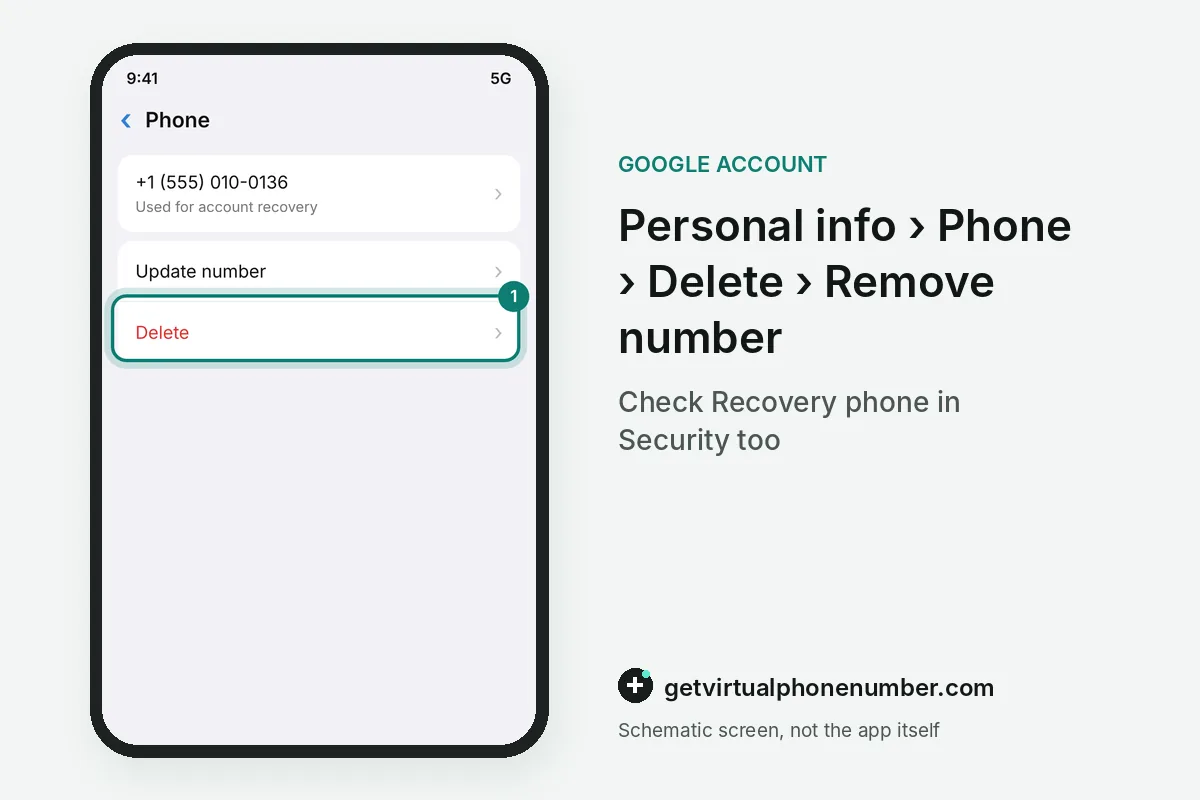
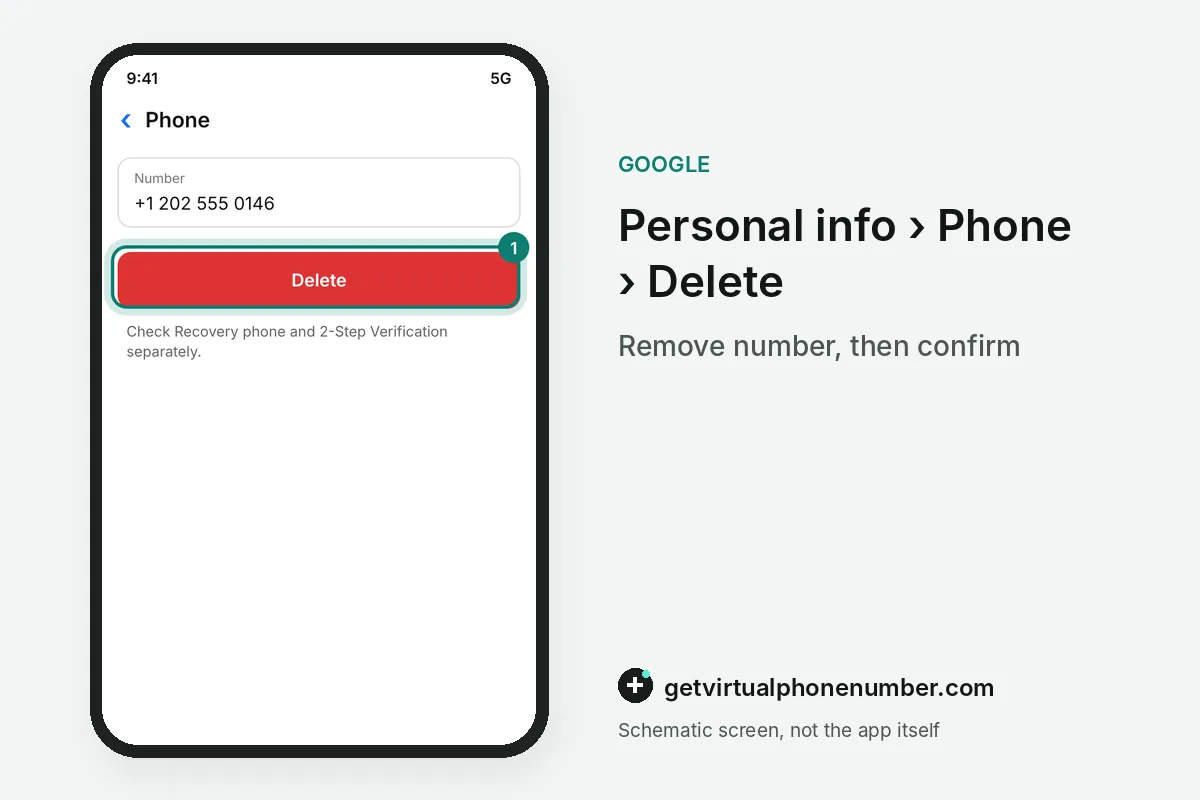
You remove a phone number from a Google account in Personal info, under Phone. Select the number, choose Delete and then Remove number, and follow the box that appears. Then confirm it.
For the recovery phone, open Security & sign-in, then Recovery phone, where Delete sits next to the number. Gmail on Android or iPhone reaches both pages through Manage your Google Account.
For example, an account with 1 number in Personal info and the same number under 2-Step Verification needs 2 deletions before the number is gone. Each page keeps its own entry.
What goes wrong when removing a Google phone number?
The classic mistake with a Google account phone number is deleting it while it is still the only 2-Step Verification step. The next sign-in on a new device may then have nothing to offer, so set up prompts or backup codes first.
Another trap is removing the phone number and assuming the phone itself left the Google account too. Sign the device out under Manage all devices as well. Our Gmail numbers fit test sign-ups only, while a private number (coming soon) suits an account you keep.
To put a different number in place of the old one, see our guide to updating the number. Removing and replacing are separate steps on the Phone page.
Remove a phone number from your Google account
- Open Personal infoSign in at myaccount.google.com and open Personal info, then Phone.
- Delete the numberSelect the number, choose Delete, then Remove number.
- Check Recovery phoneOpen Security & sign-in and delete the entry under Recovery phone if it is there.
- Sign out the deviceUnder Your devices, choose Manage all devices and sign the phone out.
Sources
- Change the phone number on your account & how it's used - Computer - Google Account Help
- Add or remove an account on Android - Android Help
- How to Add, Modify, or Remove Your Phone Number From Google Account
- How to add, change, or remove phone number for Google account
- Sign out of or remove your account from Gmail - Computer - Gmail Help
- Add another email account in the Gmail app - iPhone & iPad - Gmail Help
 Canada
 United States
 Netherlands
 Sweden
 Algeria
 Philippines
 Sri Lanka
 Slovenia
 United Kingdom