Amazon · Remove phone number · Checked on 3 October 2026
How to remove a phone number from your Amazon account
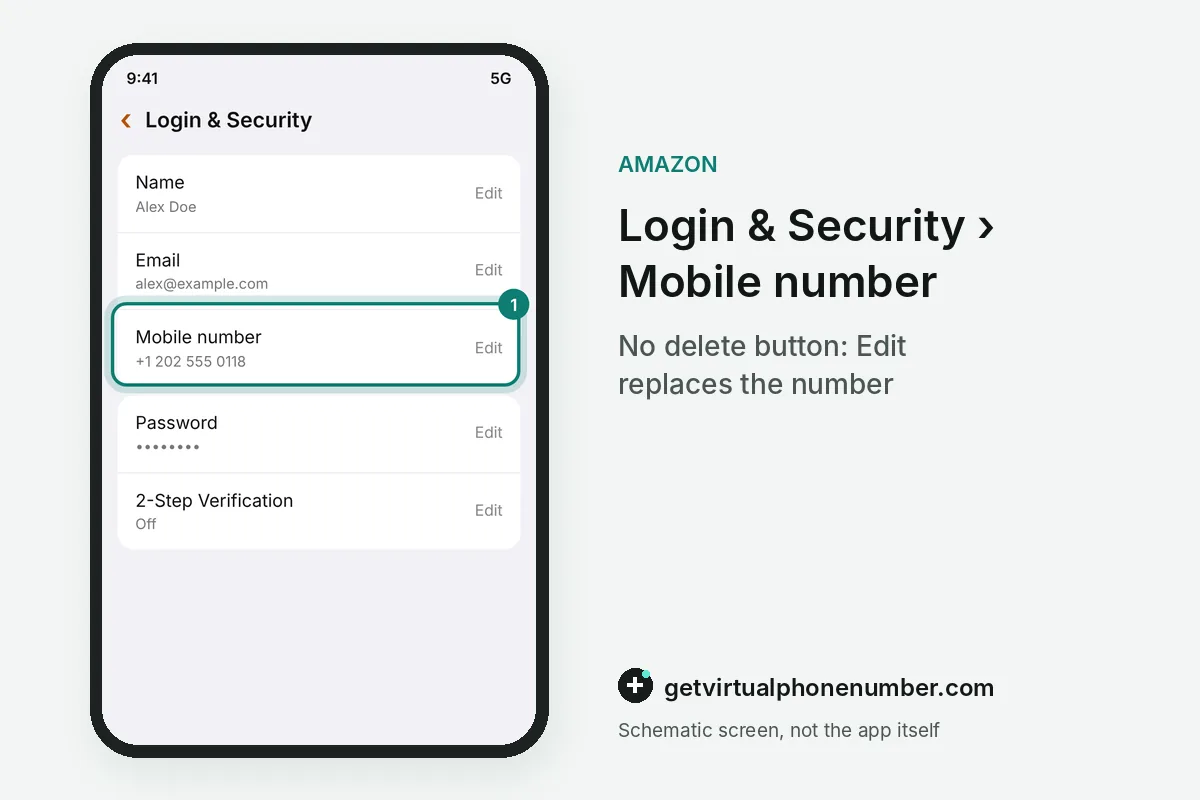
Removing a phone number from an Amazon account usually means editing the mobile number in Login and Security until the old digits disappear from the profile. Amazon's help pages describe editing that number but no stand-alone delete button. A full unlink of every trace takes closing the account.
Can you delete the phone number or only replace it?
You can replace the number at any time, but the help pages describe no separate delete button for it. The documented route is Login and Security, then Edit beside the mobile number, then the on-screen options and Save Changes. What the screen offers depends on how the profile was set up.
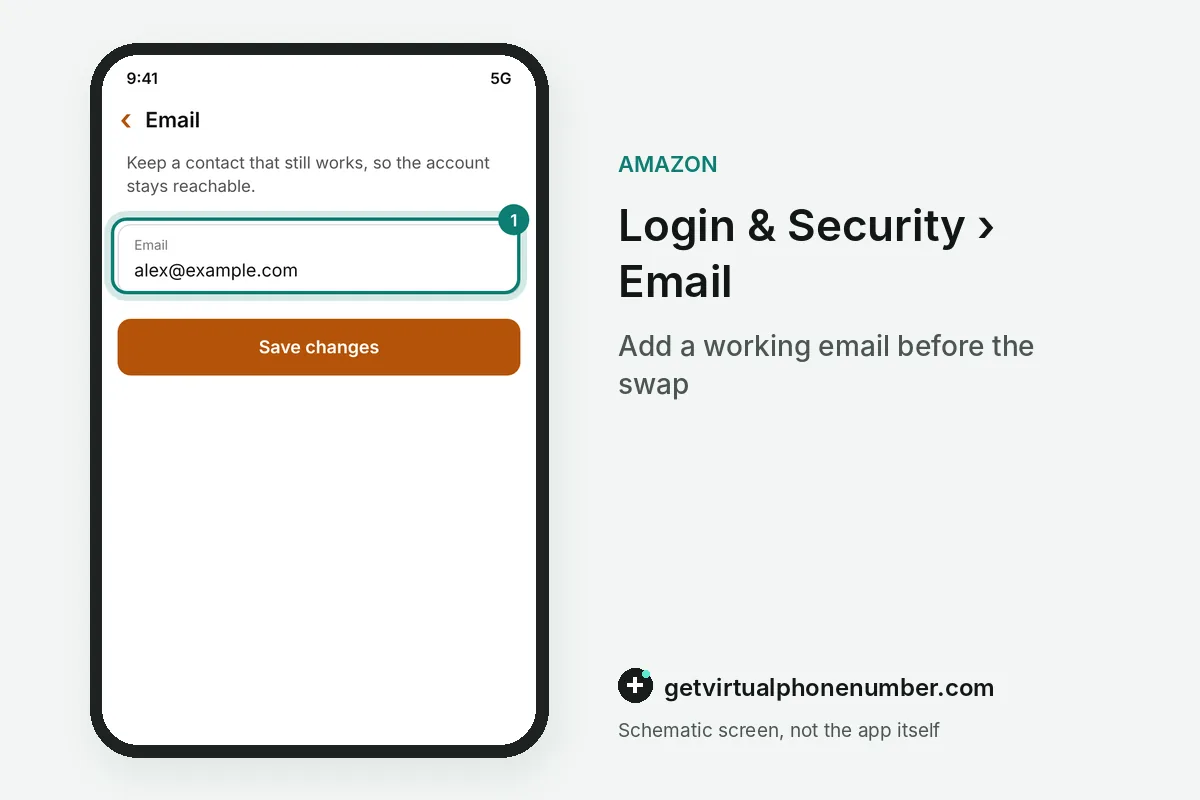
A profile built on a mobile number cannot lose that number without losing its login, because the number is the sign-in name. Give such a profile a second way in, such as an email, before you remove anything. Otherwise nothing is left to sign in with.
Why does Amazon say the number is already in use?
Amazon says a number is already in use when another profile still holds it. If that profile is yours, open it through Forgot password with the one-time passcode, then take the number off there. That frees it for the profile you actually use.
If you never owned another profile, the number may have belonged to someone else before your carrier reissued it, and an older profile may still hold it. The help page sends this case to Customer Service. Nobody can unlink a number from a profile they cannot open.
How do sellers clear a phone number in Seller Central?
Sellers who want to remove a phone number check up to 4 places, which a staff member listed in a seller forum thread. Business address and phone number and the display name sit under Account Info, then Business Information. Emergency notifications and the merchant default contact sit under Notification Preferences.
In the same thread, another seller said a phone number has to stay listed on a seller account and can be changed, though not removed. The original poster kept seeing the old digits offered in forms after deleting them elsewhere. Checking all four places is the practical answer to that.
How do you remove an Amazon profile from your phone?
Removing the profile from a handset is a sign-out, and it leaves the number on file untouched. In the shopping app, tap the menu button in the bottom right corner, scroll to the bottom and choose Sign-out. Signing out there affects only that one device.
For a phone you do not hold anymore, sign in on a browser, open Manage Your Content and Devices, pick the handset under the Devices tab and choose Deregister. The number on file stays as it was until you edit it.
When is closing the account the only full unlink?
Closing the account is the only full unlink when you want the number and every other detail gone for good. The request starts on the Close Your Account page, where you pick a reason and tick the box that confirms permanent closure and data deletion. A confirmation then arrives by email or text.
You have 5 days to reply to that confirmation, which completes the request to remove your account data, phone number included. Closure covers every store site that uses the same credentials, ends access to Seller, Brand Registry and Advertising accounts, and cannot be undone. Each extra profile needs its own closure request to remove its number.
Before closing the account to remove the phone number, download the invoices you might need and any content you uploaded, such as photos. Order history and proof of purchase disappear with the account. Any gift card balance goes too, and linked services close as well, including an AWS account, a Selling Partner account, Associates and Amazon Flex.
For example, a closure request for the Amazon account and its phone number, sent on a Monday, needs a reply within 5 days. Saturday is the last day. A missed reply leaves the account and its number in place.
What goes wrong when you remove the number?
The first mistake to avoid when you remove the number is pulling it off a profile that still sends two-step verification codes there. Switch that step to an authenticator app first, as the two-step verification guide shows. Keep a working email on file.
If privacy is the goal, swapping in a private number (coming soon) keeps your main phone off the profile while texts still reach you. Our free Amazon numbers fit only test profiles nobody needs later. For a profile with no phone at all, read Amazon with no phone on file.
Take the old number off your Amazon account
- Add a backup contactAttach a working email under Login and Security if the profile has none.
- Open Login and SecurityFind it under Your Account in the app or on the website.
- Edit the mobile numberSelect Edit beside the number and follow the on-screen options.
- Save the changeSelect Save Changes, then Done.
- Clear the restSellers also check the four Seller Central spots that hold a phone.
Sources
- Change your Amazon Account Settings - Amazon Customer Service
- Manage Your Personal Information - Amazon Customer Service
- How to delete definitely a phone number
- Request the Closure of Your Account and the Deletion of Your Personal Information - Amazon Customer Service
- Solve Mobile Number Linking Issues - Amazon Customer Service
- Manage Your Amazon Accounts on Mobile Devices - Amazon Customer Service
 Canada
 United States
 Netherlands
 Sweden
 Algeria
 Philippines
 Sri Lanka
 Slovenia
 United Kingdom