Amazon · Add phone number · Updated 3 October 2026
How to add a phone number to your Amazon account
Adding a phone number to an Amazon account is a short edit on the Login and Security screen that links a mobile number for sign-in, password recovery and alerts. The field is optional on accounts opened with an email. You can add it with a few taps in the Amazon Shopping app or a few clicks on the website.
Where do you add a phone number in the Amazon app?
You add a phone number in the Amazon app on the Login and Security screen, two levels below the menu. Tap the icon with three horizontal lines in the bottom right corner, open Account, scroll to Account Settings and tap Login and Security. The shopping app comes in versions for iPhone and Android.
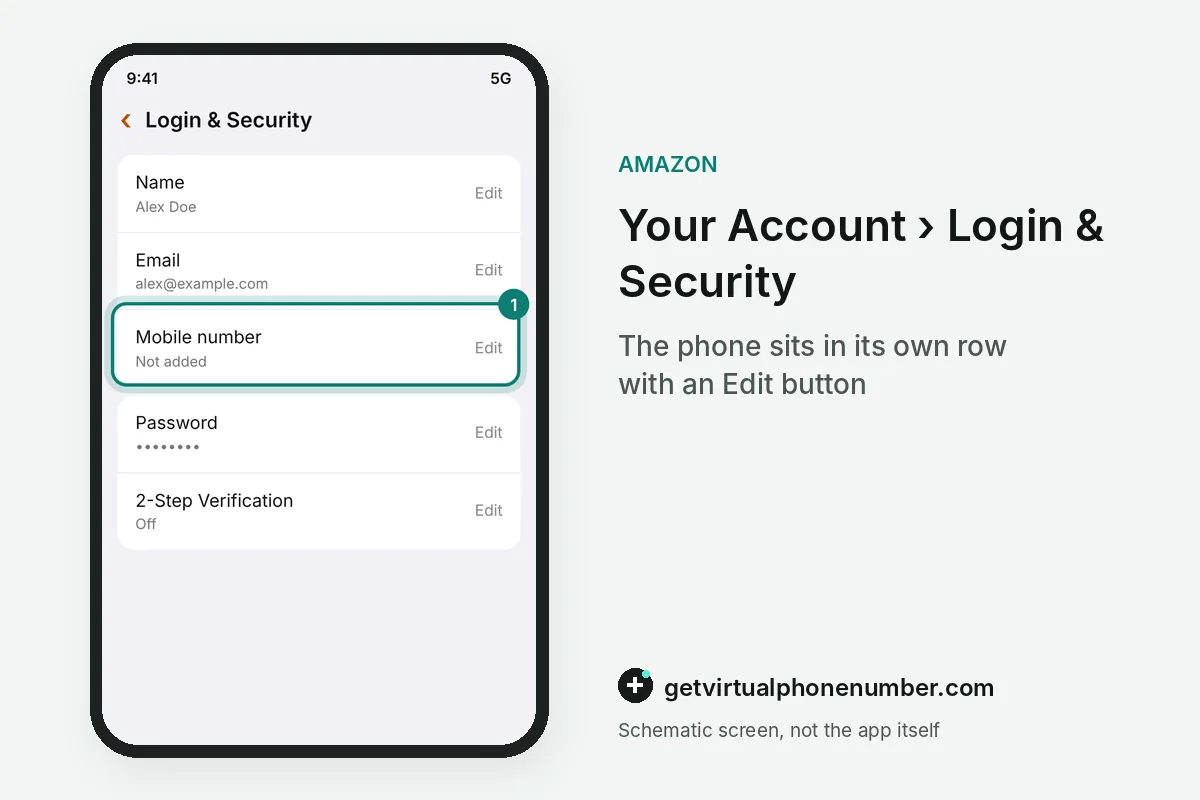
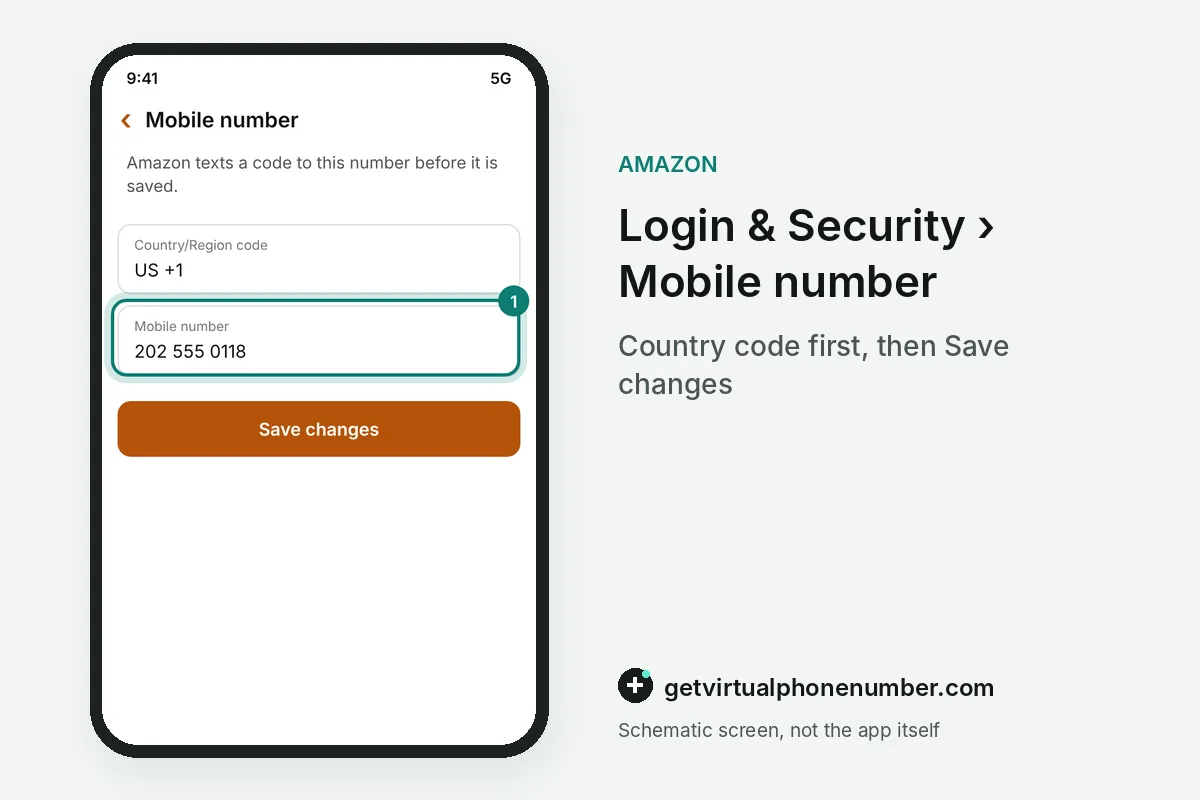
The Login and Security screen shows your name, email, mobile number and password in rows, each with its own Edit button. To add the phone number to the account, tap Edit on the mobile row, type it with the country code and continue. Tap OK on the prompt that reaches the phone, and Done closes it.
What changes in the app after you add the number?
After you add the phone number, the Amazon app changes in one visible way: it can push real-time alerts about deals, order updates and activity to that phone. The bell icon in the app opens a notification hub where every push message is kept. Switch on push alerts in the phone settings on each device you add. Each device has its own switch.
The store says its own texts to an added phone number cost nothing unless a page states otherwise. Your carrier can still bill incoming texts under the mobile plan, which matters while roaming abroad. Prepaid plans deserve a quick check too.
Does the added number work for sign-in everywhere?
Yes, once added, the phone number works for sign-in on a desktop browser, a mobile browser and the app. Type it with the country code each time, as the help page asks. A password, a passkey or a one-time passcode then completes the login.
When the passcode text for the added phone number is slow, the sign-in page offers Resend OTP. The same page also offers Send OTP by WhatsApp, which delivers the passcode to a WhatsApp account tied to the same added number. If texts never arrive at all, the Amazon code not received checklist covers the phone side.
App, website or Seller Central: where to add the number
Where you add the number depends on the screen you manage, and each of the three places has its own menu path and button. Shoppers use the app or the website, while sellers set up staff in Seller Central. The table lines up the paths.
| Where | Menu path | Button to press |
|---|---|---|
| Shopping app | Three-line menu, Account, Login and Security | Edit on the mobile row, then OK and Done |
| Website | Account and Lists, Your Account, Login and Security tile | Edit beside the phone number, then Save changes |
| Seller Central | Settings, then User Permissions | Add the person as a secondary user |
Can you add a second phone number to Amazon?
You cannot add a second phone number to a shopper profile, because the Login and Security screen holds one mobile row. Typing a new number into that row replaces the old one. No second slot exists. Two people who each want their own number need two separate profiles, one number each.
Sellers add staff phone numbers a different way, through the Settings menu in Seller Central under User Permissions, where the owner sets up each person as a secondary user. Each user gets a login of their own. In a seller forum thread, every edit to the seller profile phone replaced the old number.
For example, a family with 2 shopper profiles on one tablet needs 2 different mobile numbers, one on each Login and Security screen. A third profile would need a third number.
Why do some phone numbers fail on Amazon?
A phone number fails on Amazon when it lacks the country code that the help page asks for. Skip a number that already sits on another profile you own, since the screen refuses it. Then open the shopping app and tap through once, so you can see that order alerts and deal notices really reach the number you added.
Adding one of our free Amazon numbers fits only a throwaway test profile with no cards or orders on it. For a profile you keep, add your own number or a private number (coming soon) that nobody else can read. Once it is in place, turn on two-step verification for the added phone.
Add a mobile number to your Amazon account on a computer
- Open Account and ListsHover over Account and Lists in the top right corner of the website and choose Your Account.
- Pick Login and SecurityClick the Login and Security tile and confirm the prompt.
- Edit the phone rowClick Edit in front of the phone number row.
- Add the digitsType the number with its country code, press Save changes, then follow the further instructions that reach the phone to verify the number before you close the page.
- Check itOpen the app on that phone and confirm the alerts arrive.
Sources
- Providing Your Mobile Phone Number - Amazon Customer Service
- Create an Amazon Account with a Phone Number - Amazon Customer Service
- How to keep your account safe and secure - Amazon Customer Service
- Amazon won't let me sign in. What to do? - Amazon Customer Service
- Solve Mobile Number Linking Issues - Amazon Customer Service
- How do I add additional phone numbers to log in to Amazon?
 Canada
 United States
 Netherlands
 Sweden
 Algeria
 Philippines
 Sri Lanka
 Slovenia
 United Kingdom