Microsoft · Add phone number · Updated 3 October 2026
How to add a phone number to a Microsoft account, and when you can't
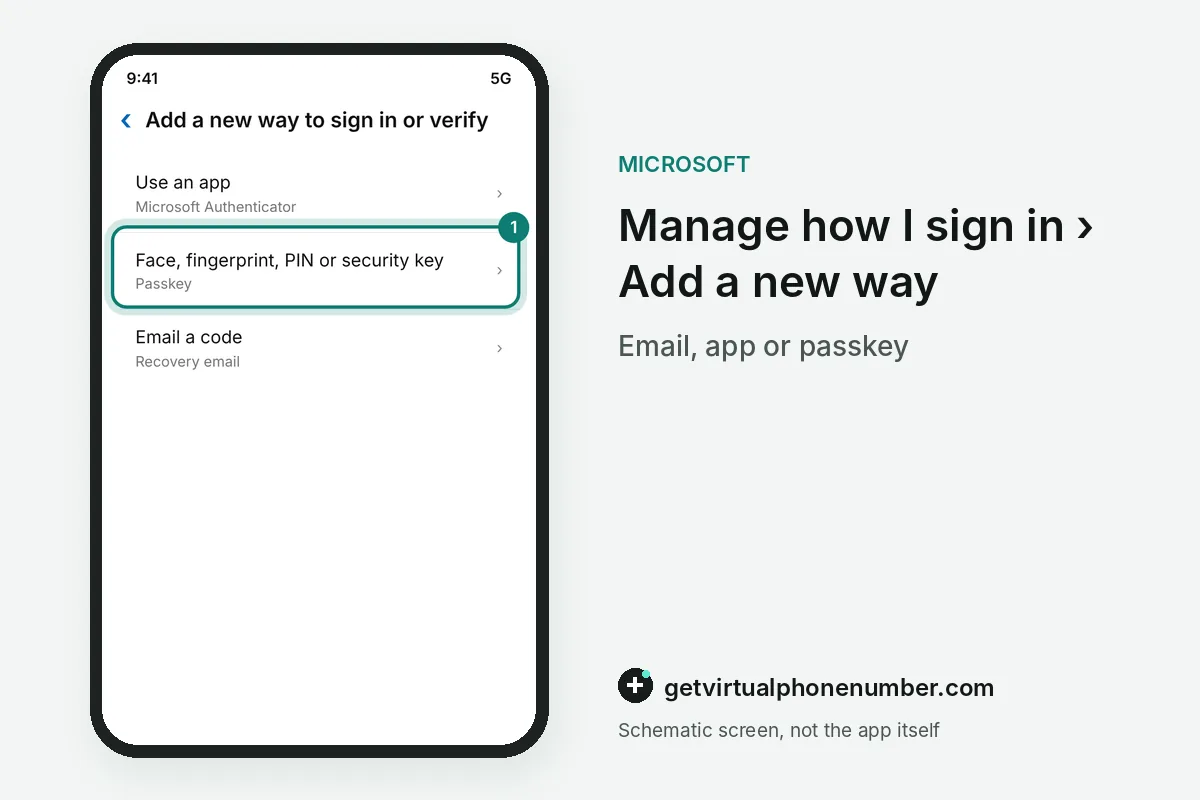
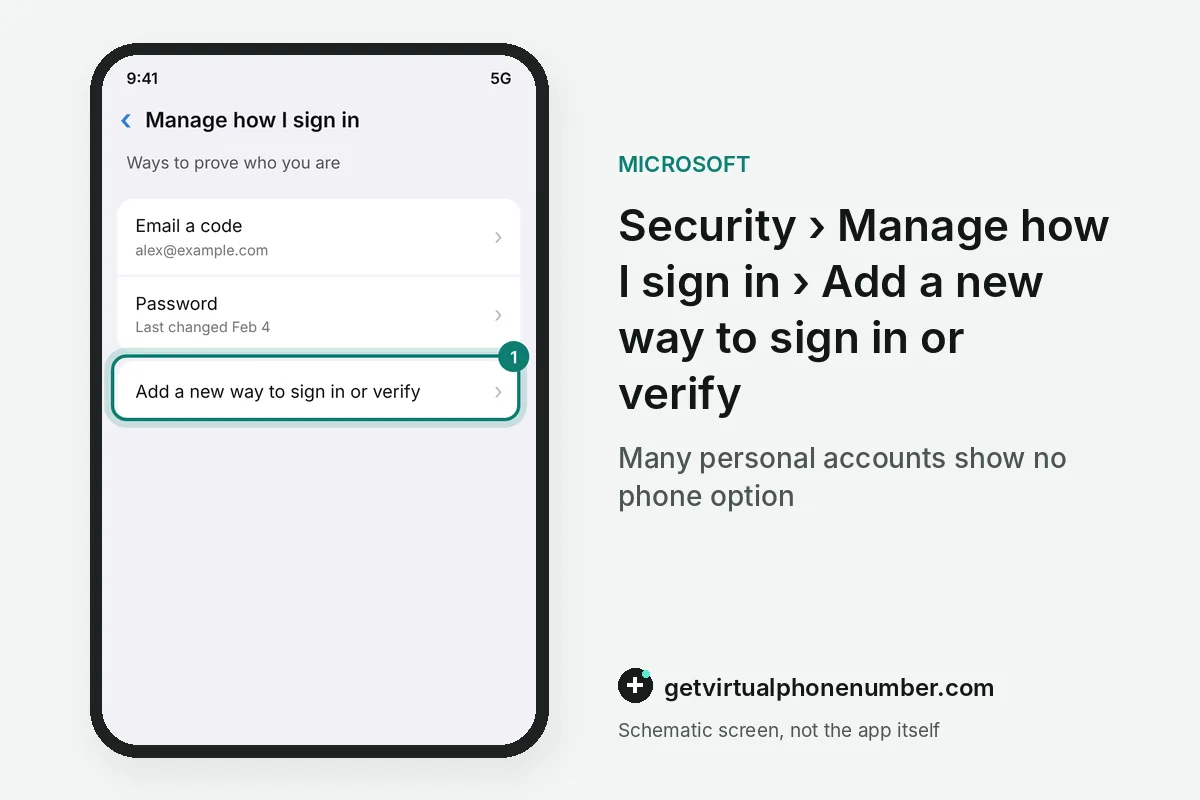
To add a phone number to a Microsoft account, open Manage how I sign in on the Security tab and choose Add a new way to sign in or verify. Many personal accounts do not show a phone option there.
Why is there no option to add a phone number to your Microsoft account?
The add phone number option is missing from many Microsoft accounts because Microsoft is phasing out SMS for authentication and account recovery. Its own help page warns that the phone option may not be available and that you may only see a recovery email, Authenticator or a passkey. Microsoft calls SMS a leading source of fraud, open to phishing and SIM-swap attacks.
Community answers on Microsoft Q&A quote the support article directly: for increased security, new phone numbers cannot be added. Volunteers there report that an existing number can still be removed. Removal still works. Some owners who deleted their old number by accident then found no way to add one back.
When did the add phone number option disappear?
The add phone number option began disappearing from personal Microsoft accounts in May 2026, judging by threads on Microsoft Q&A. One independent advisor first called it a widespread, likely server-side change that affected many accounts at once. Within days, advisors were quoting Microsoft's own article on the removal.
Threads about adding a phone number kept growing through the summer. Dozens of owners marked the same question, with new posts in July and September 2026. Volunteers answered each one the same way: the option was removed by design, and it is gone for everybody.
Owners who want the option back have been pointed to Microsoft's feedback portal, where a request to restore phone sign-in collects votes. Until anything changes there, the screens offer only the methods listed in Microsoft's help article. Planning around that list is safer than waiting.
How does Microsoft Teams Free use your phone number?
Microsoft Teams Free relies on the mobile number in your account so friends and family can find you, and you can find them. With the number added as a sign-in alias, you can also sign in with it instead of your email. Microsoft says it adds an extra layer of security to the account.
Teams Free accepts only one mobile number as a sign-in alias, because a sign-in by number has to point to a single account. Microsoft also points to separate controls for how people find you and for the contact details others can view in Teams Free. Review both once the number is in place.
For Teams questions about the phone number on your account, the Teams help page offers a contact support link and the Microsoft Teams Community. Those are the right places to ask who can see your number inside Teams.
What can you add instead of a phone number?
A recovery email is the simplest replacement for a phone number on a Microsoft account. Any address outside the account works, and Microsoft sends its security codes there.
Microsoft Authenticator, free on Android and iPhone, approves sign-ins with a tap and shows one-time codes even offline. Both options are free. A passkey on Windows 11 uses Windows Hello, so the face, fingerprint or PIN of that PC signs you in.
For example, an account with 1 recovery email and Authenticator on 1 phone keeps 2 ways in after the phone option disappeared. Microsoft recommends more than 1 method for exactly that reason.
What goes wrong when adding a phone number?
The costliest mistake when adding a phone number is chasing a phone option Microsoft has stopped showing. Meanwhile the account sits with no backup method at all. Add the recovery email, Authenticator or passkey that the screen does offer. The change phone number guide covers numbers already on the account.
A public number never belongs in security info, since anyone can read what arrives on its page. Use your own SIM or a private number (coming soon) for an account you keep, and leave public Microsoft lines to throwaway test sign-ups. Sign-ups that skip the phone are covered in Microsoft without a phone number.
Add a verification method to a Microsoft account
- Open the Security tabSign in at account.microsoft.com/security.
- Choose Manage how I sign inThis page lists the ways you can prove who you are.
- Pick Add a new waySelect Add a new way to sign in or verify.
Sources
- Change the email address for your Microsoft account | Microsoft Support
- Having trouble adding phone number to Microsoft account - Microsoft Q&A
- Add my phone number to Microsoft account - Microsoft Q&A
- Adding your phone number to a Microsoft account in Microsoft Teams Free | Microsoft Support
- How do I add a phone number to my Microsoft account info? I do not see an edit profile to add new phone number. - Microsoft Q&A
- How do I add my phone number to my sign in details? - Microsoft Q&A
 Canada
 United States
 Netherlands
 Sweden
 Algeria
 Philippines
 Sri Lanka
 Slovenia
 United Kingdom