Gmail · Account recovery · Checked on 3 October 2026
Google account recovery for Gmail: questions, tips and waiting times
Google account recovery is the process on the recovery page where Google asks questions to confirm you own an account before it allows a password reset. It covers a forgotten password, a forgotten Gmail address and an account someone else took over. Your answers, your device and your saved recovery details decide how fast it goes.
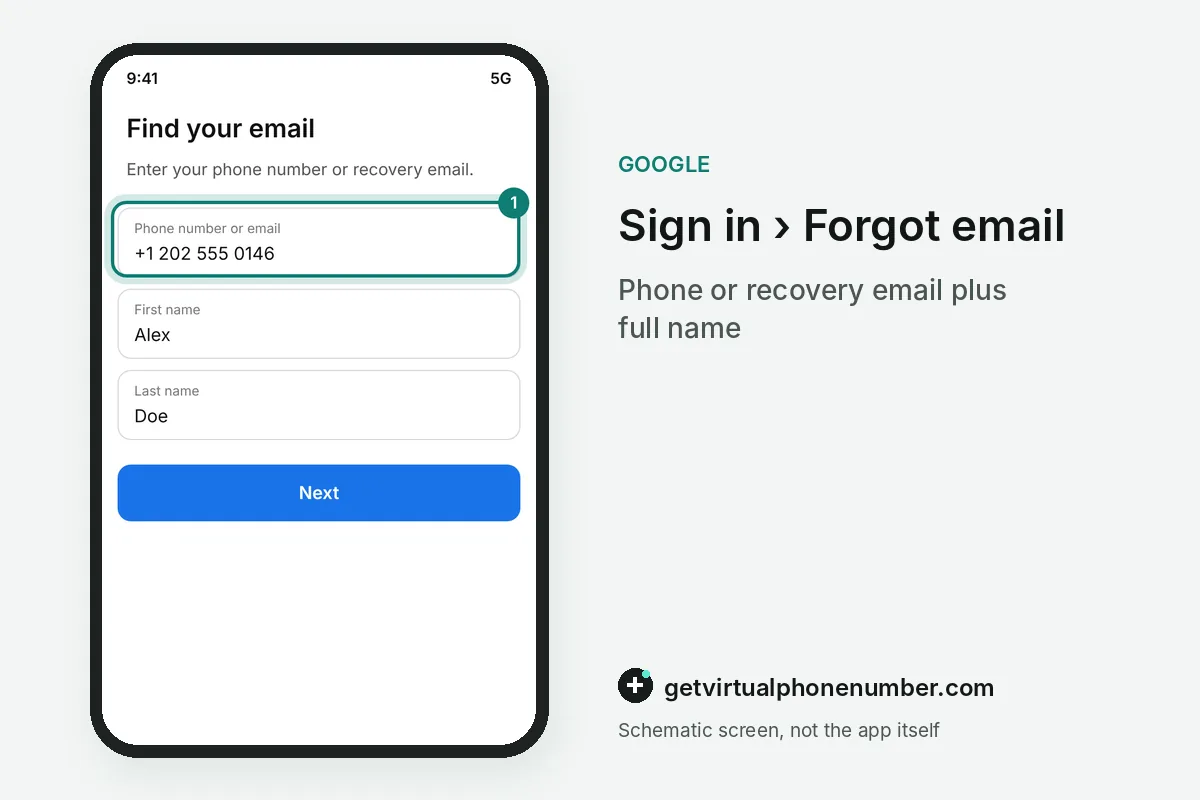
What if you forgot the Gmail address itself?
A forgotten Gmail address comes back through the username lookup in Google account recovery. It needs the phone number or recovery email on the account, plus the full name on it. After you confirm a code, Google lists every username that matches those details.
Try each address you might have used. Many people hold more than one Google login. Our page on a second Gmail account shows how to keep several logins apart once you are back in.
For example, a person who opened 2 Gmail addresses years ago enters the phone number once and sees both usernames in the lookup list. The older address is often the one with saved mail.
Can you recover an old or deleted Gmail account?
An old Gmail account can be recovered through the same Google account recovery page, and a recently deleted Google Account has its own restore steps. Older recovery details still count. An address you used years ago is worth entering.
If recovery still fails after several attempts spread over days, Google suggests creating a replacement account. Set up recovery options on it from day one, so the next lockout ends with a code and not with a form.
How does Google account recovery work?
Google account recovery works through a short series of questions on the recovery page that test whether you own the account. Wrong guesses never kick you out, and Google sets no limit on how many times you can try. A work or school account follows the administrator's rules instead.
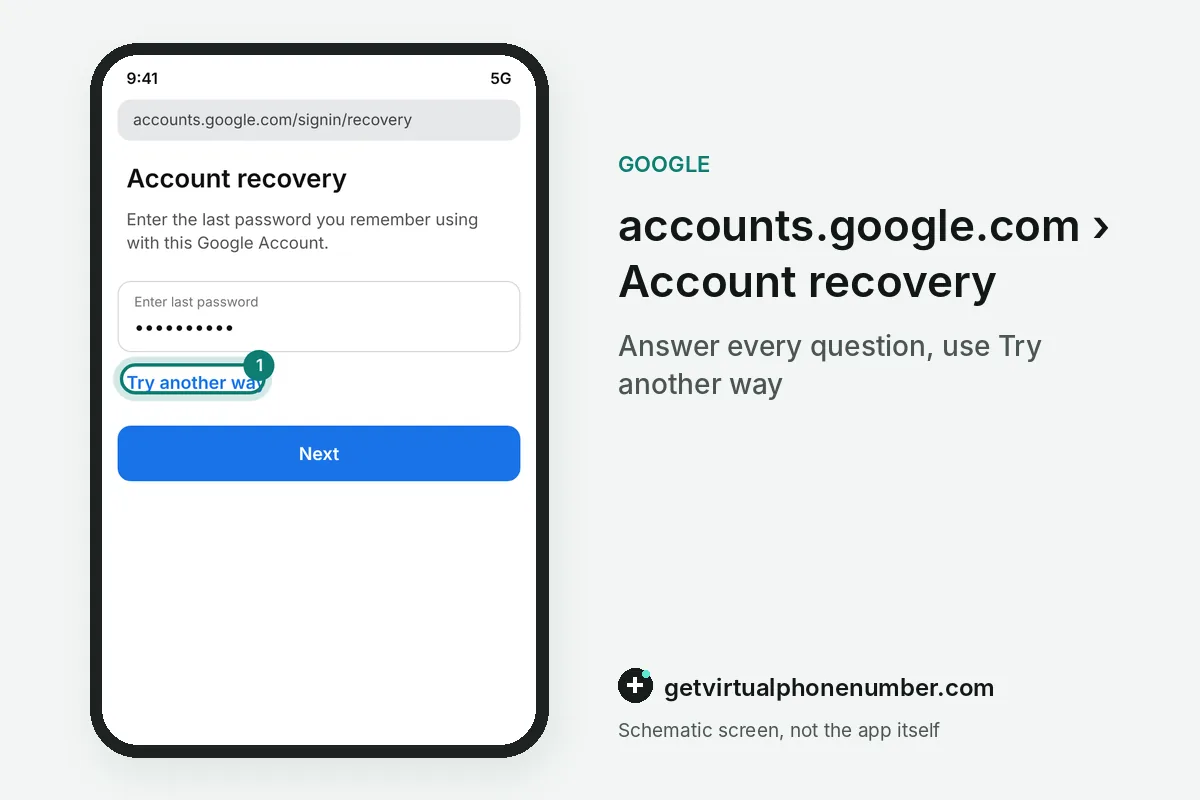
Expect questions about the last password you remember, an email address you can check right now and the phone or recovery email on file. Google may also send a code to the address you are recovering, which helps if that inbox still reaches you through forwarding or another mail app.
In Google account recovery, someone who tries 5 times in 1 evening loses nothing, since Google sets no limit on attempts. A device used for 3 years at home counts in your favour.
Who can help with Google account recovery?
Nobody outside the recovery page can reopen a personal Google account, because Google offers no phone line for sign-in help. It also states that it works with no service that claims to provide account or password support, so paid recovery offers are a red flag.
Work and school Google accounts are different. Their administrator can reset access. A child under 13, or the applicable age in your country, gets a password reset from the parent who manages the account.
A child aged 12 gets the reset from the parent who manages the account in Family Link. Google Workspace accounts go to the IT administrator.
What goes wrong in Google account recovery?
The costly mistake in Google account recovery is starting from a borrowed device in a new place and skipping questions. Another is leaving a Google Voice number as the recovery phone, since a signed-out Voice app cannot receive the code that would let you back in.
Never set a shared public line as the recovery phone of a Google account. Our Gmail numbers suit a throwaway test account, while a private number (coming soon) or your own SIM fits one you keep. If someone else changed your details, follow our hacked Gmail steps.
Once you are back in, add a recovery contact and print 2-Step Verification backup codes. Those two Google extras keep the next lockout short.
Recover your Google Account on the recovery page
- Open the recovery addressType accounts.google.com/signin/recovery into the browser you use most, on your usual computer or phone.
- Enter the Gmail addressType the address you want back, or pick Forgot email to look up the username with your phone or recovery email.
- Answer every questionGive the last password you remember and an inbox you can open now, and keep Try another way for questions you cannot answer.
- Watch for Google's emailCheck spam for Your Google support inquiry and add noreply@google.com to your contacts.
Sources
- How to recover your Google Account or Gmail - Google Account Help
- Tips to complete account recovery steps - Google Account Help
- Set up recovery options - Computer - Google Account Help
- Change or reset your password - Computer - Google Account Help
- How To Recover Your Hacked Email or Social Media Account | Consumer Advice
- Authentication Tools for Secure Sign-In - Google Safety Center
 Canada
 United States
 Netherlands
 Sweden
 Algeria
 Philippines
 Sri Lanka
 Slovenia
 United Kingdom