Instagram · Account security · Updated 3 October 2026
Instagram security: real emails, fake ones and privacy settings
Instagram security mostly happens in your inbox. Real security mail comes from addresses such as security@mail.instagram.com. The Recent emails screen lists every genuine message from the last 14 days, so any email missing there is fake. Privacy settings then decide who sees what you share.
Is security@mail.instagram.com a real Instagram address?
Yes, security@mail.instagram.com is a real Instagram sender, and @mail.instagram.com is one of five domains used for account security mail. A familiar sender name still proves little, because scammers copy names and logos with ease.
What settles the security question is a matching entry in your own account settings, which no outsider can plant. Treat the domain as the first filter and the settings check as the verdict.
| Sender domain | Typical mail | Verdict comes from |
|---|---|---|
| @mail.instagram.com | Security and login notices | Recent emails |
| @support.instagram.com | Support replies | Recent emails |
| @facebookmail.com | Meta notices | Recent emails |
| @support.facebook.com | Meta support | Recent emails |
| @global.metamail.com | Meta Account mail | Recent emails |
How do you check an email under Recent emails?
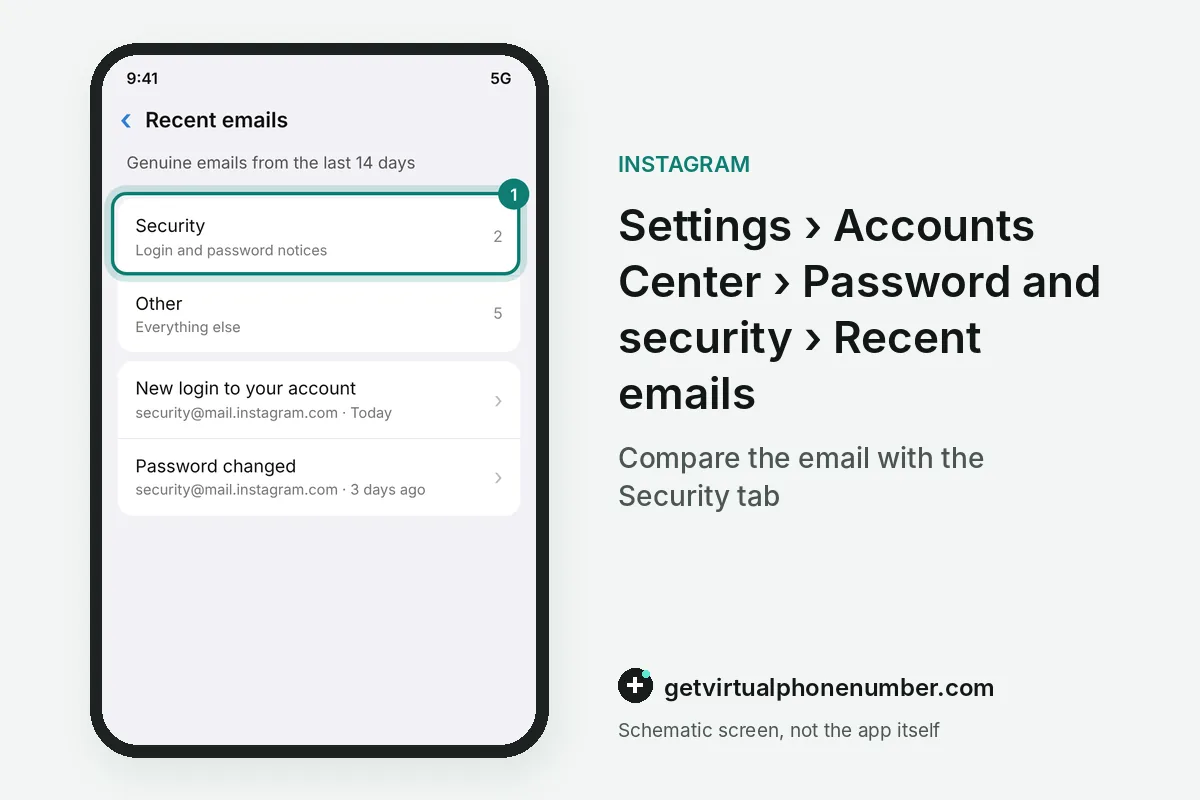
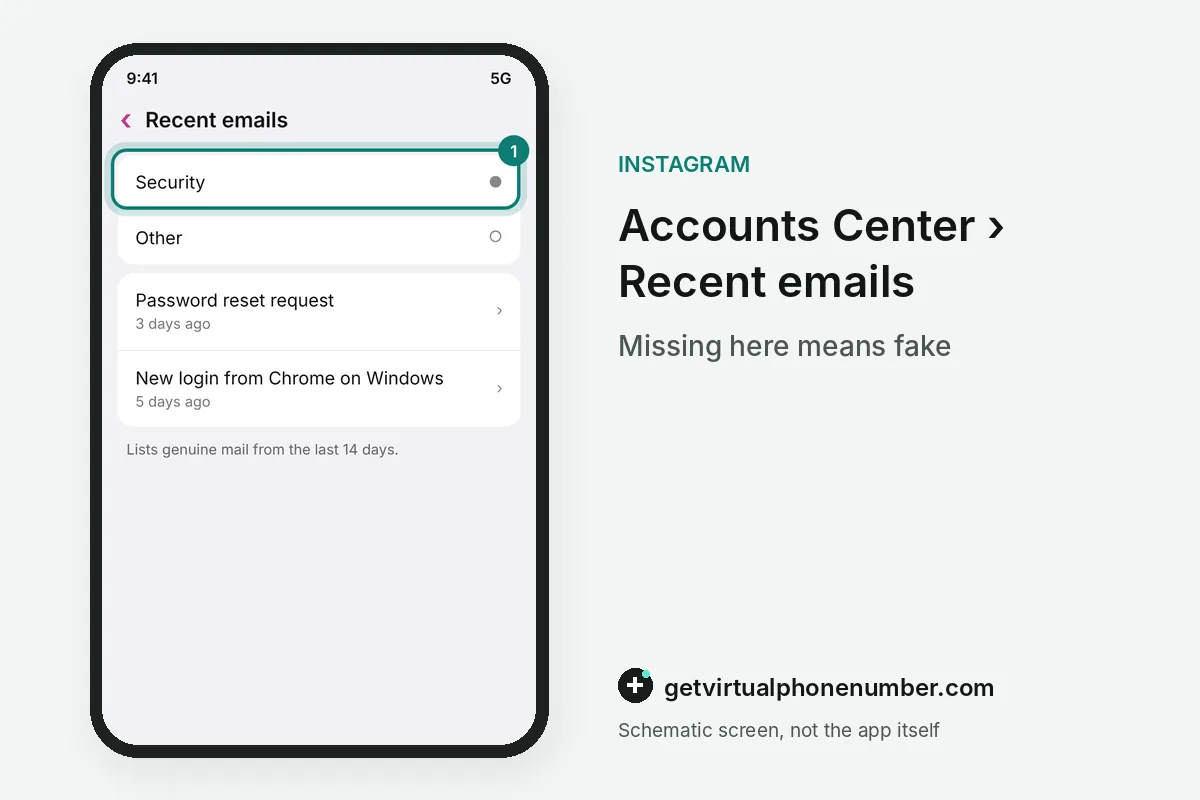
You check an Instagram security email in Accounts Center, under Password and security, then Recent emails. Choose the account it mentions. Mail about security and login from the last 14 days sits under Security, and everything else sits under Other.
An Instagram security email missing from both lists did not come from the official team, so delete it without clicking. Real account security notices never arrive as Direct Messages either. A DM from a so-called security team is a scam by definition.
For example, an Instagram password reset email that arrived 3 days ago must show under Security in Recent emails. If it is missing there, the Instagram email is fake.
What is the risk in a fake Instagram security email?
A fake security email fails the Recent emails check and usually pushes urgency. Typical lures warn that a post breaks intellectual property rules, that the profile faces a ban, or that a verification badge awaits if you log in through the link.
Other red flags in a fake account security email are poor spelling, a request for your password or card details, and an offer of paid verification services. Real support never asks for your password by email. The attack overview lists real lures, and two-step verification blunts them.
Who can see your personal info on Instagram?
Anyone can see your personal info and posts on a public Instagram profile, while a private account limits posts to followers you approve. Switching to private hides nothing from people who already follow you, so prune unknown followers as well.
For more account privacy, turn off Show Activity Status to hide when you were last active, and deny location access if you do not want places on your posts. A private number (coming soon) keeps your main SIM off the profile, while our free Instagram numbers suit throwaway test profiles only.
| Setting | What it hides | Who still sees it |
|---|---|---|
| Private account | Your posts | Approved followers |
| Show Activity Status off | Last active time | Nobody |
| Location access off | Places on new posts | Nobody |
| Blocking someone | Your profile from that person | Everyone else |
Is Instagram going to require ID?
Instagram asks for ID only in specific security checks. One is confirming the owner during account recovery, where an ID upload or a video selfie may be requested. The other is age verification when someone under 16 tries to change their age to over 16.
Instagram age checks run only in some countries and accept either a video selfie or an uploaded ID. The selfie image goes to a vendor that estimates age without identifying anyone, and it is deleted within 30 days. The check can take up to 20 minutes, and the result arrives as a notification.
Check whether an Instagram email is real
- Hold the linkDo not click anything inside the message yet, however urgent it sounds.
- Open Recent emailsGo to Settings, then Accounts Center, then Password and security, then Recent emails.
- Pick the accountChoose the profile that the email mentions.
- Compare the listsLook for the same message under Security or Other.
- DecideDelete and report anything missing from the list, and act only on messages that match an entry you can see in your own settings.
Sources
- Keeping Instagram Safe and Secure
- Instagram Account Safety & Security | Secure Your Account | About Instagram
- The Essential Guide to Secure Your Instagram Account [Updated]
- Avoid getting scammed on Instagram | Instagram Help Center
- Why Instagram tells you your account is at risk | Instagram Help Center
- Review recent emails sent from Instagram | Instagram Help Center
 Canada
 United States
 Netherlands
 Sweden
 Algeria
 Philippines
 Sri Lanka
 Slovenia
 United Kingdom