Discord · Account security · Reviewed 3 October 2026
Discord security: protect your account, DMs and apps
Discord security is the set of protections that keep your account, messages and servers out of the wrong hands. Discord ranks its login protections plainly: passkey first, authenticator app second, SMS last.
What does Discord security protect?
Discord security covers three places: the login, the DM inbox and connected apps. Keeping the account secure is the owner's job under the Terms of Service, and the Safety Center at discord.com/safety gathers the official guides. An account that was never secured may be beyond recovery.
Each place needs its own lock on Discord. Multi-factor authentication (MFA) secures the login, while Message Requests and the spam filter secure your DMs. A review of Authorized Apps closes the last gap in Discord account security, and skipping any one of the three leaves the other two carrying the whole load.
What is a Discord security code?
A Discord security code is a one-time number that proves a login or an account security change is really yours. Treat it like a password. It can come from your authenticator app, your backup code list or a text message, and whoever holds a fresh code holds the key.
Security on Discord breaks when that code is shared. An unrequested code usually means someone typed your number into a login or verification form, and Discord staff never contact users through the app for support. Never share the code, then follow the order in the tips at discord.com/safety: reset your password first and make sure two-factor authentication is on.
What goes wrong with Discord security?
The most common Discord security mistake is turning on MFA without saving the backup codes. Support cannot remove MFA from an account. A lost phone with no saved codes can lock you out for good, so keep the codes in a password manager.
Other security mistakes are quieter. Reused passwords, old bots in Authorized Apps and files opened from DMs all count, and the tips at discord.com/safety call any bot offering free products a scam. The hacked Discord account guide shows how attackers use fake games and free Nitro as bait.
For example, an owner with 1 security key and saved backup codes can still sign in after losing the phone that held the authenticator app. Discord security holds up with all 3 layers in place.
Discord privacy settings for DM security
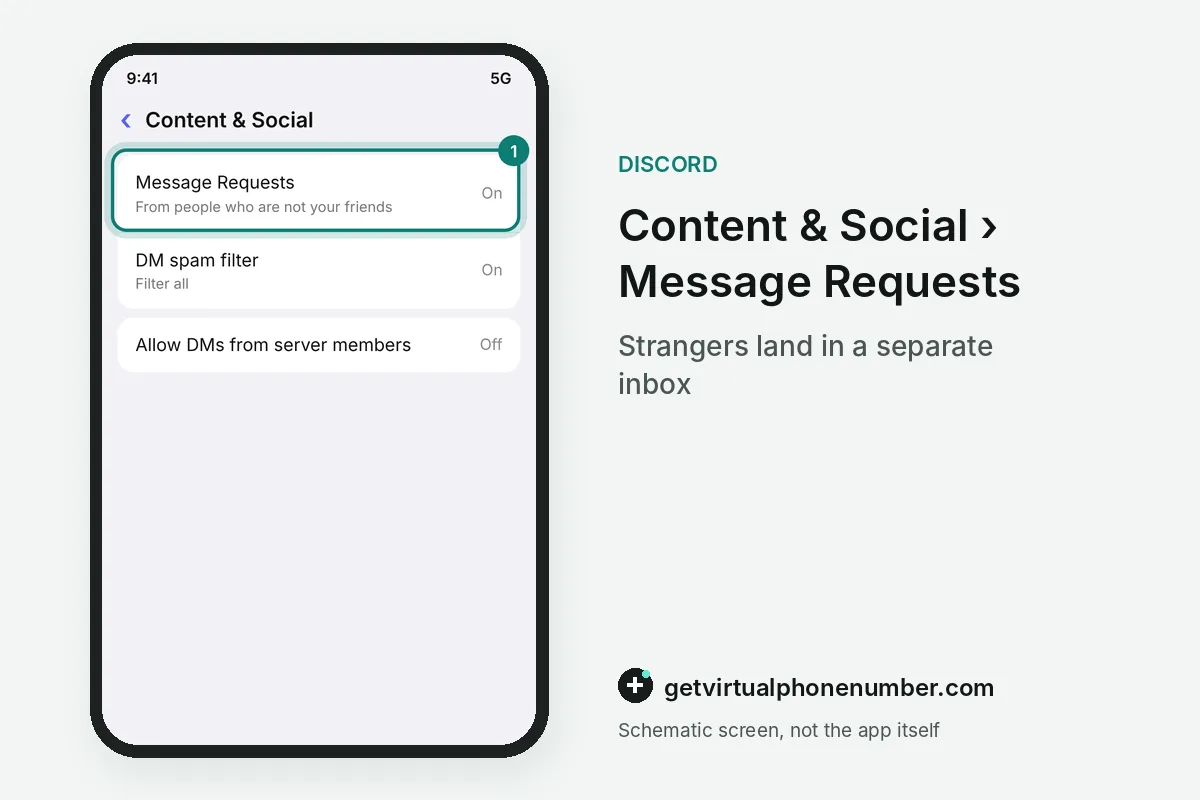
Discord privacy settings add security to your DMs by deciding who can reach you and what their messages show. Message Requests move DMs from non-friends into a separate inbox, and the spam filter checks every incoming DM by default. Both settings live in User Settings, under Content & Social and Messaging Permissions.
Discord DM security also comes from what a request hides. A message request preview hides images and files and turns links into plain text, so a malicious link cannot work before you accept it.
For Discord security on servers, each server can switch Message Requests off in its Privacy Settings. That server's members then land straight in your DM list, unless your own DM permissions still block them. The Discord spam guide covers the Spam tab.
How do Discord security keys work?
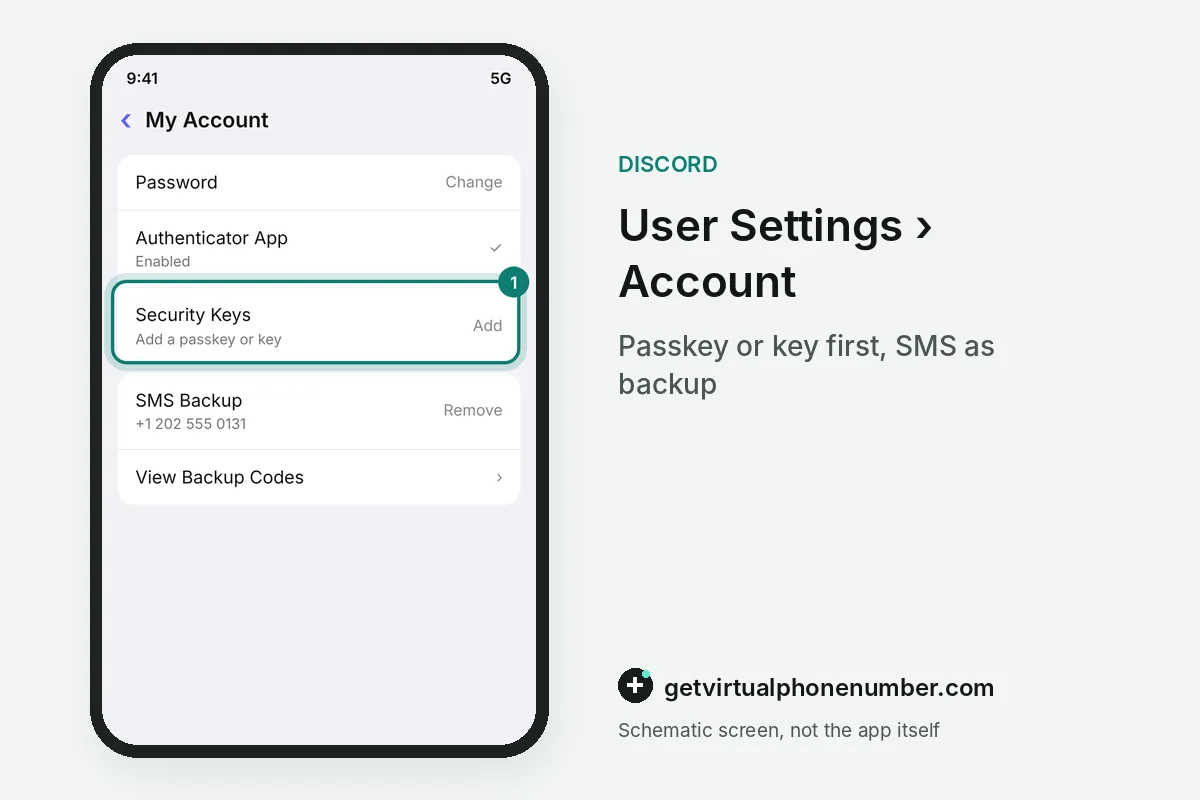
Discord security keys and passkeys protect your login with something only your device can do, such as a fingerprint, a face scan or a screen lock. Discord calls them phishing resistant. A fake login page cannot reuse them, so they come first in any secure setup.
An authenticator app is the second security layer, with a fresh code every 30 seconds. Backup codes are the spare key. Security on Discord works as a stack: passkey, app, then saved codes.
SMS is the weakest security option, and Discord does not recommend it, since texts can be intercepted or moved through a SIM swap. It can be added only after an authenticator app is active. Keep it as a fallback security option on a SIM you control.
Discord security and phone numbers
For Discord security, the phone number on your account must stay yours. Discord allows one phone number per account, and the policy at discord.com/privacy notes that Discord may ask you to verify the account with a phone number. Use your own SIM or a private number (coming soon) that receives security codes for you alone.
Public lines on our free Discord numbers page offer no account security, since anyone who opens the page sees the same texts. They suit a throwaway test account you never plan to keep. If a code never arrives, the code troubleshooting guide lists the checks.
Turn on a Discord security key or passkey
- Open Discord User SettingsTap the cogwheel next to your avatar to open User Settings, where Discord keeps its security options.
- Add a Discord security keyGo to Account, select Security Keys and tap Add, then approve with your fingerprint, face or screen lock.
- Save the backup codesSelect View Backup Codes and download them. Support cannot reset MFA for you.
- Check Authorized AppsDeauthorize any app you do not recognize, and it loses access to your Discord account at once.
 Canada
 United States
 Netherlands
 Sweden
 Algeria
 Philippines
 Sri Lanka
 Slovenia
 United Kingdom