Telegram · Forgot password · Updated 3 October 2026
Forgot Your Telegram Password: 3 Ways to Reset It
A forgotten Telegram password is the cloud password of two-step verification, and Telegram offers exactly 3 ways to reset it. The fastest one is a recovery email code. A logged-in device can also clear a forgotten Telegram password, although that route makes you wait for a full week before the password disappears.
Which Telegram password did you forget?
The only Telegram password is the optional cloud password of two-step verification, since normal logins use a one-time code. A missing code is a different problem. Codes that never arrive are covered in Telegram code not received, while the forgotten password screen appears right after a code you typed correctly.
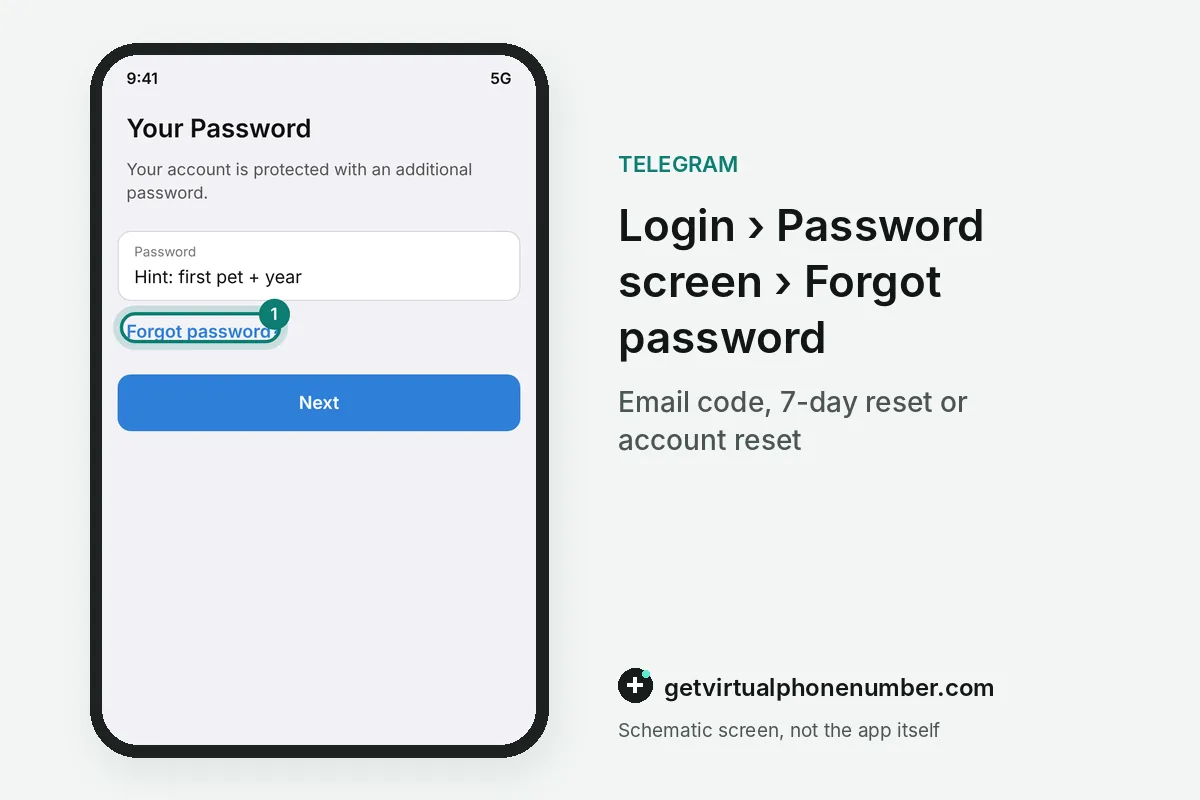
The forgotten password screen shows the hint you wrote during setup and a link for a forgotten Telegram password. Read the hint slowly before you start any reset.
How do you reset a forgotten Telegram password with the recovery email?
To reset a forgotten Telegram password by email, open Telegram, enter your phone number and type the login code you receive. Then tap Forgot password. Telegram sends a recovery code to the mailbox you added during setup, and typing that code removes the old cloud password straight away.
Telegram shows part of the recovery address so you know which mailbox to open, and the spam folder is worth a look when the code is late. Recovery email arrived with two-step verification in April 2015, so older accounts may lack one.
Can a logged-in device reset the forgotten Telegram password?
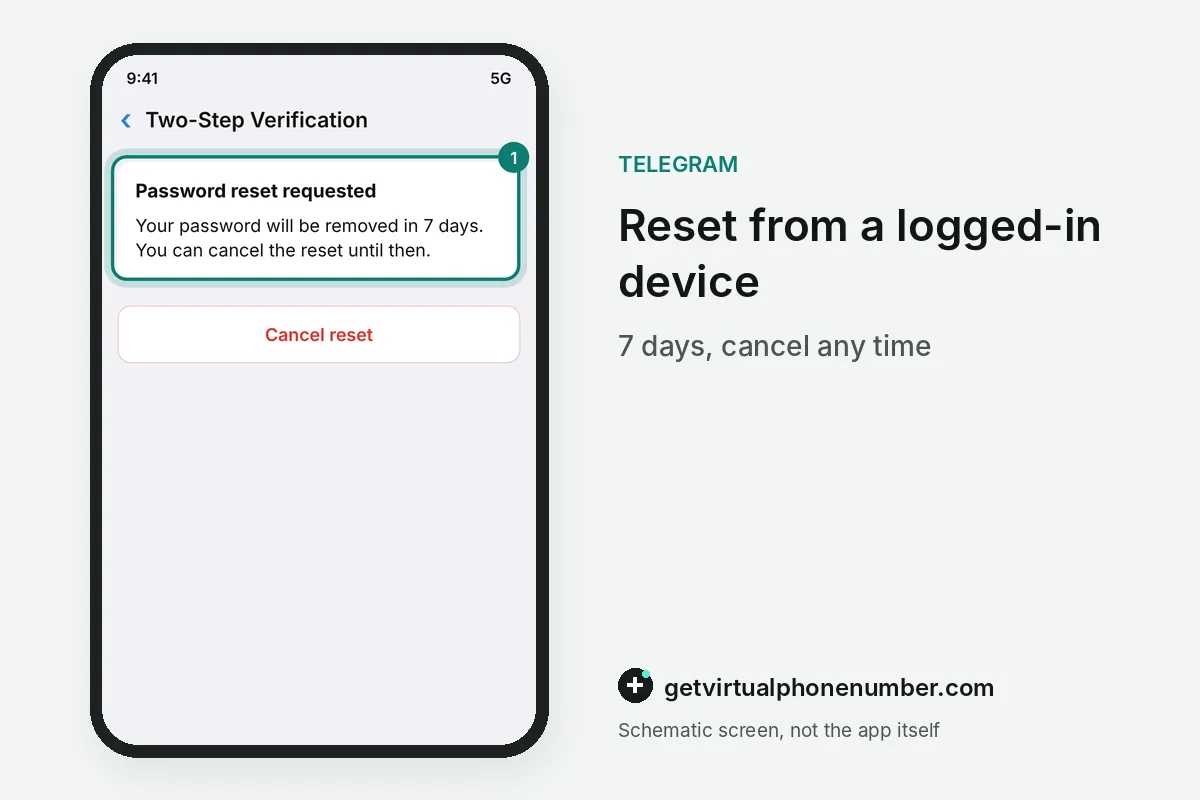
A logged-in device can reset a forgotten Telegram password from Settings, Privacy and Security, Two-Step Verification. The reset then starts a timer. Telegram keeps that timer on its servers and removes the password when the week ends, while you can still cancel the reset at any moment before that.
For example, a forgotten Telegram password reset started on 3 October 2026 completes on 10 October 2026. The 7-day timer runs on Telegram's servers, so it keeps counting while the phone is switched off. Keep that session signed in until the end.
When does a forgotten Telegram password need an account reset?
With no recovery email and no logged-in device, a forgotten Telegram password can only be cleared by an account reset. That reset deletes the account. Chats, contacts and group memberships disappear, and the phone number becomes free for a brand new account that starts with an empty chat list.
Telegram's API documentation says an active account protected by a password is deleted after 1 week for security purposes. Groups you created stay with their admins, as how to delete a Telegram account explains. Telegram Passport documents are lost as well, because they are encrypted with the cloud password.
How long does each Telegram password reset take?
Each Telegram password reset route has its own wait and its own cost, and only the account reset loses chats and contacts. The table sets the three routes side by side.
| Reset route | You need | Wait | Chats kept |
|---|---|---|---|
| Recovery email | Access to the recovery mailbox | Minutes | Yes |
| Logged-in device | Phone, tablet or computer still signed in | 7 days | Yes |
| Account reset | The login code only | 1 week for an active account | No |
Why can't Telegram support reset a forgotten password?
Telegram support cannot reset a forgotten password or shorten the 7-day timer, because the cloud password is checked with a protocol that never reveals it. Nobody else knows it. Messages from accounts that promise to recover a Telegram password for a fee or a login code are scams, even when they copy the official logo.
The Telegram Support form at telegram.org/support cannot remove a cloud password either, since Telegram's FAQ names a full reset as the only route without the email. Report any chat that asks for your forgotten Telegram password.
How do you avoid forgetting the Telegram password again?
Store the new Telegram password in a password manager, add a recovery email at once and keep Telegram Desktop signed in as a spare device. Test the email once. A spare session on a home computer means a future forgotten password costs a week of waiting instead of the whole account and its history.
Test accounts on our free Telegram numbers deserve the same care, since anyone can request a fresh login code for a shared number. A forgotten password there usually means a lost test account.
Telegram forgotten password reset steps
- Enter the login codeStart the login on any device and type the code Telegram sends.
- Tap Forgot passwordTelegram offers email recovery if you added an email.
- Use a logged-in deviceWithout email, request the reset in Two-Step Verification and wait 7 days.
- Reset the accountWith no email and no device, reset the account and register the number again.
- Set a new passwordAdd a recovery email right away and save the password.
 Algeria
 Netherlands
 Moldova
 Sweden
 Canada
 United States
 United Kingdom