WhatsApp · Spam and scams · Facts verified 3 October 2026
This account can no longer use WhatsApp due to spam: why it happens and how to avoid it
The message This account can no longer use WhatsApp due to spam means the number was banned because its messages looked like spam: bulk, automated or unwanted. A spam ban is usually the last step after spam signals pile up, often after a restriction. Knowing what counts as spam keeps a number out of that filter, and knowing how spam scams work keeps your own account out of trouble.
Why does an account get flagged for spam?
An account gets flagged for spam, and loses WhatsApp, when it sends unsolicited, bulk or automated messages. The help pages name all three as grounds for restriction and bans, and pushing the same promotion to people who never saved your number fits that spam pattern exactly.
Spam reports count too. Recipients can report messages they think break the rules, with spam named as the typical example. Third-party guides add frequent device changes and many verification attempts to the list of spam signals.
For example, 1 WhatsApp promotion sent to 300 people who never saved your number can draw enough spam reports for a restriction. Messages forwarded through a chain of 5 or more chats get a double-arrow label. Each such message can then go to only 1 chat at a time.
Spam you receive: code scams and strangers
The most damaging spam you receive is the code scam: a spam message, often from a familiar name, asking you to forward a 6-digit code. That code is the key to your account, as our hacked account guide explains.
WhatsApp says it catches and removes most spam and scam accounts before they reach you, yet some still get through. Strangers see your phone number as soon as you reply on WhatsApp, so treat every unknown number as unverified and never send codes, links or money. Report every one.
A WhatsApp Facebook Dating scam starts with a match on Facebook Dating or another dating app who asks to move to WhatsApp within a few messages. Later comes an investment pitch or a request for money.
Is it safe to chat with strangers despite spam?
Chatting with strangers on WhatsApp is reasonably safe if you keep the conversation inside the app and share nothing that opens accounts or wallets. Set Groups to My contacts in WhatsApp privacy settings so unknown accounts cannot drop you into spam groups.
Silence unknown callers stops spam calls from unsaved numbers ringing the phone. Usernames, covered in our page on hiding your number, let new contacts reach you without seeing your digits, which cuts the spam that follows a leaked number.
How do you report and block spam?
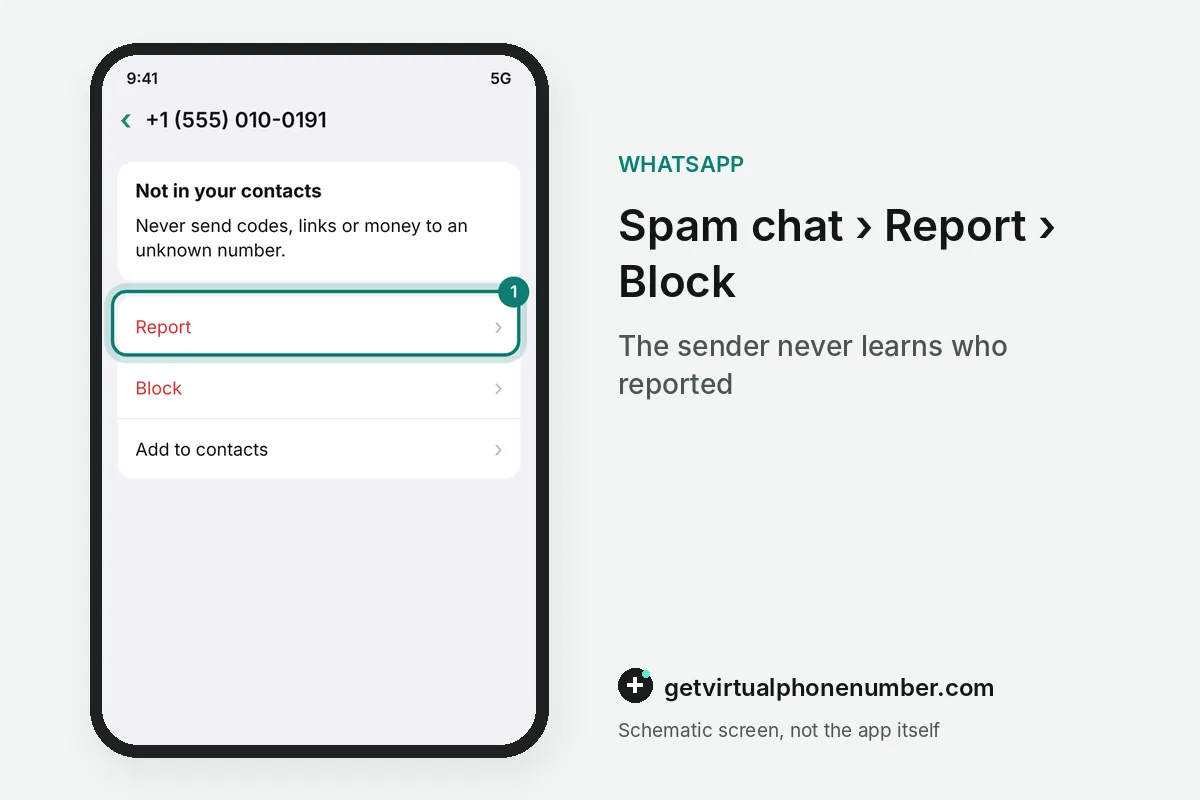
You report spam from the chat itself, and the sender is never told who reported them. Blocking stops their messages and calls. Both actions start from the contact info screen inside the chat, which keeps a spam wave quick to handle.
Spam reports also feed automatic spam detection, which is how bulk senders end up restricted. A privacy option can block high volumes of messages from unknown accounts, a useful shield during a spam wave.
Restricted for spam: the warning before a ban
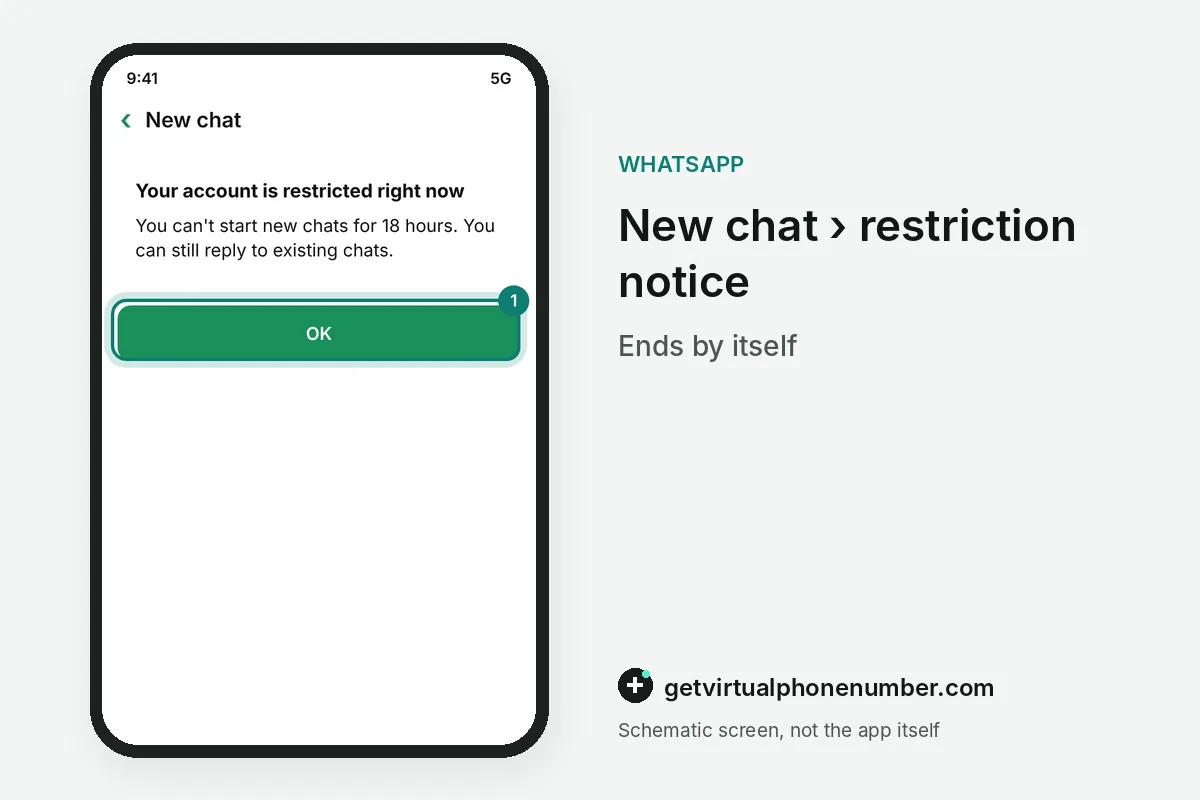
A spam restriction is the warning stage before an account loses WhatsApp. It shows as Your account is restricted right now, or may be restricted soon. It ends by itself. A notification arrives when the set time passes.
During a spam restriction you can still talk to people and groups you chatted with before. You cannot start chats with new contacts, create groups, add members or use linked devices. Tapping New chat on a contact you never messaged shows how long the restriction still runs.
| Spam signal | What may follow | What to change |
|---|---|---|
| Bulk or automated sending | Restriction, then a ban | Stop the tool and send one to one |
| Many spam reports | Investigation, then a ban | Message only people who expect you |
| Unofficial app or scraping | Temporary ban | Switch to the official app |
| Spam after a restriction | Ban with a review offer | Wait out the timer, then change habits |
How can you message many people without a spam ban?
You can message many people without a spam ban only with their consent and the right tool. The regular app is built for one-to-one conversation, and marketing tools on the official WhatsApp Business Platform exist for campaigns at volume. There, marketing messages go out as approved templates, and Meta bills them per message.
Broadcast lists help less than people expect against WhatsApp spam flags. A WhatsApp broadcast reaches only recipients who saved your number, so a cold list never sees it. Consent comes first. Asking permission before any promotion keeps spam reports low.
Can a WhatsApp spam ban be lifted?
A WhatsApp spam ban can be lifted only through the Request review button on the ban screen, and no button means the decision is final. The full appeal path and what happens to chats are in our account recovery guide.
A fresh public number is no way around a spam ban on WhatsApp, and we do not offer our lines for that. Security writers note that numbers from virtual number services can be flagged, so our free WhatsApp numbers suit a short test, never a business account.
Get a WhatsApp number out of the spam filter
- Read the exact messageRestricted means wait, Temporarily banned means unofficial software, and This phone number can't use WhatsApp means a spam ban.
- Stop every bulk toolRemove automation, unofficial WhatsApp clients and scraping extensions from the phone.
- Wait out a restrictionKeep chatting with existing contacts only until WhatsApp tells you the spam limit has ended.
- Request a review once if bannedUse the button on the WhatsApp ban screen, then wait for the notification.
- Move campaigns to the Business PlatformSend promotions only to people who opted in, through official WhatsApp tools.
 Canada
 United States
 Netherlands
 Sweden
 Algeria
 Philippines
 Sri Lanka
 Slovenia
 United Kingdom