WhatsApp · WhatsApp vs Business · Facts verified 3 October 2026
WhatsApp vs WhatsApp Business: What Is the Difference
WhatsApp vs WhatsApp Business compares two free apps from Meta, where WhatsApp Messenger serves personal chats and WhatsApp Business serves companies that talk to customers. One number runs on one app at a time. Teams that need many agents or automation use the paid WhatsApp Business Platform, an API service that comes without an app of its own.
What is the difference between WhatsApp and WhatsApp Business?
The difference between WhatsApp and WhatsApp Business is the set of commercial tools around the chat, while encryption, groups and calls stay the same. Personal WhatsApp is built for family and friends. WhatsApp Business adds a business profile, a product catalog, quick replies and automatic greeting or away messages designed for companies.
WhatsApp Business is built for professional customer communication, and customers see a label that tells them they are writing to a business account. WhatsApp introduced the Business app on 18 January 2018. The first markets were Indonesia, Italy, Mexico, the UK and the US, and the table compares both apps with the paid platform.
| Option | Price | Numbers | Main tools |
|---|---|---|---|
| WhatsApp Messenger | Free | 1 per account | Chats, calls, groups, channels |
| WhatsApp Business app | Free | 1 per account | Business profile, catalog, quick replies, away message |
| WhatsApp Business Platform | Paid | Many | API for CRM, bots and teams |
What does the WhatsApp Business app add to a business profile?
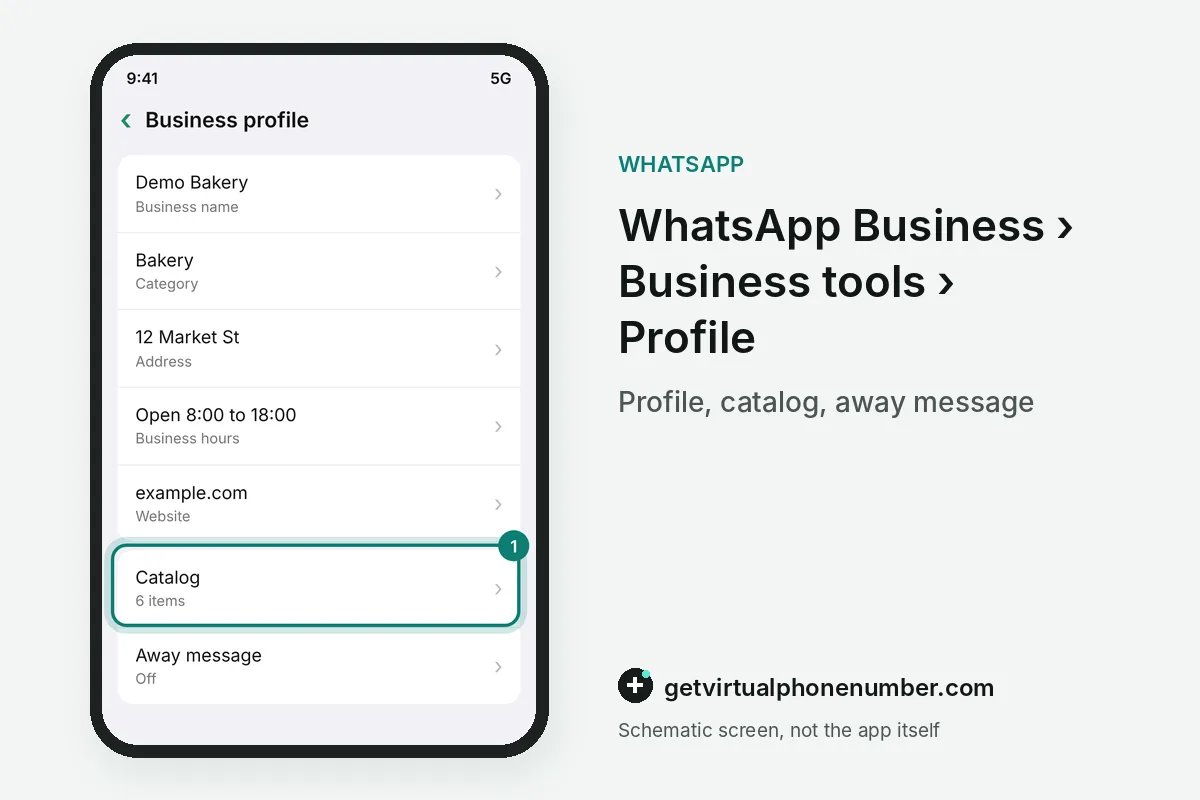
The WhatsApp Business app adds a business profile with address, opening hours, website and a short description that every customer can open. A catalog lists products. Labels sort chats by status, and a short link or QR code opens a conversation with the business in one tap from a website or a shop window.
Quick replies store answers to repeated questions behind a shortcut, while greeting and away messages go out on their own outside working hours. The 2018 launch also added messaging statistics, such as how many messages customers read, to WhatsApp Business.
Why can't one number run WhatsApp Messenger and WhatsApp Business at once?
One number runs WhatsApp Messenger or WhatsApp Business at any given moment, because WhatsApp ties every account to a single number. Registering it moves the account. A phone with two SIMs, or a SIM and an eSIM, runs both apps side by side with two different numbers and keeps family and customer chats apart.
A one-person shop often keeps WhatsApp Messenger on the personal number and moves WhatsApp Business to a second line. Two WhatsApp accounts on one phone explains the second number in detail.
What happens if I switch from WhatsApp to WhatsApp Business?
Switching from WhatsApp to WhatsApp Business on the same phone moves your chat history and media into the Business app. The personal app then stops on that number. Plan the move before customers start writing, so the profile, hours and catalog are ready by the time the first customer opens the chat.
For example, a florist who switches on 3 October 2026 keeps every customer chat and adds opening hours the same day. Contacts see the WhatsApp Business profile from then on.
What are the disadvantages of a WhatsApp Business account?
The main disadvantage of a WhatsApp Business account is its limit of one number per app, which leaves larger teams without a shared inbox. Bots need the API. Teams with several agents, chatbots or many numbers move to the paid WhatsApp Business Platform through a provider, where each message to customers has a price.
A WhatsApp Business profile is public to every customer, including the address and hours you publish. Some people treat messages from business accounts as marketing and mute them quickly.
Is WhatsApp Business free to use?
WhatsApp Business is free to download and use on Android and iPhone, exactly like WhatsApp Messenger. Costs start with the API. The WhatsApp Business Platform has charged per message since 1 July 2025. It works only through software from approved providers, since Meta ships no app for it.
The free WhatsApp Business app suits shops, tutors and freelancers who answer customers themselves. Our free WhatsApp numbers are public lines for short tests, and a real shop needs a number it controls.
Which is better to use, WhatsApp or WhatsApp Business?
WhatsApp suits personal use and WhatsApp Business suits anyone who sells or serves customers in chat, so the better app depends on who writes to you. Both cost nothing. A person with a side business often runs WhatsApp Business on a second number and keeps WhatsApp Messenger for family and friends.
Switching later stays possible in both directions, so the choice between WhatsApp and WhatsApp Business is easy to revisit once customer chats grow. Start with the free app and add the paid platform only when a team forms.
WhatsApp Business setup steps
- Pick the numberUse a second number for the Business app to keep both apps running.
- Install WhatsApp BusinessDownload it from the App Store or Google Play.
- Verify the numberEnter the code that arrives by SMS or call.
- Fill in the profileAdd address, hours, website and a short description.
- Set the toolsCreate quick replies, labels and an away message.
 Algeria
 Netherlands
 Moldova
 Sweden
 Canada
 United States
 United Kingdom