WhatsApp · Hide your number · Checked on 3 October 2026
Can people see your phone number on WhatsApp? Who sees it and how to hide it
People can see your phone number on WhatsApp: anyone you chat with and every member of a group you join, because each WhatsApp account is tied to a mobile number. Usernames, now rolling out, let new contacts reach you without seeing that number, and until they arrive a second number is the only full shield for your main SIM.
Who can see your phone number on WhatsApp?
People can see your phone number on WhatsApp whenever you message them, call them or share a group with them. Every account is tied to a mobile number, and the app displays that number to whoever is on the other side of a chat. No setting stops it.
Contacts who saved you see the name they stored instead of digits. Someone who never saved you still sees your number with the first message you send, so a note to a stranger hands over your SIM along with the text.
How do usernames stop people seeing your number?
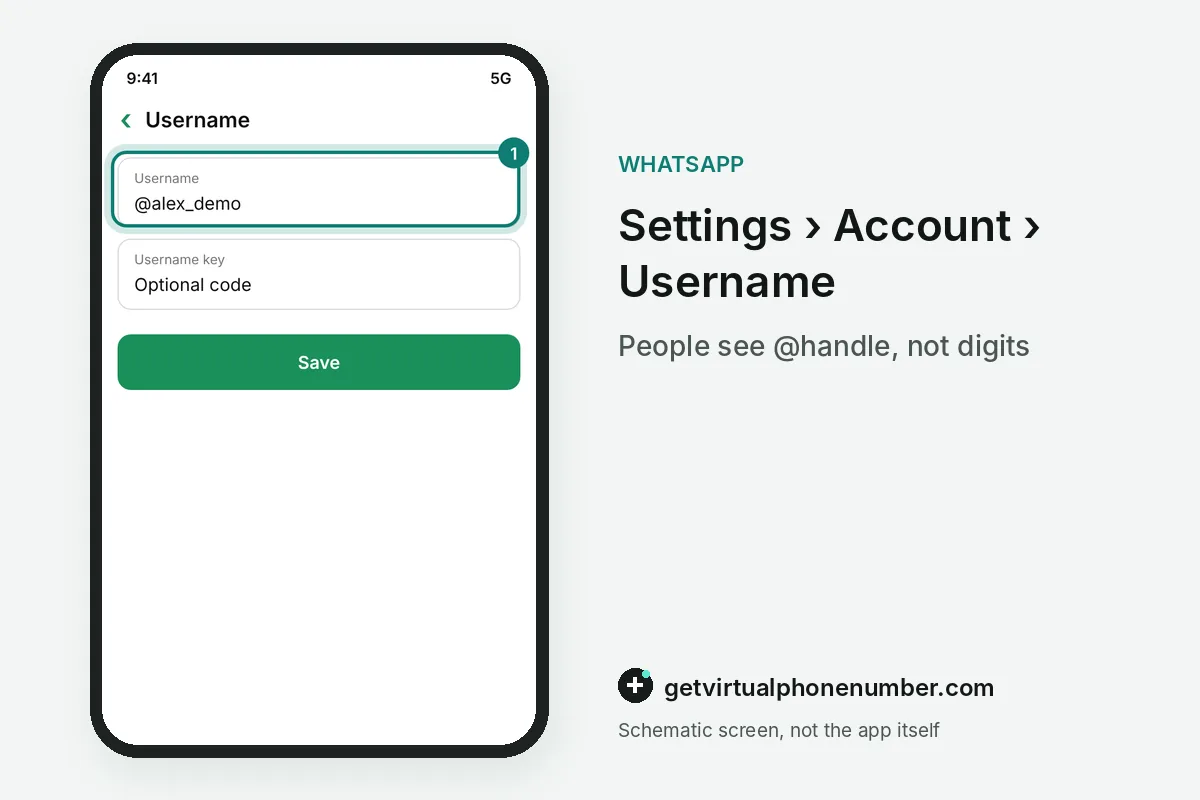
Usernames stop people seeing your number by giving new contacts an @handle, such as @Name123, to message or call you instead of your digits. Once your username is active, anyone who does not have your number saved sees the handle and never the number.
Usernames are rolling out gradually, and where they are not live yet you can reserve one under Settings, Account, Username. There is no directory and no suggestions, so people need your exact handle. An optional username key adds a code that others must enter before their first message reaches you.
Can businesses see your phone number?
Businesses cannot see your phone number in some chats you open from a Facebook or Instagram ad, because the number can be hidden by default there. A system message in the chat tells you when that protection applies.
You reveal the number only by choice, through Phone number privacy and then Share number, or when the business asks for it. Two limits apply: a business that already has your number from earlier contact sees it anyway, and sharing cannot be switched off again.
Why can people see someone else's photo on your number?
People can see someone else's photo on your number because carriers recycle numbers, and the previous owner's account may still exist. You and your contacts might see that person's profile photo and About text before you register.
The previous owner cannot reach your account or see your chats, since only the holder of an active SIM can register a phone number on WhatsApp. When an account sits unused for 45 days and the number then appears on a new device, the old profile data is removed.
Does a group show your number to everyone?
A group shows your phone number to every member, including people who never saved you. The privacy help page says hiding group members' phone numbers is not possible at this time, so every group you join widens who can see it.
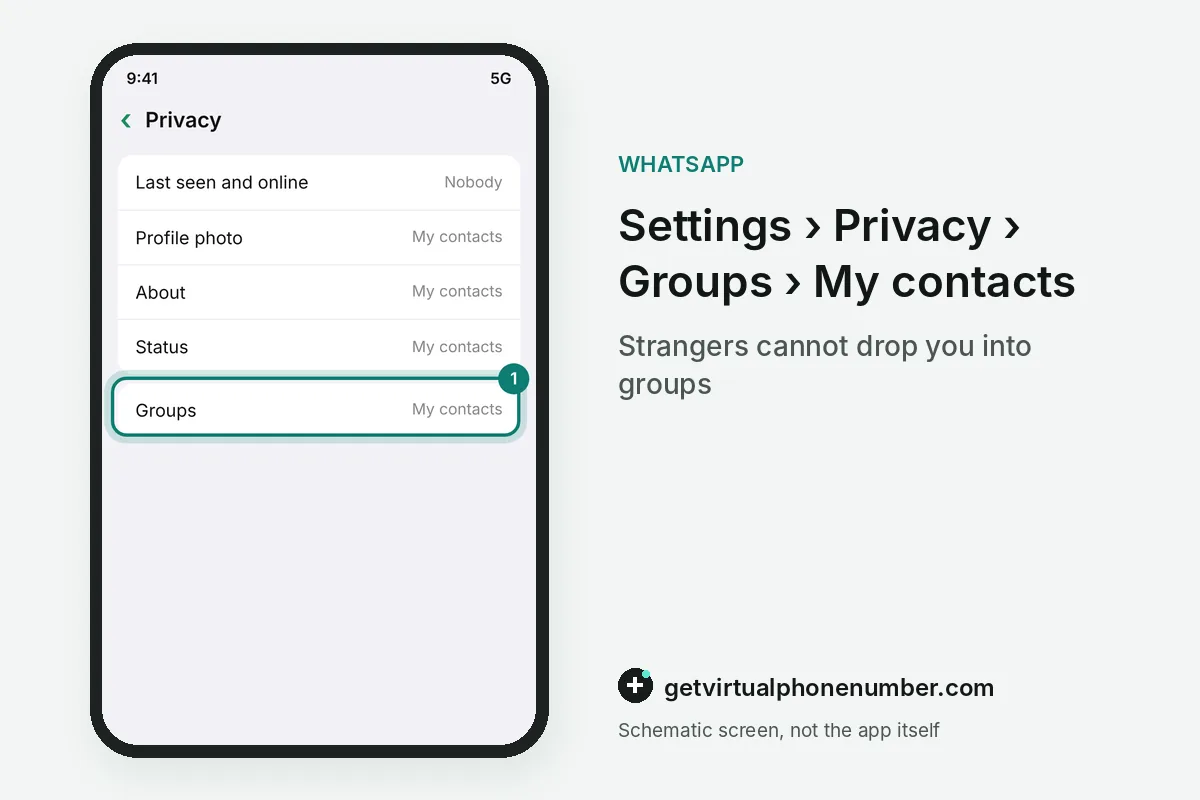
Group invites are the part you control. Set Groups to My contacts under Privacy so strangers cannot drop you into a large WhatsApp group where every member would see your phone number at once.
For example, joining 1 WhatsApp neighborhood group of 900 members shows your phone number to all 900 of them at once. Leave groups you do not read.
WhatsApp Communities work differently in their announcement groups, where member phone numbers stay hidden from other members. WhatsApp Channels also keep followers' numbers away from admins and other followers.
What can privacy settings hide besides your number?
Privacy settings can hide your profile photo, About text, last seen and online status, but they cannot stop people you chat with from seeing your phone number. Each setting offers Everyone, My contacts, My contacts except, or Nobody.
Hiding last seen has a trade-off. If you stop sharing your last seen or online status, you also stop seeing when other people are online, though people can still see your phone number in chats.
Silence Unknown Callers, under Privacy, then Calls, keeps strangers who have your number from ringing you. A wa.me link always carries your digits, so wa.me/12025550147 reveals the number to anyone who reads it.
| What people see | Can you hide it | Where to change it |
|---|---|---|
| Number in one-to-one chats | Only through an active username | Settings, Account, Username |
| Number inside groups | No, impossible at this time | Limit who can add you to groups |
| Profile photo and About | Yes | Settings, Privacy |
| Last seen and online | Yes, with a trade-off | Settings, Privacy, Last seen and online |
| Number in chats opened from ads | Hidden by default in some cases | Phone number privacy in the chat |
What goes wrong when people see your number anyway?
People see your phone number anyway through groups and shared links, which no privacy toggle covers. A careful profile setting does nothing once the number sits in a large group or a public post.
Blocking someone stops their calls and messages, but they keep your number if it is saved in their phone. Treat any number you have already shared as known.
- Joining big public groups with your main number
- Posting a wa.me link that contains your digits
- Changing a username you rely on, which frees it for someone else to claim
- Leaving Groups set to Everyone
Using a second number so people never see your main SIM
A second number keeps your main SIM out of WhatsApp chats and groups entirely, since the second number is the one people see. For an account you keep, it has to be a number only you control, such as a private number (coming soon) that receives the WhatsApp code for you alone.
Free public lines on our WhatsApp page and our US numbers suit a short test, because every visitor sees the same code. Our guide to WhatsApp without a phone number covers the remaining options.
Hide what WhatsApp shows next to your number
- Open Settings, then PrivacyThis screen holds the visibility controls for everything except the number itself.
- Restrict profile photo and AboutChoose My contacts or Nobody so strangers who get your number see neither.
- Set Groups to My contactsThis stops unknown accounts adding you to groups where every member sees your number.
- Reserve a usernameGo to Settings, Account, Username and claim a handle to share in place of your number once it goes live.
- Add a username keySet the optional key so only people you give it to can start a chat by username.
Sources
- About phone number hiding | WhatsApp Help Center
- About seeing your phone number already in WhatsApp | WhatsApp Help Center
- About username reservations | WhatsApp Help Center
- How to change your privacy settings | WhatsApp Help Center
- Can I Hide My Phone Number on WhatsApp? | gosimless
- WhatsApp rolls out usernames to help users hide their phone number
 Canada
 United States
 Netherlands
 Sweden
 Algeria
 Philippines
 Sri Lanka
 Slovenia
 United Kingdom